+RADIO
PLAYER
•
.
••
•
• •
• • I
•
• • •
~
n
1\r....l"r\
FM1
.j
('\.
-1
...,
t:
O
•
20
87
50
90
00
98
00
106
00
108
00
87
50
~
ST
CD
,-,
,-
,-,
,-
,
..
tOC
't><l'
,_,
Ct
I
,
_,
,_,
"-~
.....
0..
,(
!
;
~ ~
BAND
Louo
j
LOC
I
ST/MO I
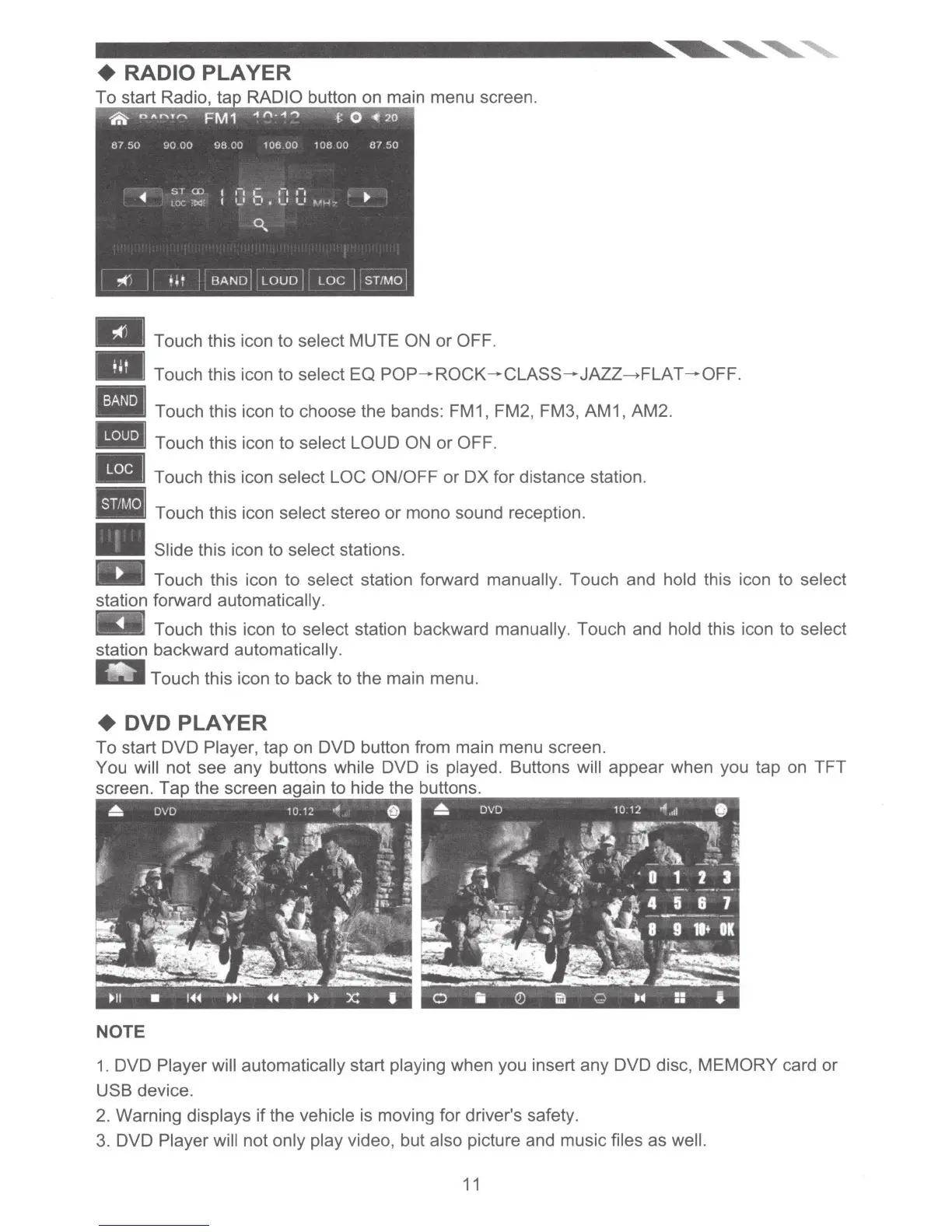
a Touch this icon to select MUTE ON or OFF.
- Touch this icon to select EQ
POP-ROCK-CLASS-JAZZ~FLAT
-OFF.
Touch this icon to choose the bands: FM1, FM2, FM3, AM1, AM2.
-Touch
this icon to select LOUD
ON
or OFF.
Touch this icon select LOC ON/OFF or
OX
for distance station.
Touch this icon select stereo or mono sound reception.
Slide this icon to select stations.
IIIJI Touch this icon to select station forward manually. Touch and hold this icon to select
station forward automatically.
Touch this icon to select station backward manually. Touch and hold this icon to select
station backward automatically.
_..._.Touch
this icon to back to the main menu.
+ DVD PLAYER
To start DVD Player, tap
on
DVD button from main menu screen.
You will not see any buttons while DVD
is
played. Buttons will appear when you tap on TFT
screen. Tap the screen
·n
to hide the buttons.
NOTE
1.
DVD Player will automatically start playing when you insert any DVD disc, MEMORY card or
USB device.
2.
Warning displays if the vehicle is moving for driver's safety.
3.
DVD Player will not only play video, but also picture and music files as well.
11













 To Next Page