10
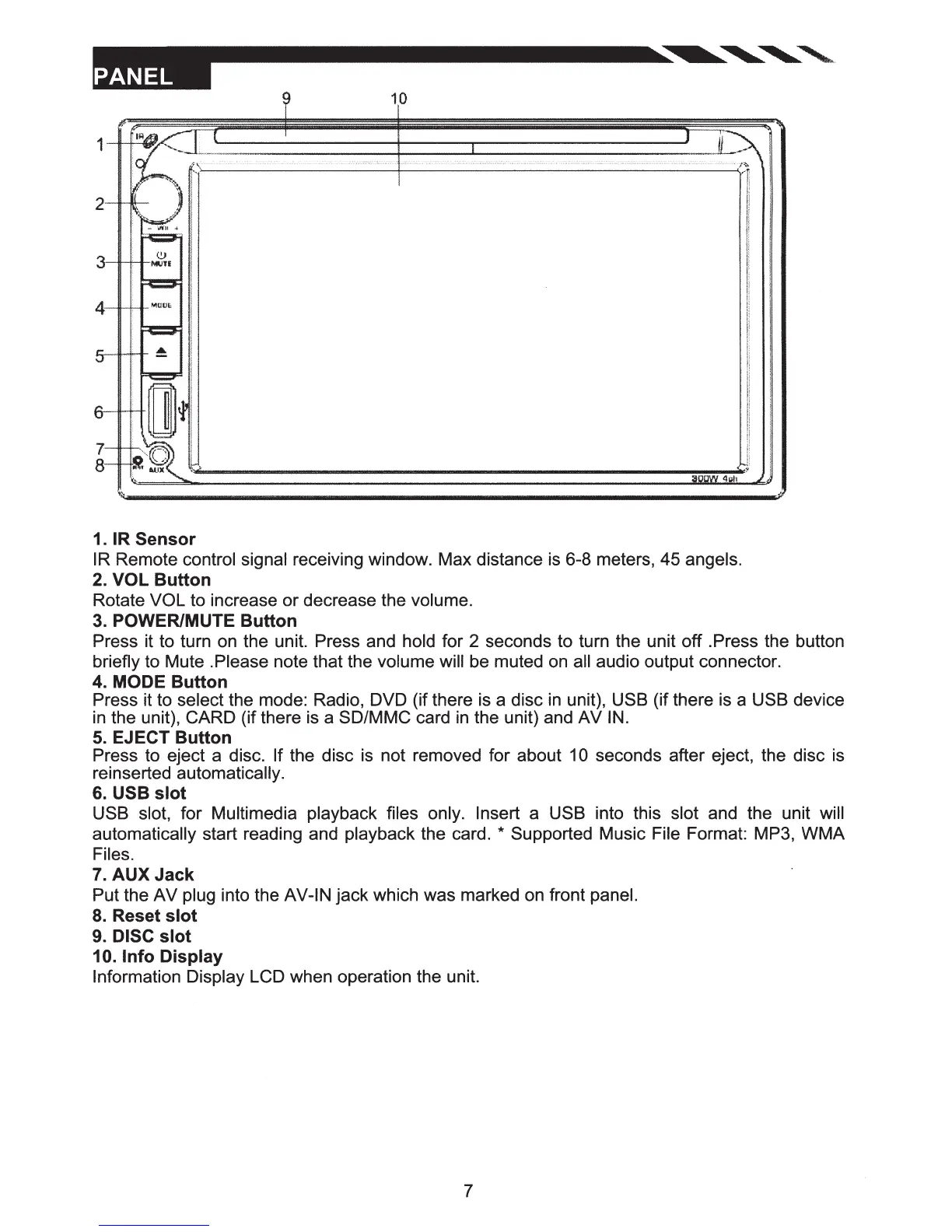
1.
IR
Sensor
IR Remote control signal receiving window. Max distance is 6-8 meters, 45 angels.
2. VOL
Button
Rotate VOL to increase or decrease the volume.
3. POWER/MUTE
Button
Press it to turn on the unit. Press and hold for 2 seconds to turn the unit
off
.Press the button
briefly to Mute .Please note that the volume will be muted on all audio output connector.
4. MODE
Button
Press it to select the mode: Radio, DVD (if there is a disc in unit), USB (if there is a USB device
in the unit), CARD (if there is a SD/MMC card in the unit) and
AV
IN.
5. EJECT
Button
Press to eject a disc. If the disc is not removed for about 10 seconds after eject, the disc is
reinserted automatically.
6. USB
slot
USB slot, for Multimedia playback files only. Insert a USB into this slot and the unit will
automatically start reading and playback the card.
* Supported Music File Format: MP3,
WMA
Files.
7.
AUXJack
Put the
AV
plug into the AV-IN
jack
which was marked on front panel.
8.
Reset
slot
9.
DISC
slot
10.
Info
Display
Information Display LCD when operation the unit.
7













 To Next Page