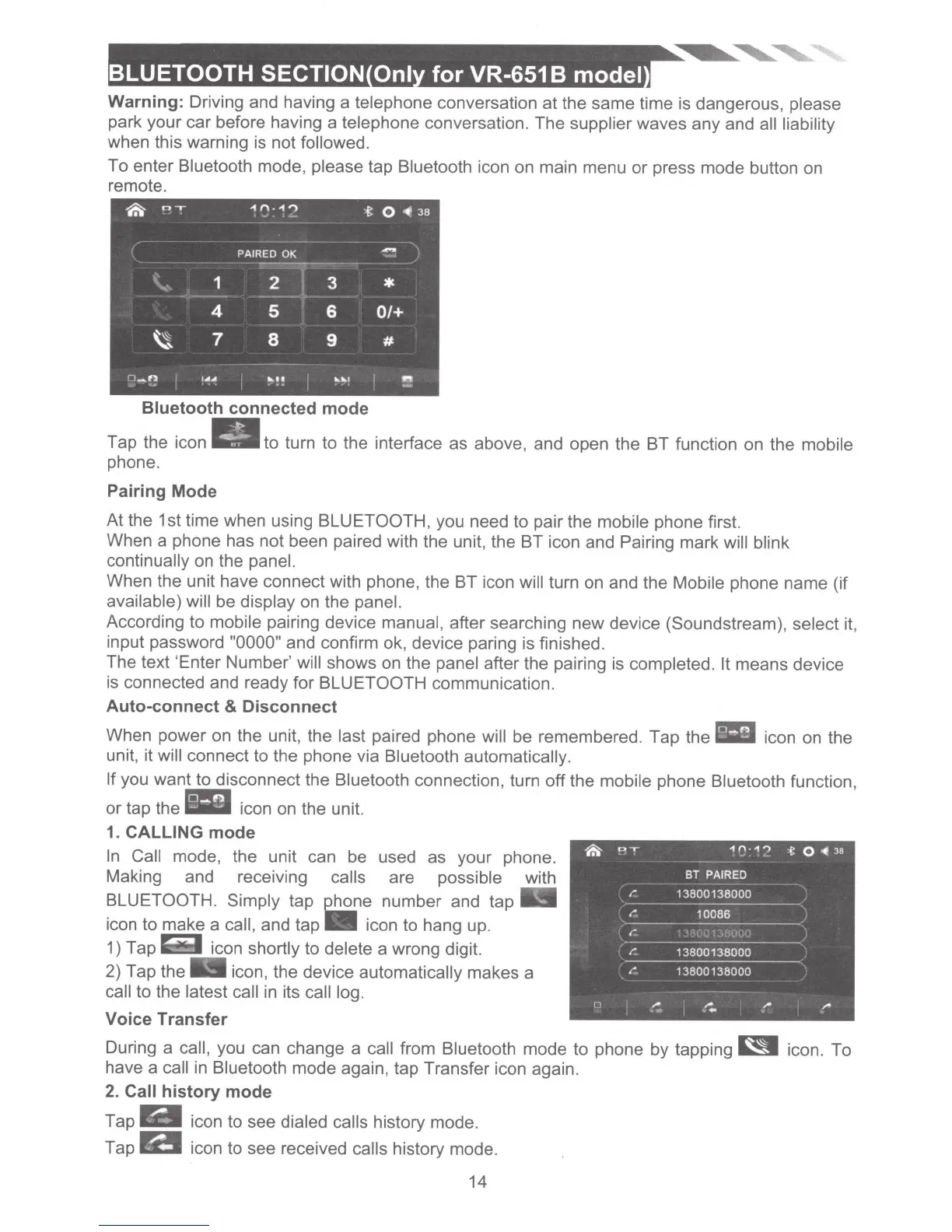
Bluetooth
connected mode
Tap the icon
.a•
to turn to the interface as above, and open the BT function on the mobile
phone.
Pairing Mode
At the 1st time when using
BLUETOOTH, you need to pair the mobile phone first.
When a phone has not been paired with the unit, the BT icon and Pairing mark will blink
continually on the
panel.
When the unit have connect with phone, the BT icon
will turn on and the
Mobile
phone name (if
available) will be display
on
the panel.
According to
mobile
pairing device
manual,
after searching new device (Soundstream), select
it,
input password
"0000"
and confirm ok, device paring is finished.
The text 'Enter Number' will
shows
on
the panel
after the pairing is
completed. It
means device
is connected and ready for
BLUETOOTH
communication.
Auto-connect
&
Disconnect
When power on the unit, the
last paired phone will
be remembered. Tap the icon on the
unit, it
will
connect to the phone via
Bluetooth
automatically.
If
you want to disconnect the
Bluetooth
connection, turn off the mobile phone Bluetooth
function,
or tap the icon on the unit.
1.
CALLING
mode
In
Call mode, the unit can be used as your phone.
Making and
rece1v1ng
calls
are
possible
with
BLUETOOTH. Simply tap
e!!2_ne
number and tap
icon to make a
call, and
tap-
icon to hang up.
1) Tap icon
shortly
to
delete a wrong digit.
2) Tap the icon, the device automatically makes a
call
to the
latest call
in
its
call log.
Voice Transfer
~
I"
I"
I"
I"
i
"
1n·1'">
-t
0
..
38
BT
PAIRED
13800138000
10086
13800138000
13800138000
.
-:
,.
.
..
·
""
During a
call,
you can change a call
from
Bluetooth
mode to phone by tapping
~
icon. To
have a call
in
Bluetooth mode again, tap Transfer icon again.
2.
Call history mode
Tap
Iii
icon to see
dialed calls history mode.
Tap
B
icon to see received
calls history mode.
14













 To Next Page