+AV-IN
MODE
To start
AV-IN
Mode, tap on
AV-IN
button from main
menu screen.
Connect the external audio/video signal source to this
unit.
Select AV-IN
mode
in
the main menu
or
by pressing
repeat Mode button on the front
panel.
Note:
If
there is no external video input, the TFT displays
"NO SIGNAL".
+SETTING
CONTROL
To start SETTING,
tap
SETUP
icon on main menu.
Your device has default system settings.
You
can customize the settings to suit your personal needs.
Once
you change settings, your
new settings
will remain
until
you change it again.
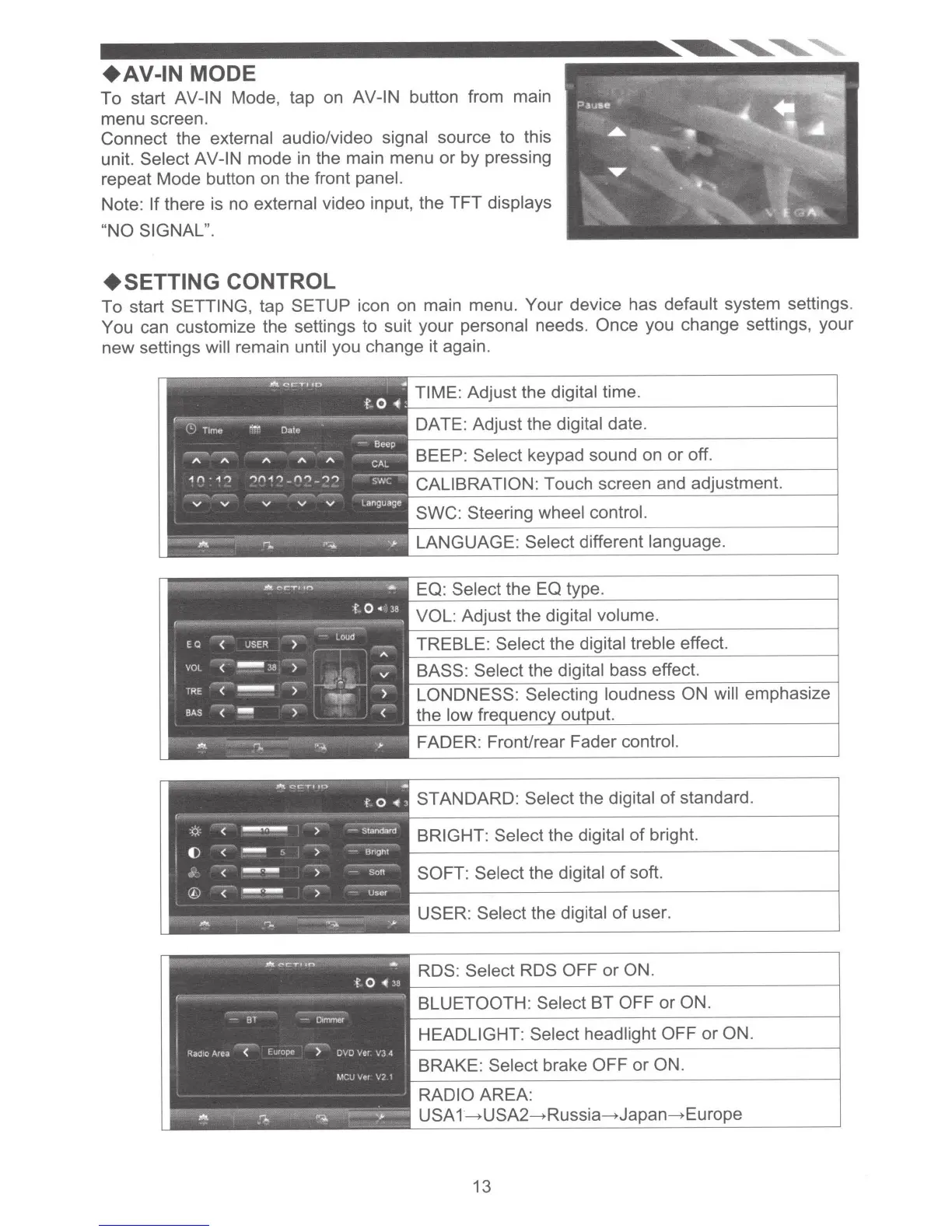
TIME: Adjust the digital time.
DATE: Adjust the digital date.
BEEP: Select
keypad sound on
or
off.
CALIBRATION:
Touch screen and adjustment.
SWC: Steering
wheel control.
LANGUAGE:
Select
different language.
EQ: Select
the EQ type.
VOL:
Adjust the
digital volume.
TREBLE:
Select the digital treble effect.
BASS:
Select
the digital bass effect.
LONDNESS:
Selecting loudness
ON will
emphasize
the
low
t.
.11\\Cc:'Ttlt':l
•
f
0.
3
STANDARD: Select
the digital
of
standard.
:Q
<
-
>
-Standard
BRIGHT: Select the digital
of
bright.
f)
<
-
>
-
Bnght
~
-
<
---
)
Sort
SOFT: Select
the digital
of
soft.
©
<
-·-
-
User
USER:
Select
the digital
of
user.
RDS:
Select
RDS
OFF
or
ON.
BLUETOOTH: Select
BT
OFF
or
ON.
HEADLIGHT: Select headlight
OFF
or
ON.
BRAKE:
Select brake OFF
or
ON.
RADIO
AREA:
USA
1--+USA2--+Russia-Japan- Europe
13













 To Next Page