EasyManua.ls Logo

Soundstream VR-651 - Video File Conversion 101

Soundstream VR-651
25 pages
Print Icon
To Next Page IconTo Next Page
To Previous Page IconTo Previous Page
Loading...
Video File Conversion
101
File
compression seems
to
be
name
of
the
game
to
see
who
can
fit
the
most music and video
onto
today's media deices.
Unfortunately
with
so many compression formats and codecs,
it
becomes
virtually
impossibly
for
your head
unit
to
support
the
multitude
of
song and video
file
types.
To
overcome
the
confusion
of
what
video formats are
compatible
with
this head unit, we suggest using a
file
converter
to
align
the
stars and change
the
many video
file
types you have
to
one standard.
Surely there are many
file
conversion apps
available
on
the
line,
but
CNet
seems
to
be a
reliable
source
and
has
a good
file
conversion app
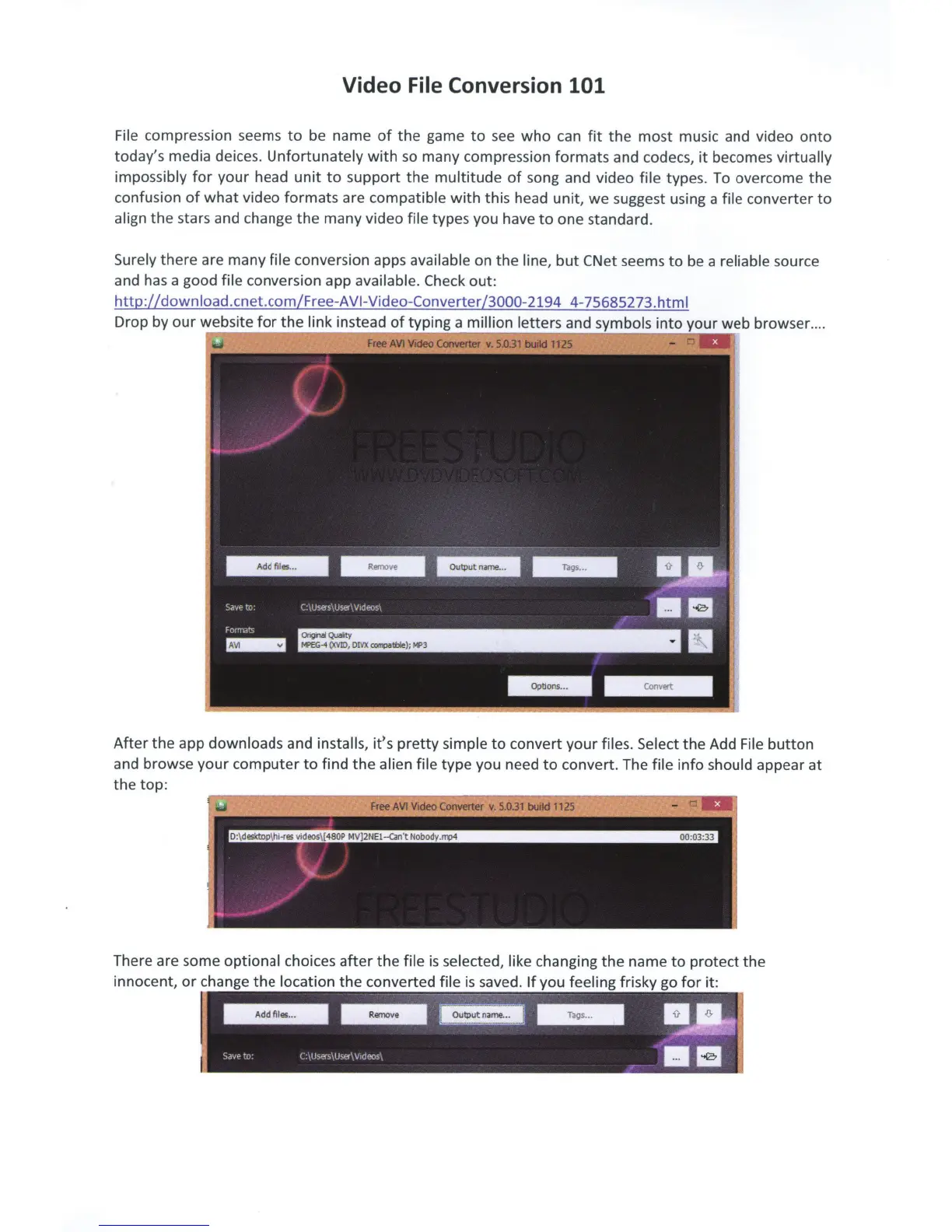
available. Check
out:
http://
down
load
.cnet.com/Free-A
VI-
Video-Converter
/3000-2194
4-75685273.
htm
I
Drop by
our
website
for
the
link instead
of
typing a
million letters
and symbols
into
your web browser ..
..
After
the
app
downloads
and installs, it's
pretty
simple
to
convert
your
files. Select
the
Add
File
button
and browse your
computer
to
find
the
alien file
type you need
to
convert. The
file
info
should appear
at
the
top:
There are some
optional
choices
after
the
file
is
selected, like
changing
the
name
to
protect
the
innocent,
or
change
the
location
the
converted
file
is
saved.
If
you
feeling
frisky go
for
it:
---~-----
----g.
Sate
'"o
c_
1u.-.ers1User\Vtdeos'
~~

Related product manuals