H.264 Network Digital Video Recorder User Manual
Page 10
2.5.2 Video output connections and options
The video output is divided into PAL/NTSC BNC (1.0V
P-P
, 75Ω) and VGA output(selective configuration).
When replace the monitor by the computer display, there are some issues to notice.
1.Do not stay in the turn-on state for a long time.
2.Keep the computer display normal working by demagnetizing regularly.
3.Stay away from the electro magnetic Interference.
TV is not a credible replacement as a video output. It demands reducing the use time and control the
power supply and the interference introduced by the nearby equipments strictly. The creepage of low quality
TV can lead to the damage of other equipments.
2.5.3 Audio signal input
Audio port is BNC connection.
The input impedance is high so the tone arm must be active.
The audio signal line should be firm and away from the electro magnetic Interference and connected
credible which avoid false and joint welding and oxidation. The high voltage current should be avoided
especially.
2.5.4 Audio signal output
Commonly the output parameter of DVR audio signal is greater than 200mv 1KΩ(BNC) which can connect the
low impedance earphone and active sound box or other audio output equipments through power amplifier. If
the sound box and the tone arm can not be isolated, howling phenomena is often existed. There are some
methods to deal with the above phenomena.
1、 Adopt better directional tone arm.
2、 Adjust the sound box volume to be under the threshold that produces the howling phenomena.
3、 Use fitment materials that absorb the sound to reduce reflection of the sound.
4、 Adjust the layout of the sound box and the tone arm.
2.6 Speed dome connections
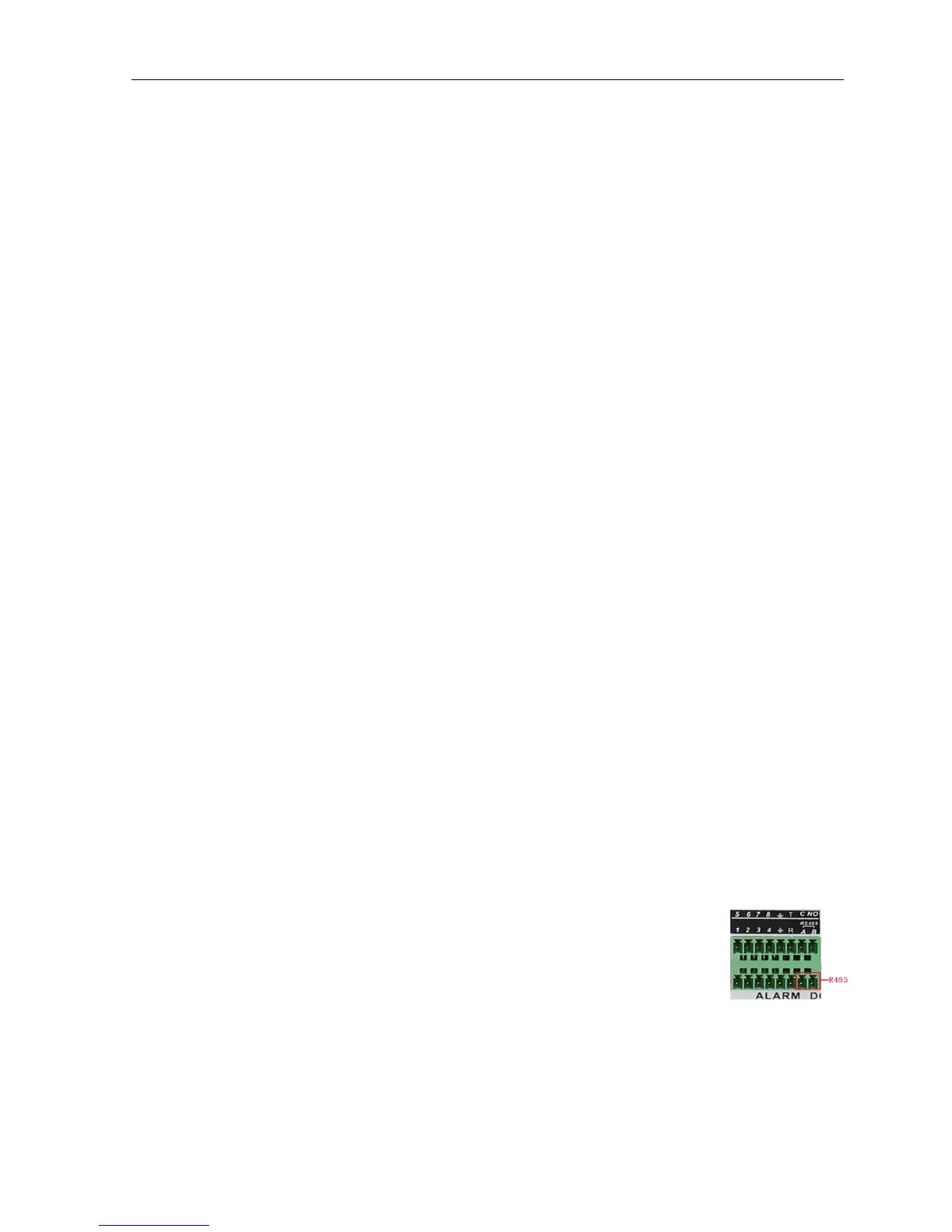
1.Connect the 485 lines of the speed dome with the DVR 485 interface.
2.Connect the video line with the DVR video input.
3.Electrify the speed domes.



 To Next Page