H.264 Network Digital Video Recorder User Manual
Page 26
【Stop】Stop the backup.
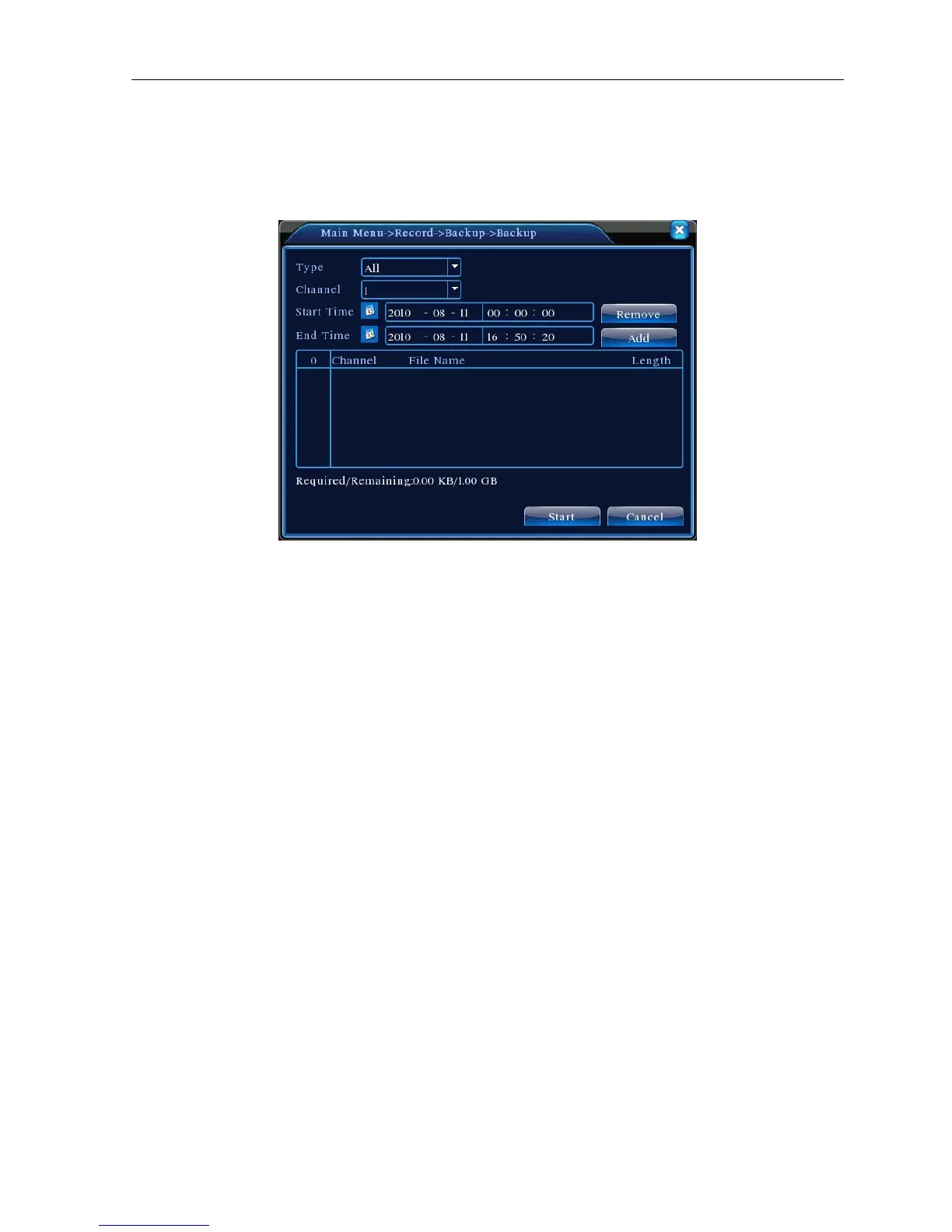
【Backup】Click backup button and the dialog box is popped up. You can choose the backup file according to
the type, channel and time.
Picture 4.4 File Backup
Remove:Clear the file information.
Add:Show the file information satisfying the set file attributes.
Start/pause:Click the play button to start the backup and click the pause button to stop the backup.
Cancel:During backup you can exit the page layout to carry out other functions.
4.3 Alarm Function
Alarm functions include: motion detect, video blind, video loss, alarm input and alarm output.
4.3.1 Motion Detect
When system detects the motion signal that reaches the set sensitivity, the motion detect alarm is on and the
linkage function is turned on.



 To Next Page