H.264 Network Digital Video Recorder User Manual
Page 41
4.4.6 PTZ setup
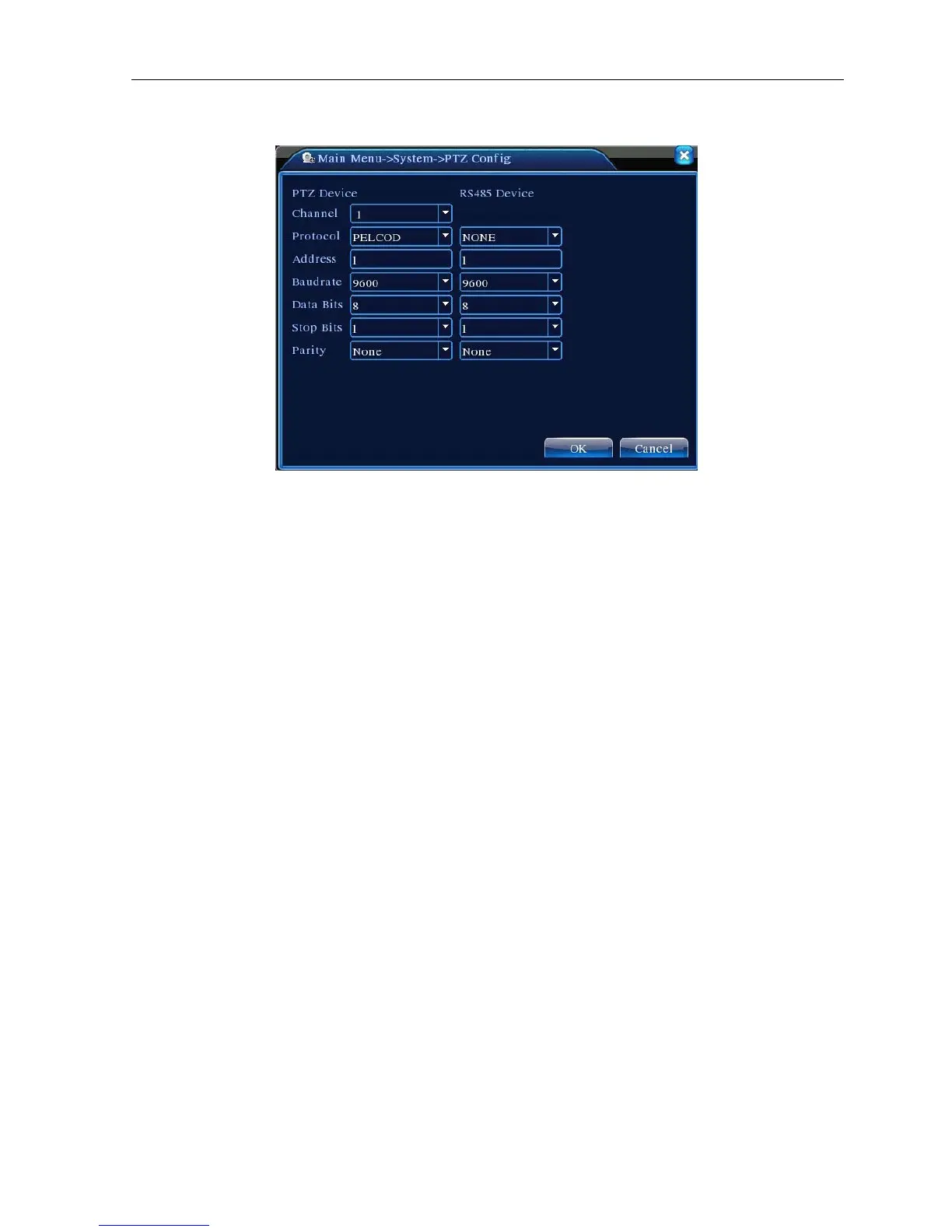
Picture 4.29 PTZ setup
【Channel】Choose the dome camera input channel.
【Protocol】Choose the corresponding dome protocol. (PELCOD as an example)
【Address】Set as the corresponding dome address. Default: 1.(Note:The address must be consistent
with the dome address.)
【Baudrate】Choose the corresponding dome baud rate length. You can control the PTZ and vidicion.
Default: 115200.
【Data bits】Include 5-8 options. Default: 8.
【Stop bits】Include 2 options. Default: 1.
【Parity】Include odd check, even check, sign check, blank check. Default: void.
4.4.7 Tour setup
Set the patrol display. J Means that the tour mode is turned on. You can choose the single window, four
windows, nine windows; sixteen windows patrol display or single display.



 To Next Page