H.264 Network Digital Video Recorder User Manual
Page 40
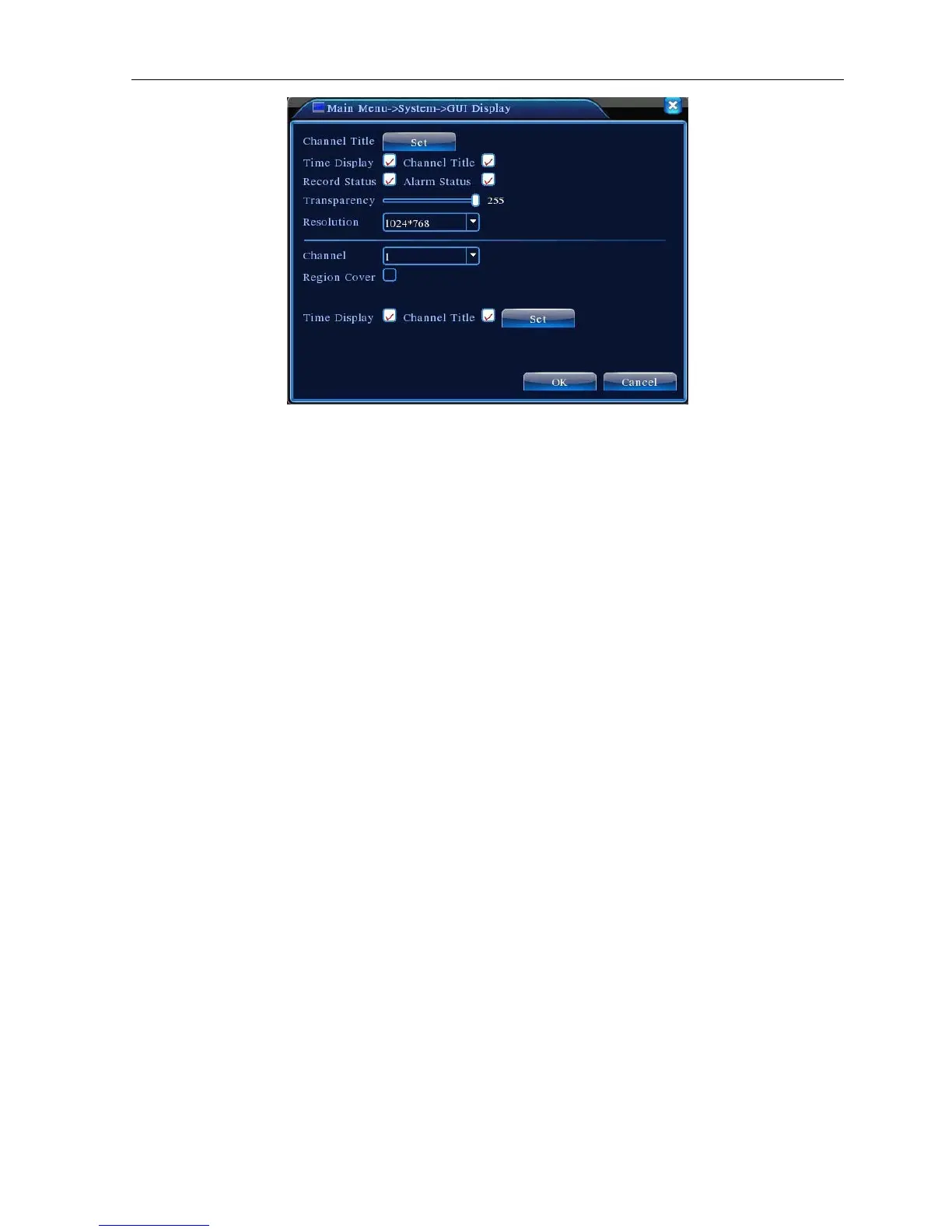
Picture 4.28 GUI Display
【Channel Title】Click the channel name modify button and enter the channel name menu. Modify the channel
name. The 16 Chinese characters and 25 letters are supportive.
【Time Display】means the selective state. Display the system data and time in the surveillance window.
【Channel Title】means the selective state. Display the system channel number in the surveillance window.
【Record Status】means the selective state. Display the system recording status in the surveillance window.
【Alarm Status】means the selective state. Display the system alarm status in the surveillance window.
【Bitrate info】means the selective state. The ninth window displays the code stream information in the
nine-window preview status.
【Transparency】Choose the background image transparency. The range is 128~255.
【Resolution】set display resolution.
【Channel】Choose the set code output channel number.
【Region Cover】means the selective state. Click the cover area button and enter the corresponding channel
window. You can cover the arbitrary using mouse. (Black region is for output)
【Time display】and 【Channel Title】



 To Next Page