H.264 Network Digital Video Recorder User Manual
Page 48
【Upgrade】choose USB interface.
【Upgrade file】choose the file which needs upgraded.
4.5.8 Device Info
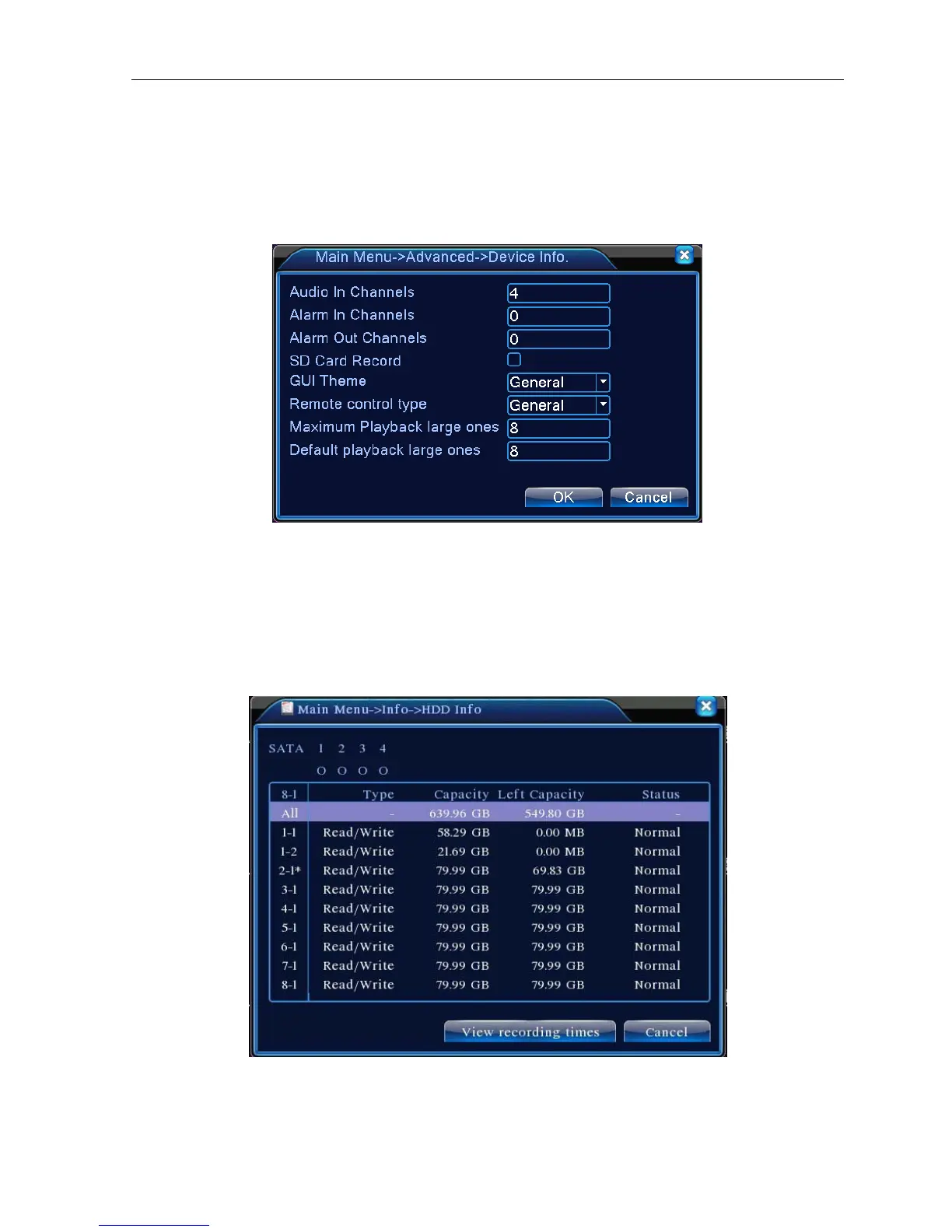
Provide device interface info like audio in,alarm in/out to be conveniently used for user.
Picture 4.42 Device Info.
4.6 Info
4.6.1 HDD info
Display the hard disk state: hard disk type, overall capability, residual capability, the recording time and so on.
Picture 4.43 HDD Info
Clue:○ means that the hard disk is normal. X means that the hard disk is broken-down.- means that there is
no hard disk. If the user need to change the damaged hard disk, you must shut down the DVR and take up all



 To Next Page