H.264 Network Digital Video Recorder User Manual
Page 21
8. Page Shift
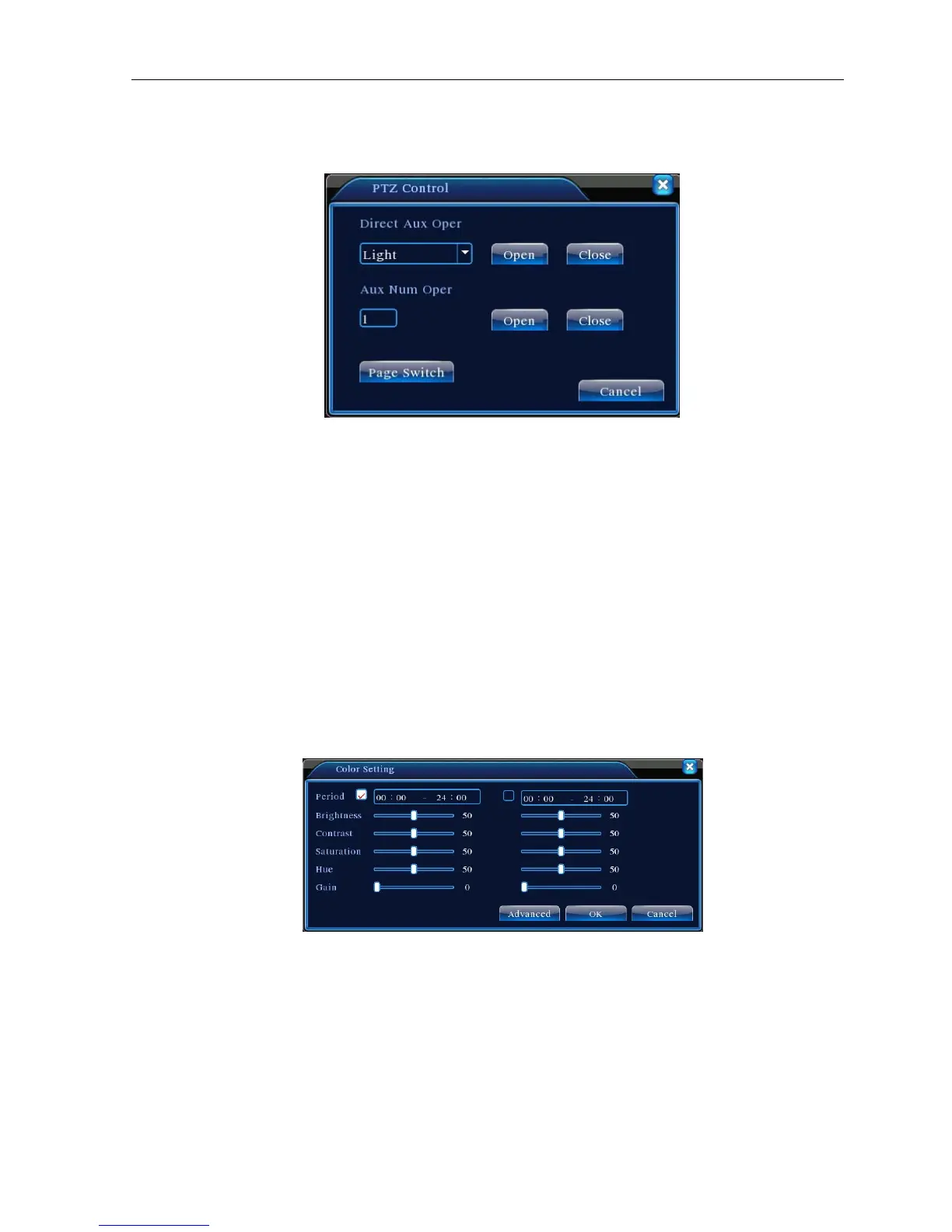
In Picture 3.12, click Page Shift button into Picture3.16, setting auxiliary function. Auxiliary number
corresponding
to
auxiliary switch on the decoder.
Picture 3.16 Auxiliary Function Control
【Intuitive Auxiliary Operation】 choose auxiliary equipment, select Open or Close button, switch control;
【Auxiliary Number】The operation of corresponding auxiliary switch according to PTZ agreement;
【Page Shift】In Picture 3.16,click Page Shift button enter the Picture 3.17 PTZ Main Menu , the menu itself
can be control by the menu control buttons
3.5.5 Color setting
Set the selective image parameters (current channel for single window display and cursor place for
multi-window display). You can use the desktop shortcut menu and enter the interface. The image parameters
include: tonality, brightness, contrast, saturation. You can set different parameters at different time sections.
Picture 3.18 Color Setting
3.5.6 Output Adjust
Adjust TV output area parameters. You can use the desktop shortcut menu or enter [main menu]>
[management tools]> [Output adjust].



 To Next Page