H.264 Network Digital Video Recorder User Manual
Page 34
【Net Card】You can choose cable network card or wireless network card.
【DHCP Enable】Obtain IP address automatically(not suggested)
Note:DHCP server is preinstalled.
【IP address】Set the IP address. Default: 192.168.1.10.
【Subnet mask】Set the subnet mask code. Default: 255.255.255.0.
【Gateway】Set the default gateway. Default: 192.168.1.1.
【DNS setup】Domain Name Server. It translates the domain name into IP address. The IP address is offered
by network provider. The address must be set and reboot then it works.
【TCP port】Default: 34567.
【HTTP port】Default: 80.
【HS Download】
【 Transfer Policy 】 There are three strategies: self-adaption, image quality precedence and fluency
precedence. The code stream will adjust according to the setup. Self-adaption is the tradeoff between the
image quality precedence and fluency precedence. Fluency precedence and self-adaption are valid only when
the assistant code stream is turned on. Otherwise image quality precedence is valid.
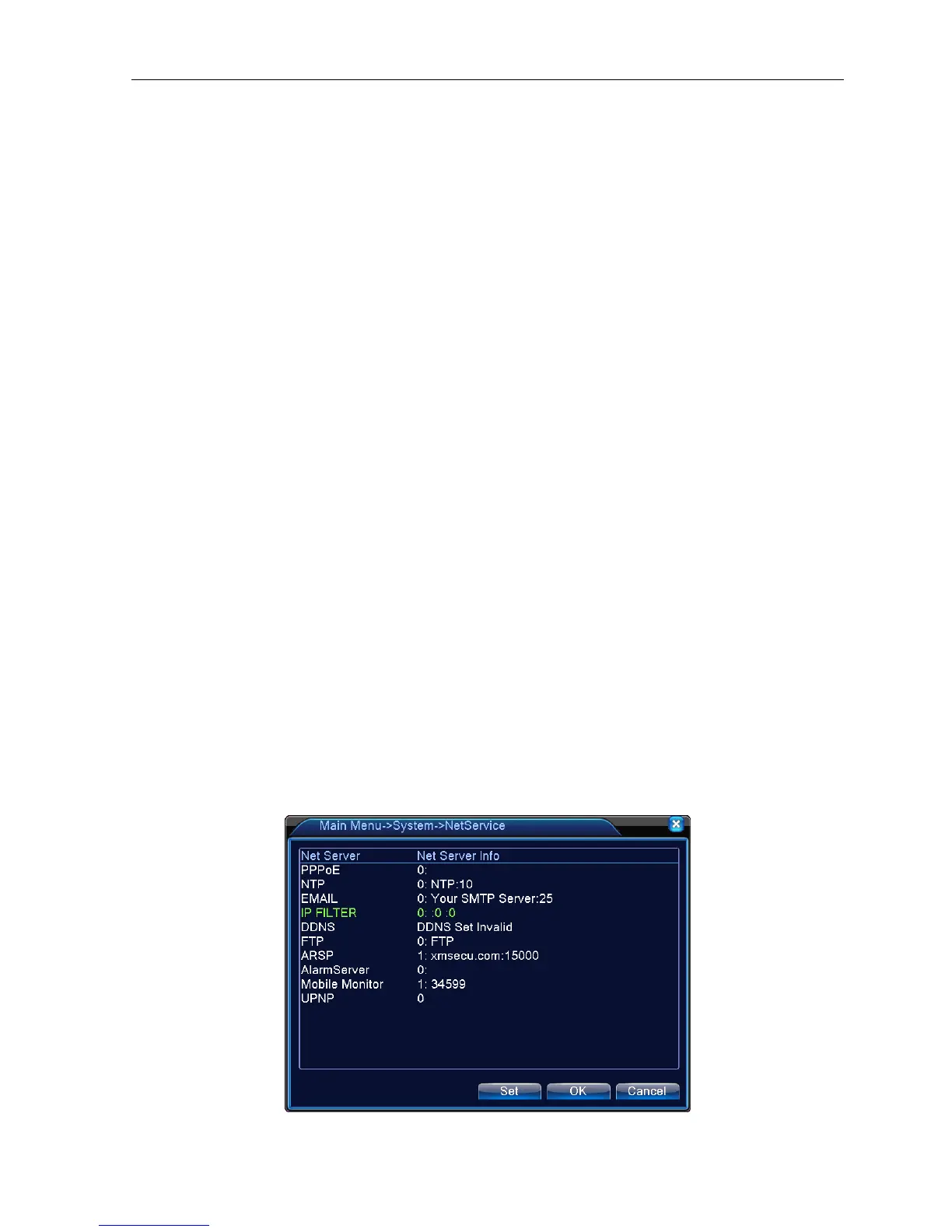
4.4.4 Net Service
Choose the network service option and click the set button to configure the advanced network functions or
double click the service button to configure the parameters.
Picture 4.18 Net Service



 To Next Page