H.264 Network Digital Video Recorder User Manual
Page 36
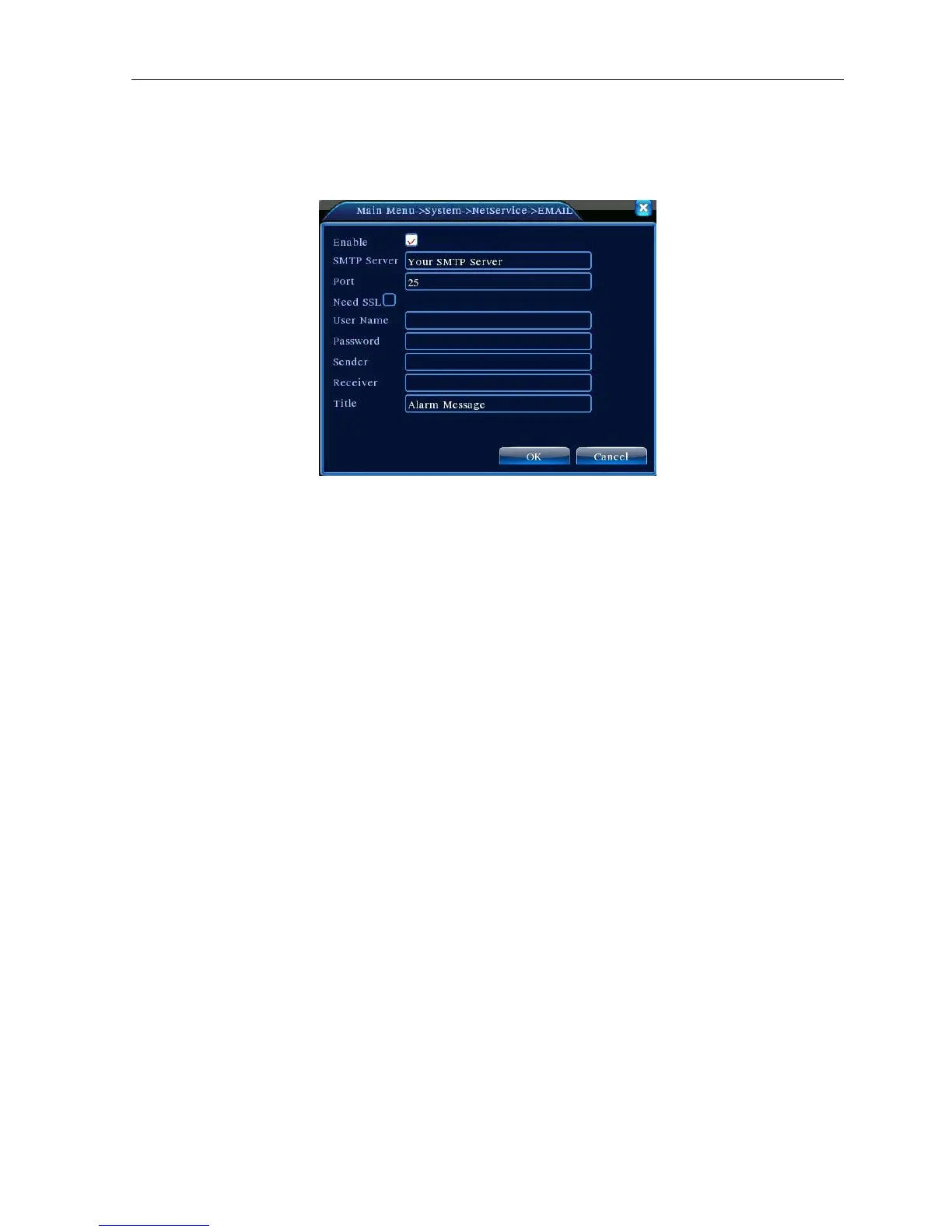
【EMAIL setup】
If the alarm is turned on or the alarm linkage photos are taken, send an email about the alarm information and
the photos to appointed address.
Picture 4.21 EMAIL
SMTP server: Email server address. It could be an IP address or domain name. Domain name can be
translated only it is the correct DNS configuration.
Port: Email server port number.
SSL: Decide whether using Secure Socket Layer protocol to login.
User Name: Apply the email server user name.
Password: Input the password corresponding to the user.
Sender: Set the email sender address.
Receiver: Send the email to appointed receivers when the alarm is turned on. You can set three
receivers at most.
Title: You can set as you wish.
【IP Filter setup】
When choosing the white list, only the listed IP address can connect the DVR. The 64 IP addressed are
supportive in the list.
When choosing the black list, the listed IP address can not connect the DVR. The 64 IP addressed are
supportive in the list.
You can delete the set IP address by √ in the options.
Note:When the same IP address is in the white and black list at the same time, the black list precedence is
higher.



 To Next Page