H.264 Network Digital Video Recorder User Manual
Page 38
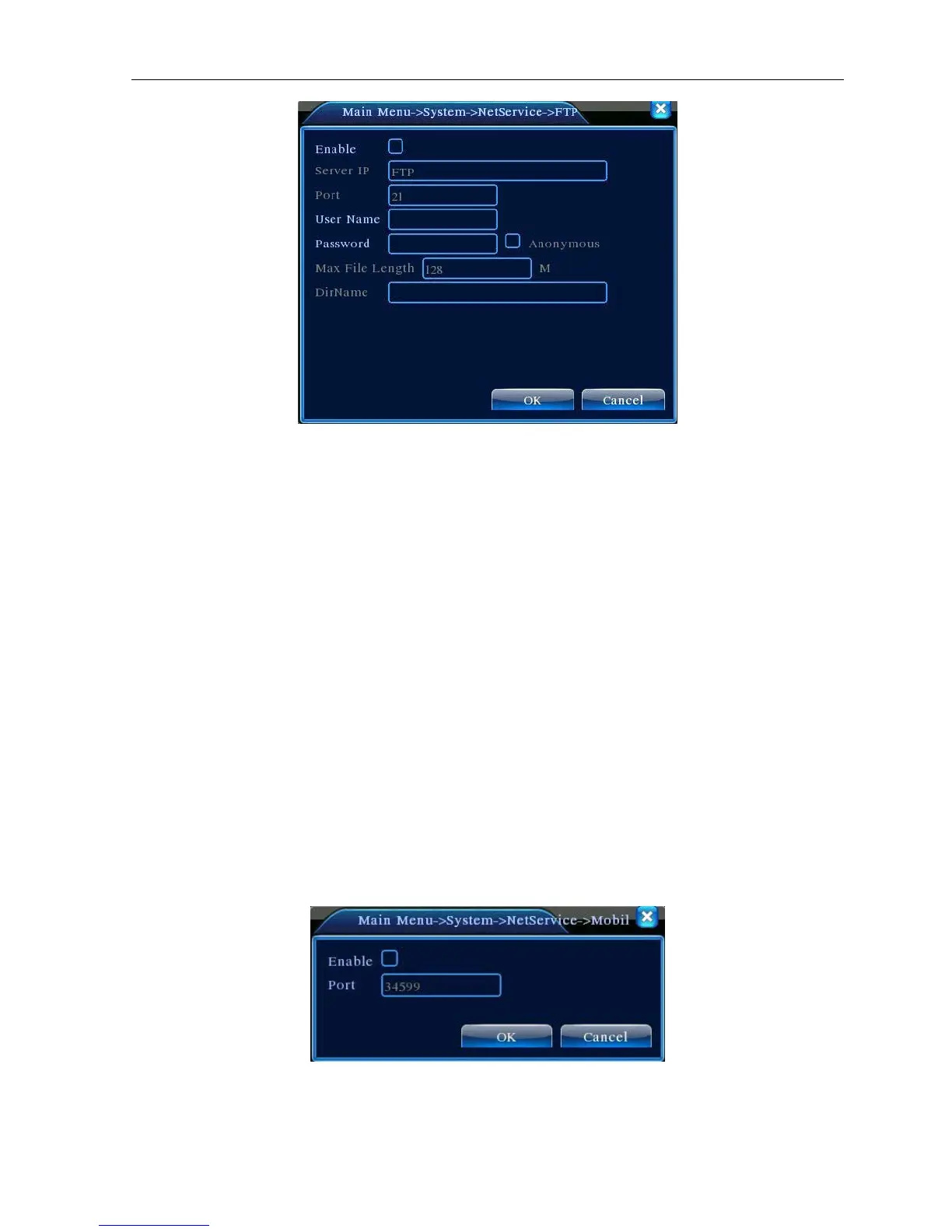
Picture 4.24 FTP setup
【Enable】Click Enable, then all settings will be available
【Server IP】
IP address for FTP server
【Port】Domain Port of FTP,default 21
【User Name】User name of FTP
【Password】Password of user
【Max File Length】Max length for upload files at every packed, default 128M
【DirName】Directory of uploading files
【Mobile Monitor Setup】
To visit the device by mobile, pls make a router mapping of this port and use CMS to monitor and operate it
by protocol.
Picture 4.26 Mobile Monitor Setup
【Enable】 Select it to make sure abnormal function workable



 To Next Page