INDEX Page. 82 of 92
The Baud rate setting can be selected by using the available slider-control marked in the
picture above:
• 9600 baud
• 14400 baud
• 19200 baud
• 28800 baud
• 38400 baud
• 57600 baud
• 115200 baud
And then by pressing the OK button.
All the other framing and parity parameters cannot be changed by the user because they
are set by the program initialization.
It should be noted that the Baud rate setting has to be set on the Term_1.5K_232.exe
application’s side before a remote connection can be made.
And it may need to be changed due to a previous setting of a different baud rate.
The reason for this is because it is a permanent setting, which is stored into a private data-
base system, and will be recalled by the application whenever needed.
On the EXPERT 1.5K-FA side, the baud-rate is automatically synchronized by the data-
pattern being sent to it by Term_1.5K_232.exe upon any query to the linear.
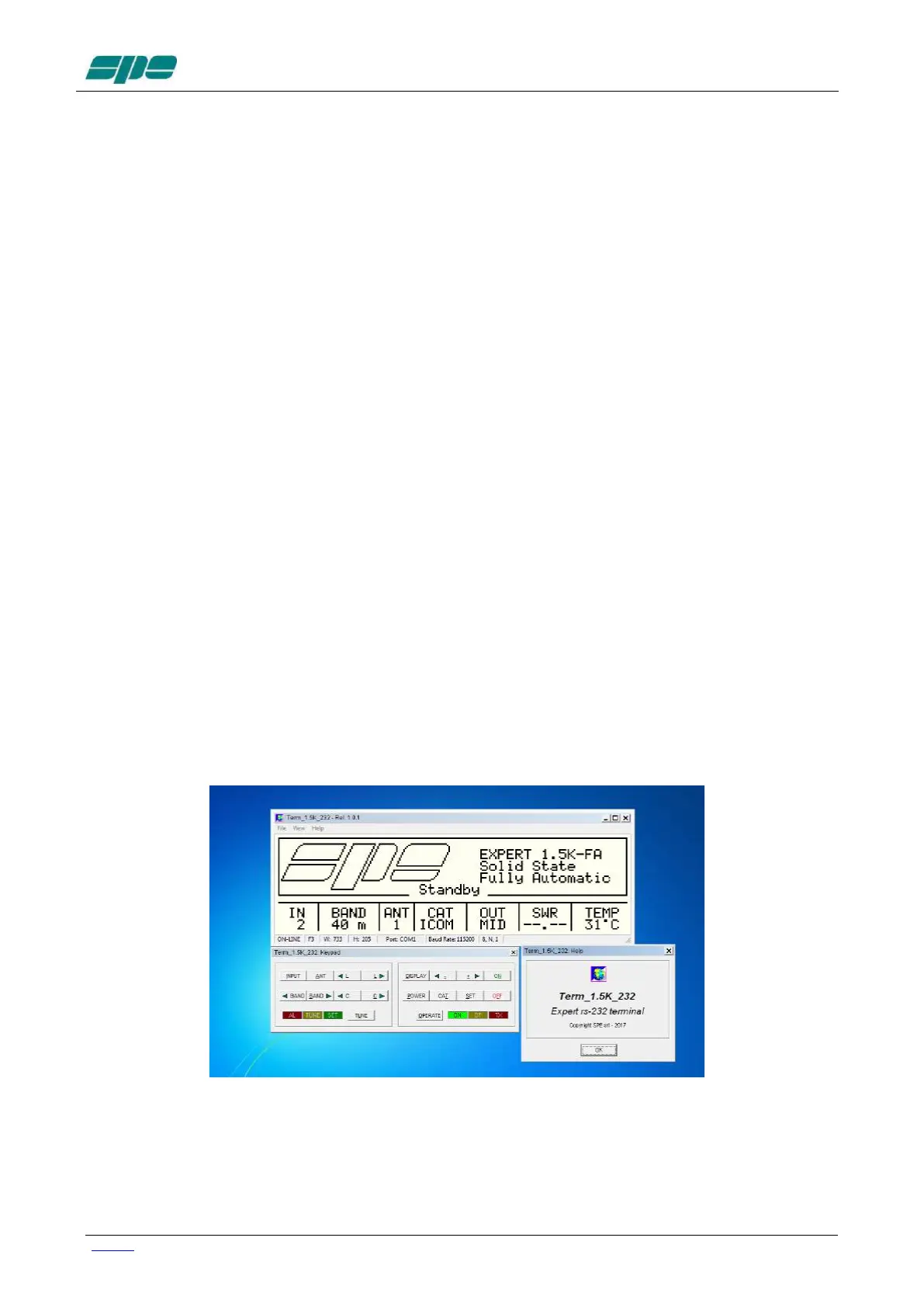
As mentioned above, the application usage is still the same as for the USB interface
version described earlier, but there are just some minor “look-and-feel” changes as shown
in the picture below:
The use of RS 232 port becomes a necessity when the device needs to be remotely
controlled via the Internet. And since most specially designed devices, currently available
on the market, do not implement the USB port feature to being compliant to the USB front-
end of the EXPERT linear amplifiers.



 To Next Page