INDEX Page. 68 of 92
20.2 Term_1.5K_USB.exe usage
To test, connect the USB cable from the PC and the linear and double-click on the
application’s icon (the USB icon symbol), by using the mouse left-button, just to see if
everything works fine.
It is a good idea to create a link to the application on the desktop.
As a result the applications main window will show up, as in the following picture:
This is the main window of Term_1.5K_USB.exe application.
It is a realistic reproduction of the EXPERT 1.5K-FA LCD display, and it is also equipped
with a pop-up virtual keypad having almost the same look and feel as the real keypad
placed on the front panel of the linear amplifier.
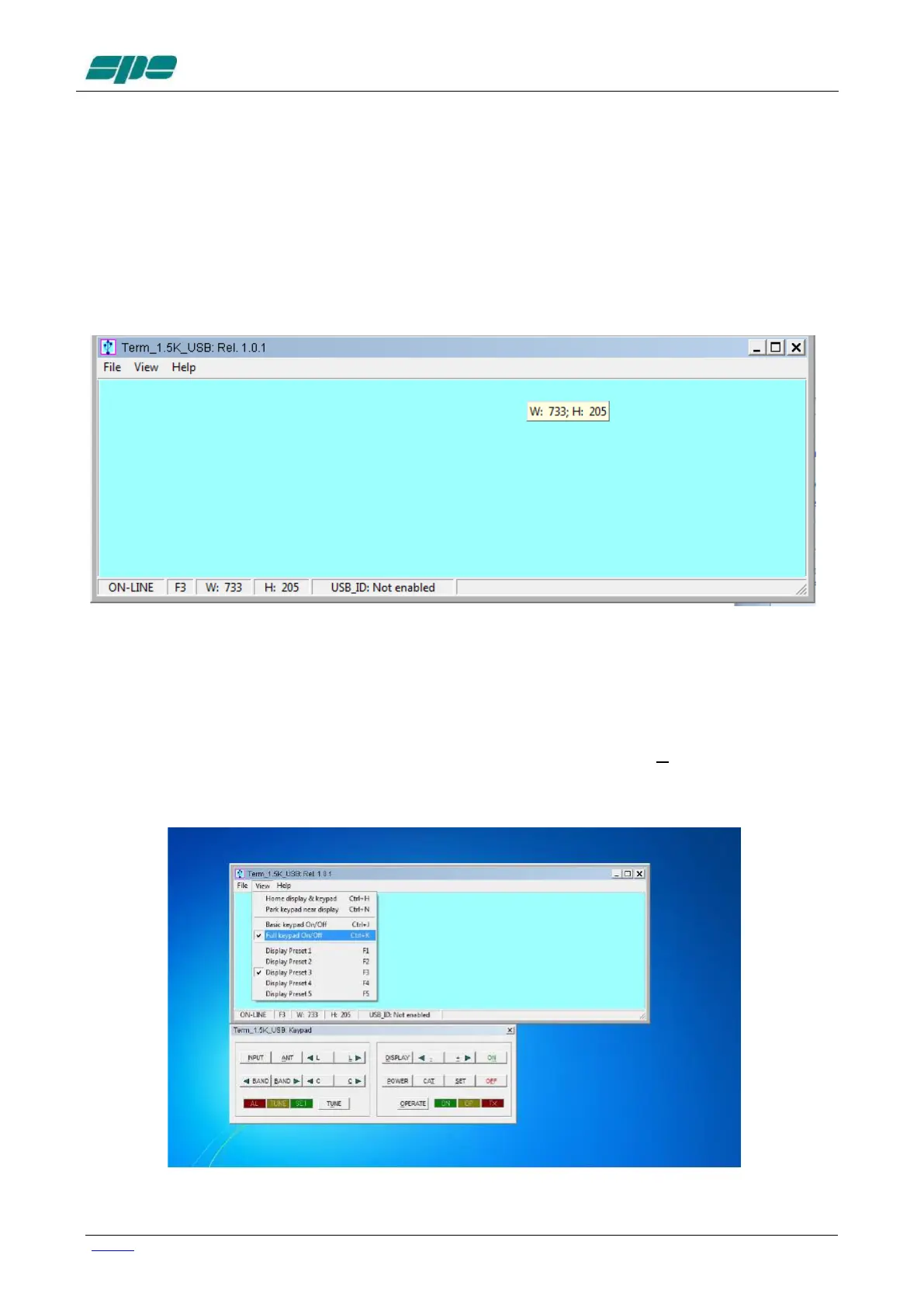
To activate/deactivate this keypad the user must check/uncheck the View/KeyPad On/Off
menu item as shown in the following screen snapshot:



 To Next Page