User’s manual EXPERT 1K-FA
Pag. 64 of 76
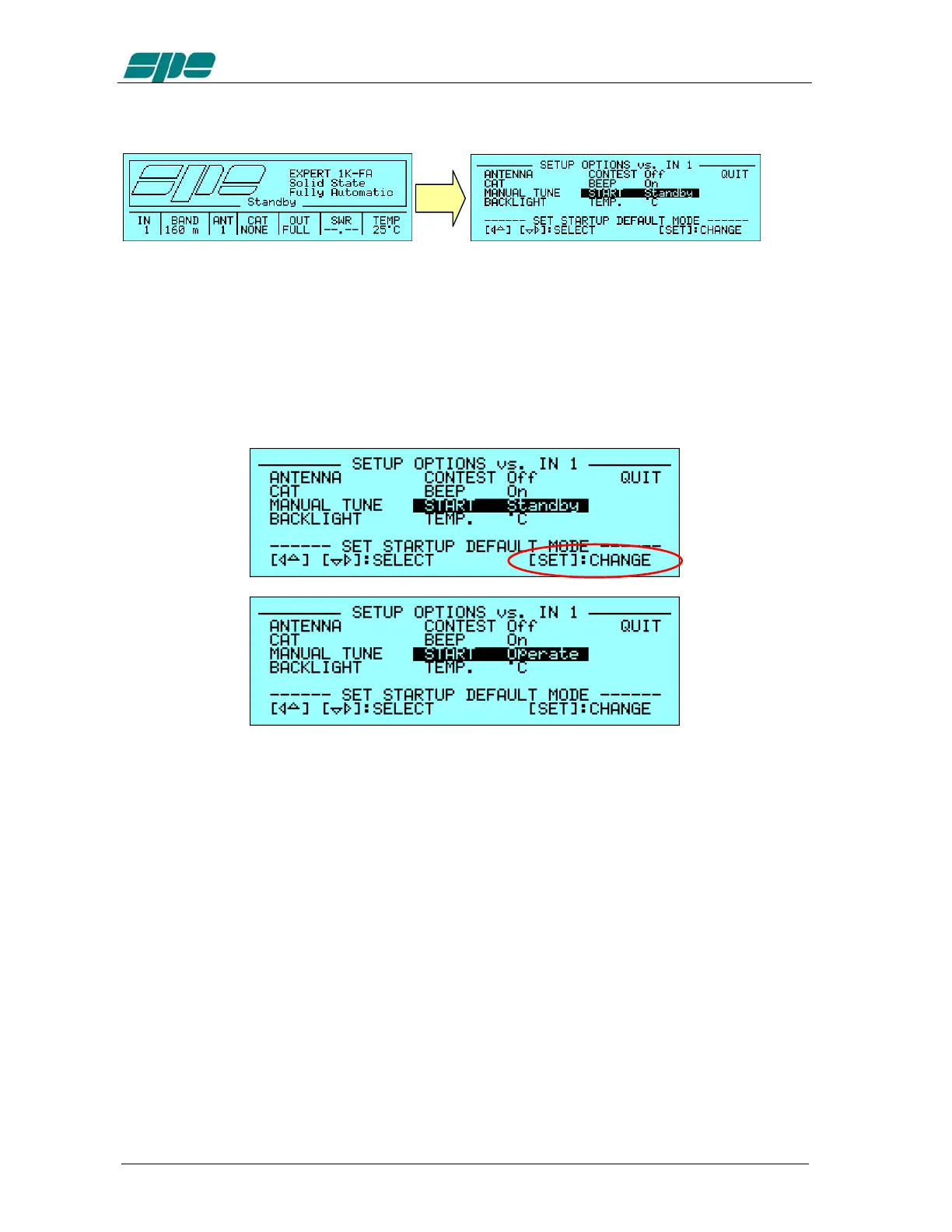
18.19 START Settings.
[
SET
]
This menu item allows to choose, between the two possible Standby/Operate states:
·
Standby
turns the amplifier in the
Main
Display
Page
after its power-up. From
this display page the user can perform all the operations described till now.
·
Operate
turns the amplifier in the
OPERATE Mode
(that will be described later)
after its power-up. From this display page the user can, eventually, go to the
Main
Display
Page
.
To make these changes, press the [SET] key:
To leave this menu, the
QUIT
option has to be chosen and then confirmed using the
[
SET
] key.
Note: this setting will be applied after the next power-up of the linear amplifier and will remain
till any eventual future changing.



 To Next Page