User’s manual EXPERT 1K-FA
Pag. 66 of 76
18.21 OPERATE Mode.
In this working mode, the linear amplifier power circuitry is supplied and enabled.
It can be activated, from the Main Display Page, either by pressing the [OPERATE]
key located of the front panel or by previously setting, from the SETUP OPTIONS
menu, the
START
Operate
option.
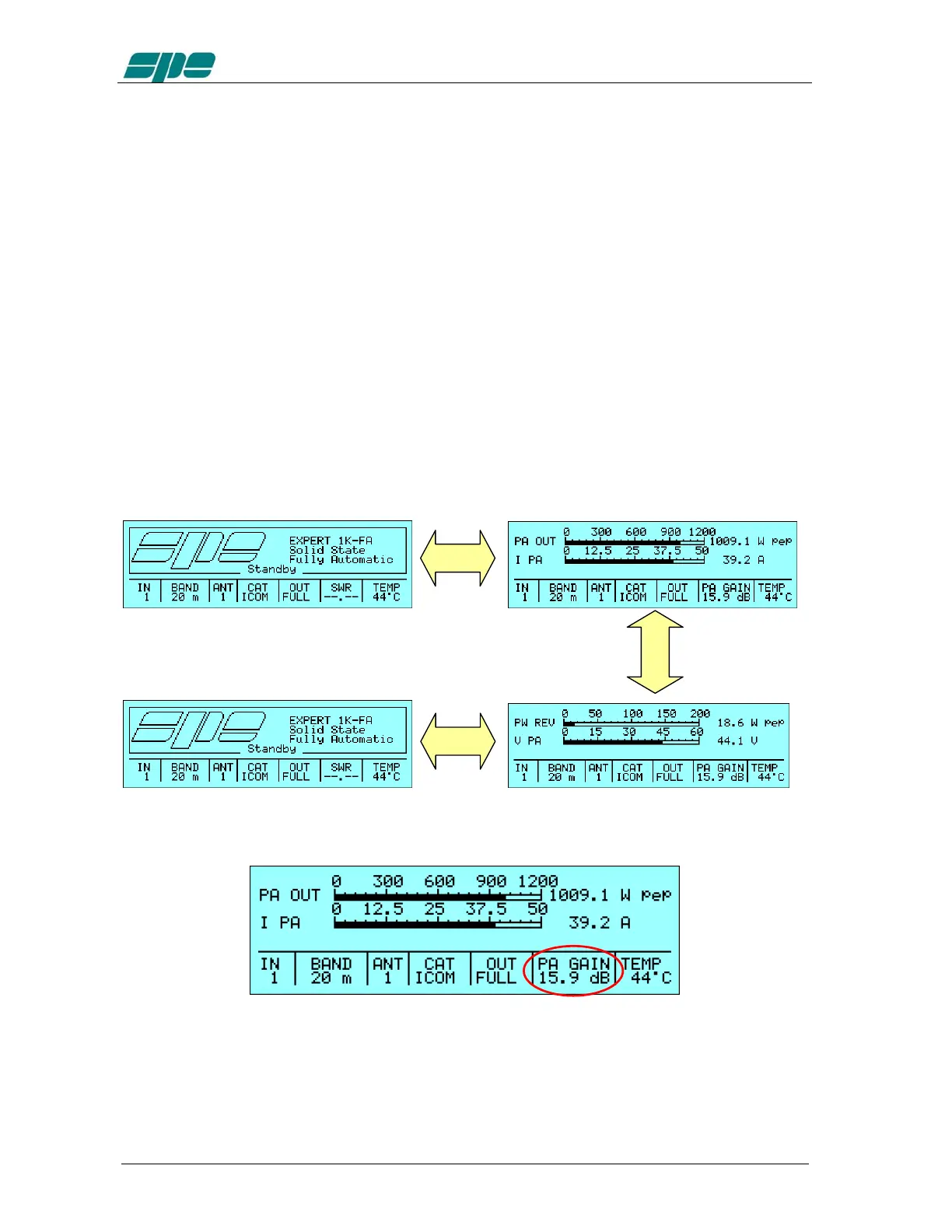
There are two possible
OPERATE
Mode
display pages:
· displaying of PA OUT (output power) + I PA (power-supply source current)
· displaying of
PW
REV
(reverse power) +
V
PA
(power-supply source voltage)
· NB – The PW REV thus displayed is the reflected power before the low pass
filter, including harmonic power reflected by the filter. It is NOT the reflected
power as measured at the antenna output.
The [
DISPLAY
] key allows to switch back and forth these two display pages and to
make a proper context change.
When entering the OPERATE Mode, the default display page is the one left either the
last time before the return to the
Main Display Page
or before a “soft shutdown” using
the [
OFF
] key.
[
DISPLAY
]
In any way it is allowed to return to the Main Display Page pressing the [OPERATE] key
again.
Note: while in OPERATE Mode, the SWR readout inside the Status Bar is substituted with the
power amplifier gain value (PA GAIN) expressed in dB and according to the following
formula: PA GAIN(dB) = 10*log(PA_OUT/PW_ IN).
[OPERATE]
[
OPERATE]



 To Next Page