SpectraPure
®
SpectraPure
®
Inc.
480.894.5437 Call us toll-free 1.800.685.2783
2167 East Fifth St, Tempe, Arizona 85281
22
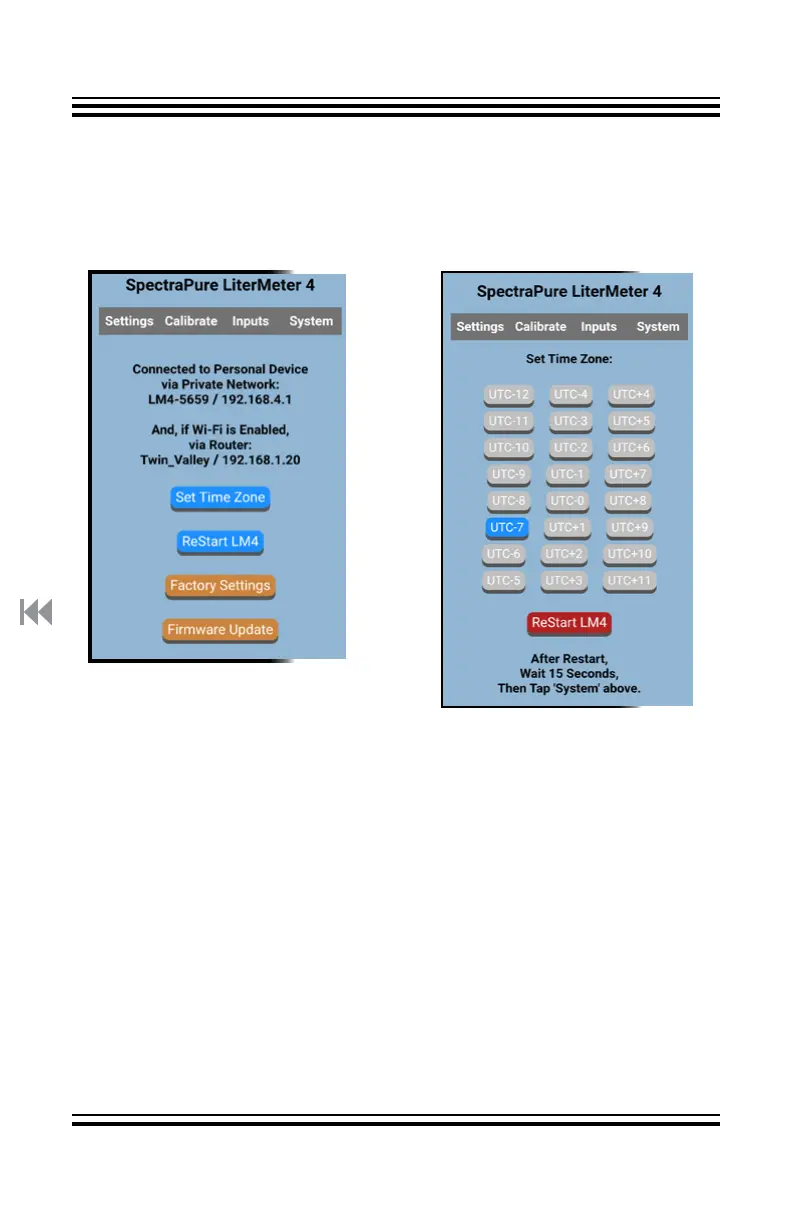
System Page:
Notes the private SSID of this
LM4 and the URL to reach it.
Notes the name of the local
router, if there is one, and
the URL to reach the LM4.
Select:
“Set Time Zone”,
“ReStart LM4”
(ReStarts LM4),
“Factory Settings” , or
“Firmware Update”
System Page on a PD:
“System” displays WiFi connections and access to General
Configuration Functions.
System Page:
Set TIme Zone
Select your time zone, then tap
“ReStart LM4”,
Some Examples:
UTC-08 PST
UTC-07 MST, PDT, AZ
UTC-06 CST, MDT
UTC-05 EST, CDT
UTC+08 AWST
UTC+09 ACST
UTC+10 AEST
UTC+11 AEDT



 To Next Page