SpectraPure
®
SpectraPure
®
Inc.
480.894.5437 Call us toll-free 1.800.685.2783
2167 East Fifth St, Tempe, Arizona 85281
43
Troubleshooting, Tips & Tricks:
Every LM4 will have an unique ID so you can identify and operate
multiple units on the same network or router.
(This ID is also used to help pair a “Master” LM4 with a “Remote” LM4.)
NOTE: When configuring the WiFi parameters, your phone or
tablet may prematurely disconnect from the LM4. Some PDs
(Google’s Pixel, among others) may not gracefully relenquish
their internet connection to a device (LM4-XXXX) that is not
connected to the internet.
A Personal Device is the “controller-in-charge”. The LM4 will follow
changes made on the PD, but the PD may not follow all changes made
on the LM4. Tap any button on the PD to update its screen.
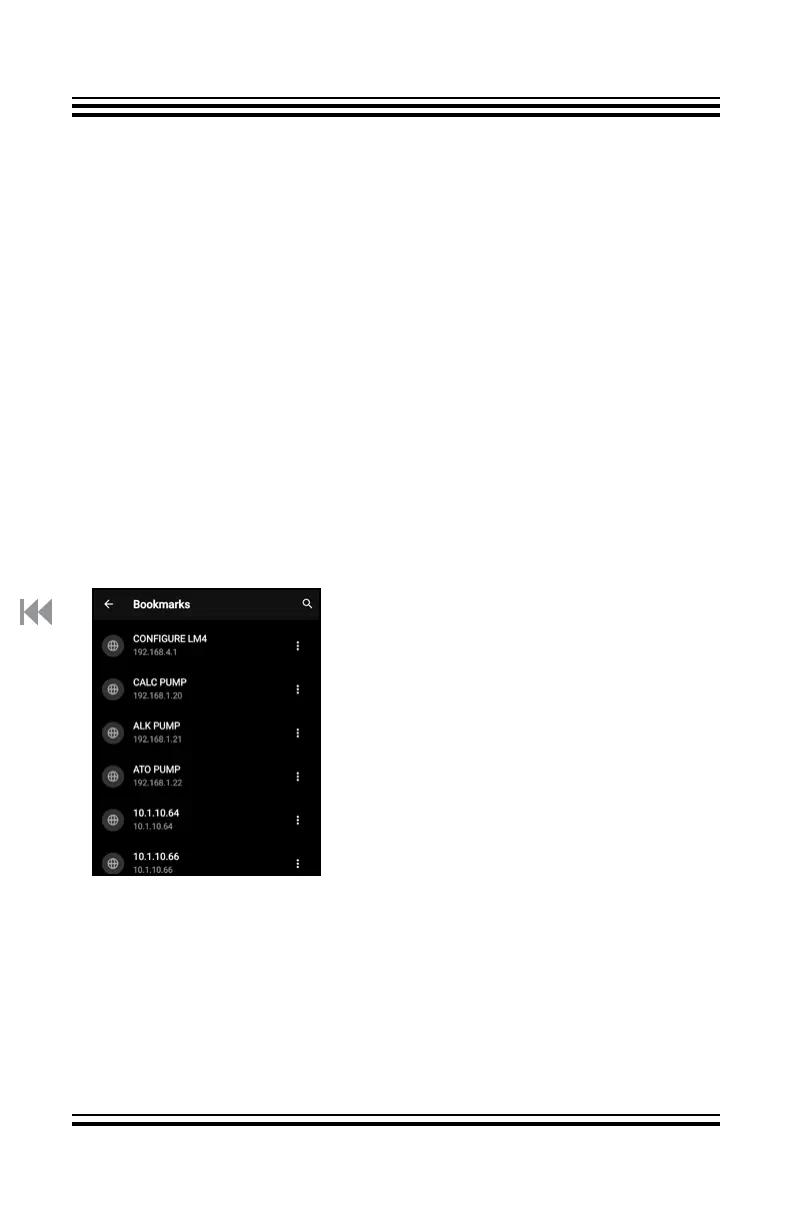
Some browsers allow you to edit their
list of bookmarks. If you have multiple
LM4s on the local router, or even just
one, after each LM4 has been assigned
an IP Address, bookmarks with edited
names, such as ALK PUMP, CALC
PUMP, ATO PUMP, WEX IN, WEX OUT,
etc. can be created. Also, you can
create a desktop icon for each Pump’s
IP Address for convenient access.
If you want a dosing cycle (DAILY or DOSE) to start from the beginning
of its period, briefly switch the mode to ONCE and then back. The
pump will start a new dosing period.
Start, Stop, and Future times will display on the LM4, but a Personal
Device is needed to program the TIMER and DELAY functions.
DAILY Mode, in TIMER Mode, will automatically dispense the desired
Daily Total, even with a less-than-24-hour day.



 To Next Page