SpectraPure
®
SpectraPure
®
Inc.
480.894.5437 Call us toll-free 1.800.685.2783
2167 East Fifth St, Tempe, Arizona 85281
16
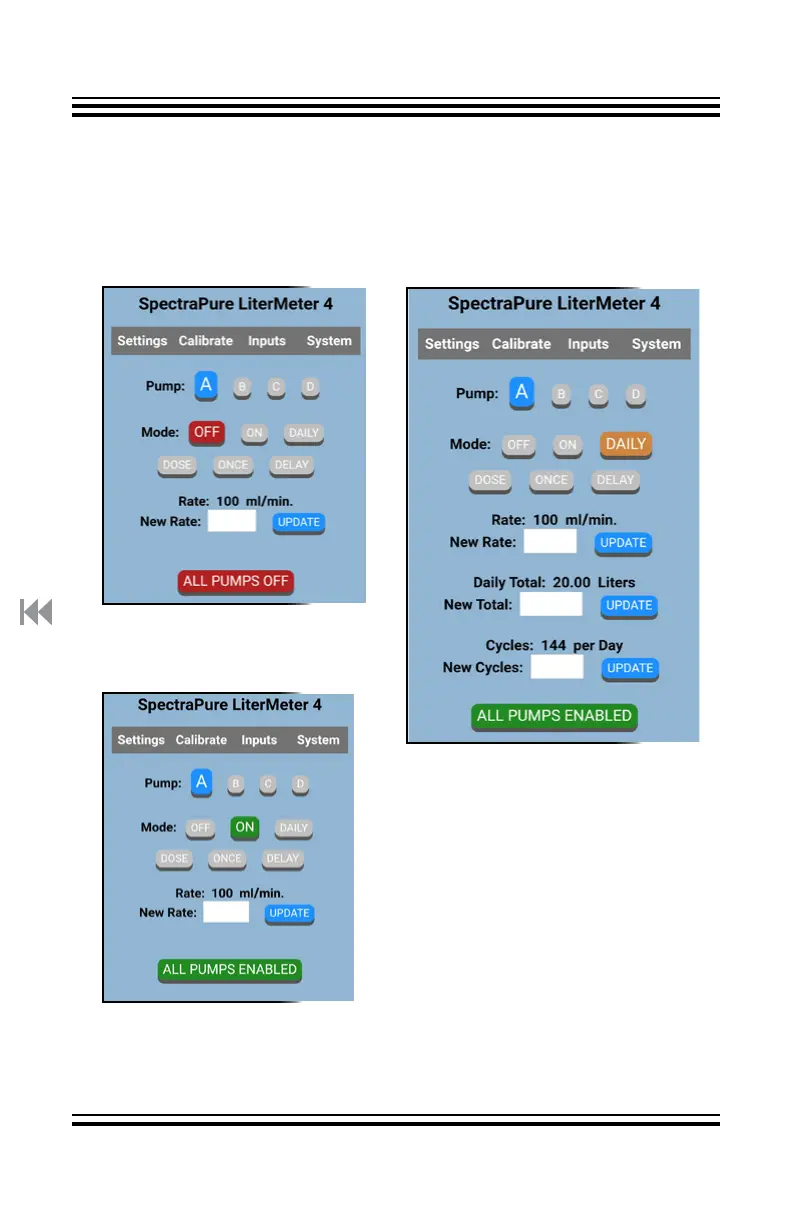
Settings Page on a Personal Device (PD):
Settings Page:
Pump A is OFF.
All Pumps are Disabled
Settings Page:
Pump A is ON
and Running at
100 ml/min.
Settings Page:
Pump A in DAILY Mode
Touch the white data entry box
next to “New Rate:”.
Using the keypad that appears,
enter the Flow Rate. Tap “Update”
to store the Flow Rate.
As above, enter the desired Liters
per day to be delivered.
Enter a value for Cycles per day.
The LM4 will “round down” to a
preset value for “New Cycles”.
This is the first page you see after connecting to the LM4.
Select any of the four pumps to set up and save their parameters.
Tap “Calibrate”, Inputs”, or “System” to move to that page.
Tap “ALL PUMPS OFF” to toggle to “ALL PUMPS ENABLED” and back.



 To Next Page