SpectraPure
®
SpectraPure
®
Inc.
480.894.5437 Call us toll-free 1.800.685.2783
2167 East Fifth St, Tempe, Arizona 85281
40
When the network router
is found, select the SSID
(name), enter its password,
and tap the “Save” button.
The name and password
are encrypted and stored in
the LM4. These credentials
are used at every ReStart
to automatically connect
to the router and get the
current time.
Acquiring Time
thru Router at:
(WiFi Router)
(LM4’s IP Address)
SpectraPure
LiterMeter 4
ALL PUMPS OFF
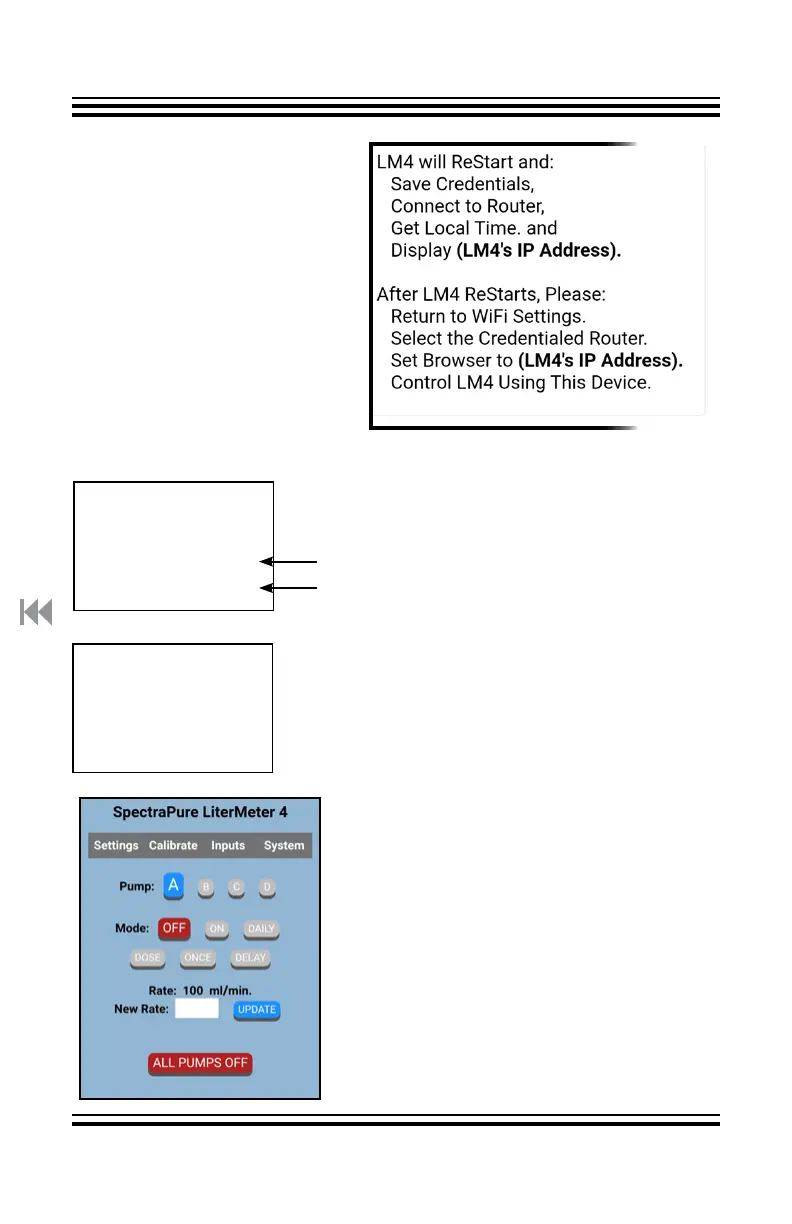
1. Open WiFi Settings on your phone.
2. Select your local router.
3. Set a browser to URL:
(LM4’s IP Address).
4. You should see the Settings page.
5. Navigate and explore the Settings,
Calibrate, Inputs, and System pages.
See “Settings Page on a Personal Device”
for more details.
The completion page is displayed for 5
seconds. The LM4 will ReStart, get the
network time, and follow the “Normal
ReStart Sequence”.
Here is your router’s name.
Please note the IP address that your
router has assigned to the LM4, as
(LM4’s IP Address).
Then, the LM4 displays the most recent
screen.
See “System Page on the LM4” for
how to find LM4’s IP Address. Or, just
ReStart and watch the screen.



 To Next Page