Chapter 5 VisionMaster Ship’s Manual
Tx/Rx Settings Diagnostics & Commissioning
5–22 65900011
3.3 Tx/Rx Settings
A group of settings are stored in each
display for all the Transceivers with which
the display can operate.
3.3.1 Selecting the Required Transceiver
If a six way Interswitch is fitted, settings can
be entered for up to six transceivers, which
are identified by letter ranging from A to F.
If a two way Interswitch is fitted then only
Transceivers A and B may be selected.
To select the required Transceiver:
1. Left click on the Tx/Rx field above the
Transmit/Standby button. The
Interswitch Control window appears
with a list of Transceiver types
available.
2. To select the required transceiver left
click in the Transceiver selection
button.
Note: The settings for each Transceiver
must be the same on all displays in
the system.
3.3.2 Setting the Tx/Rx Parameters
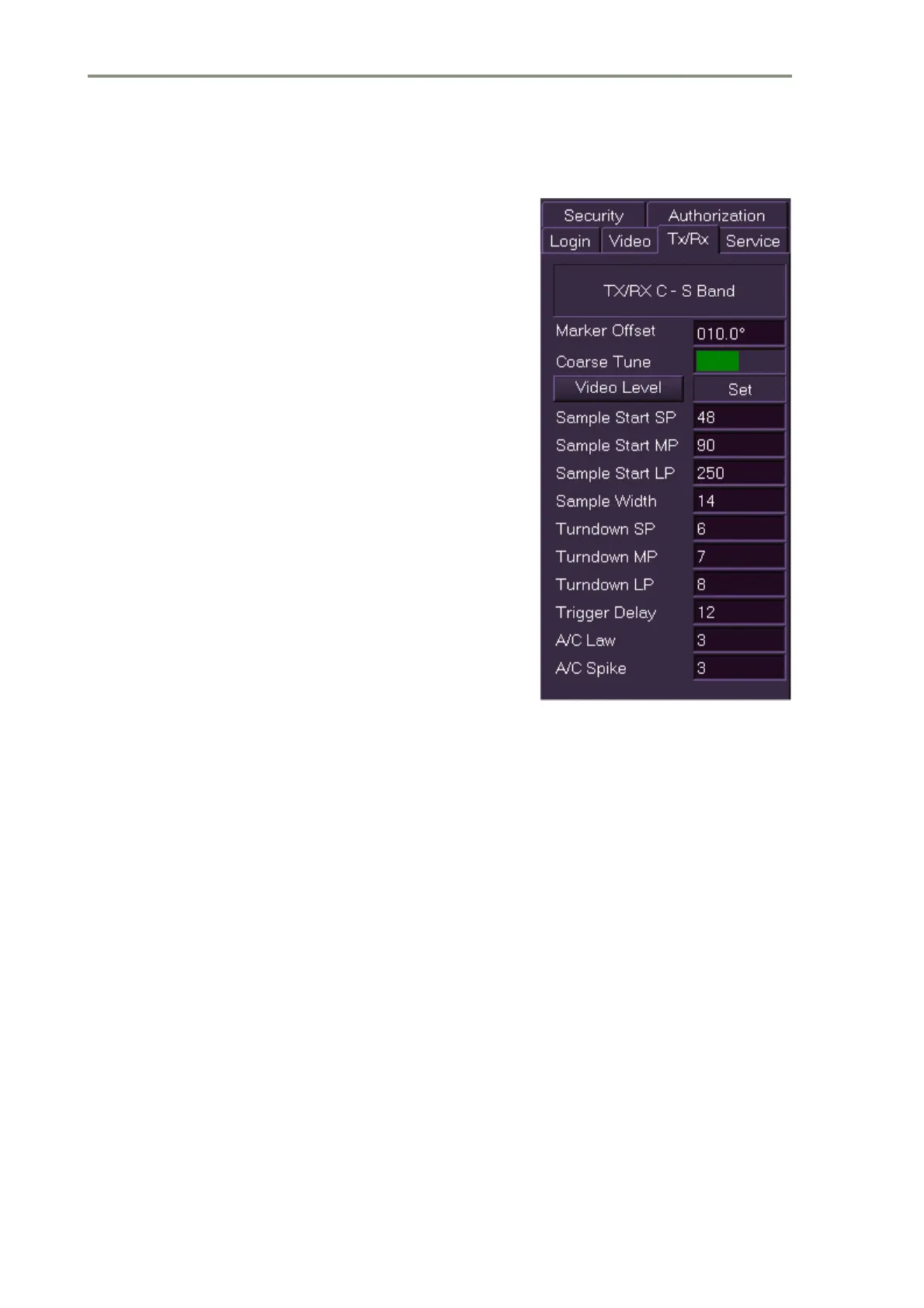
The following transceiver parameters require the display to be in Transmit
mode for visual feedback of the video. If the display is part of an interswitched
system it must be connected to the appropriate transceiver if the parameters
are to be reset. All the data is stored in real time when altered and restored
at power on.
The procedure for adjusting all of the parameters in the Tx/Rx menu, except
the Video Level and Coarse Tune settings, is as follows.
1. Position the screen cursor over the setting to be changed and left click.
the text changes to green (editable).
2. Move the trackball left or right to change the setting to that required and
left click to exit edit mode.
Alternatively, a right click will reveal a drop down numeric keypad from which
a setting can be entered.
Information on the individual parameters of the Tx/Rx settings is given below.



 To Next Page