VisionMaster Ship’s Manual Chapter 1
Technical Specification Cancel All Targets
65900011 1–31
7.18.4 Cancel All Targets
When this option is selected tracked targets are dropped and AIS targets set
to a sleeping state if they meet the following criteria:
• it is not the echo reference target
• the target is an AIS target that does not infringe the CPA/TCPA or Bow
Crossing alarm criteria
• the target is an AIS target and is not in an auto-acquisition zone.
7.18.5 Past Position Dots
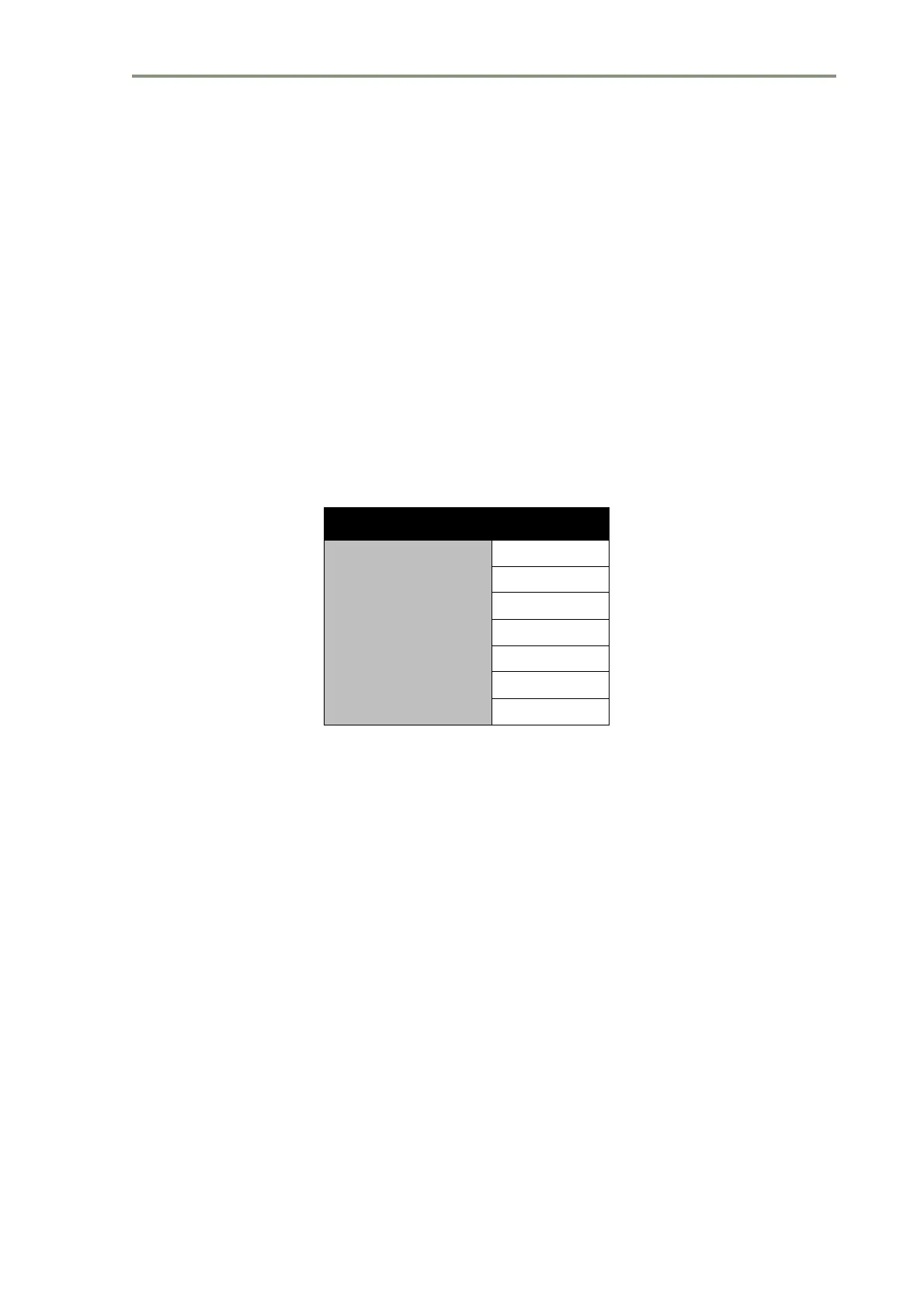
It is possible to display up to four past position dots indicating the past
positions of all tracked targets, depending on how long the target has been
tracked.
Table 28: Past Position Dots Intervals
The position of the dots will match the trails, i.e. they will be true position dots
when the trails are true, and relative dots when the trails are relative. Past
position dots are available in all presentation and motion modes on systems
with a working compass. When the dots are selected, the time interval
between dots will be displayed as a permanent prompt.
The selected interval will not alter when the range is changed. The default
time interval is 1 minute. The past position data will start to build up as soon
as tracking of the target commences. It will only be cleared when the target
is cancelled. The operator may switch the display of the dots off and on.
7.18.6 Test Targets
Test targets are shown as a fixed test target pattern which is stationary
relative to own ship. Test targets’ video is mixed with the radar video so that
they can be displayed and tracked in exactly the same manner as live targets.
The targets are generated every 45 degrees starting at 0 degrees relative to
own ship’s heading and at 0.5nm, 1nm, 2nm, 4nm, 6nm, and increasing in
2nm increments to 40nm. The targets are fixed size in both azimuth and
range.
Parameter Detail
Dot time intervals
15 sec
30 sec
1 min
2 min
4 min
8 min
16 min



 To Next Page