Chapter 10 VisionMaster Ship’s Manual
Interswitch Hardware Configuration Interswitch Units
10–16 65900011
4.2.7 System Status for the 2-Way Interswitch
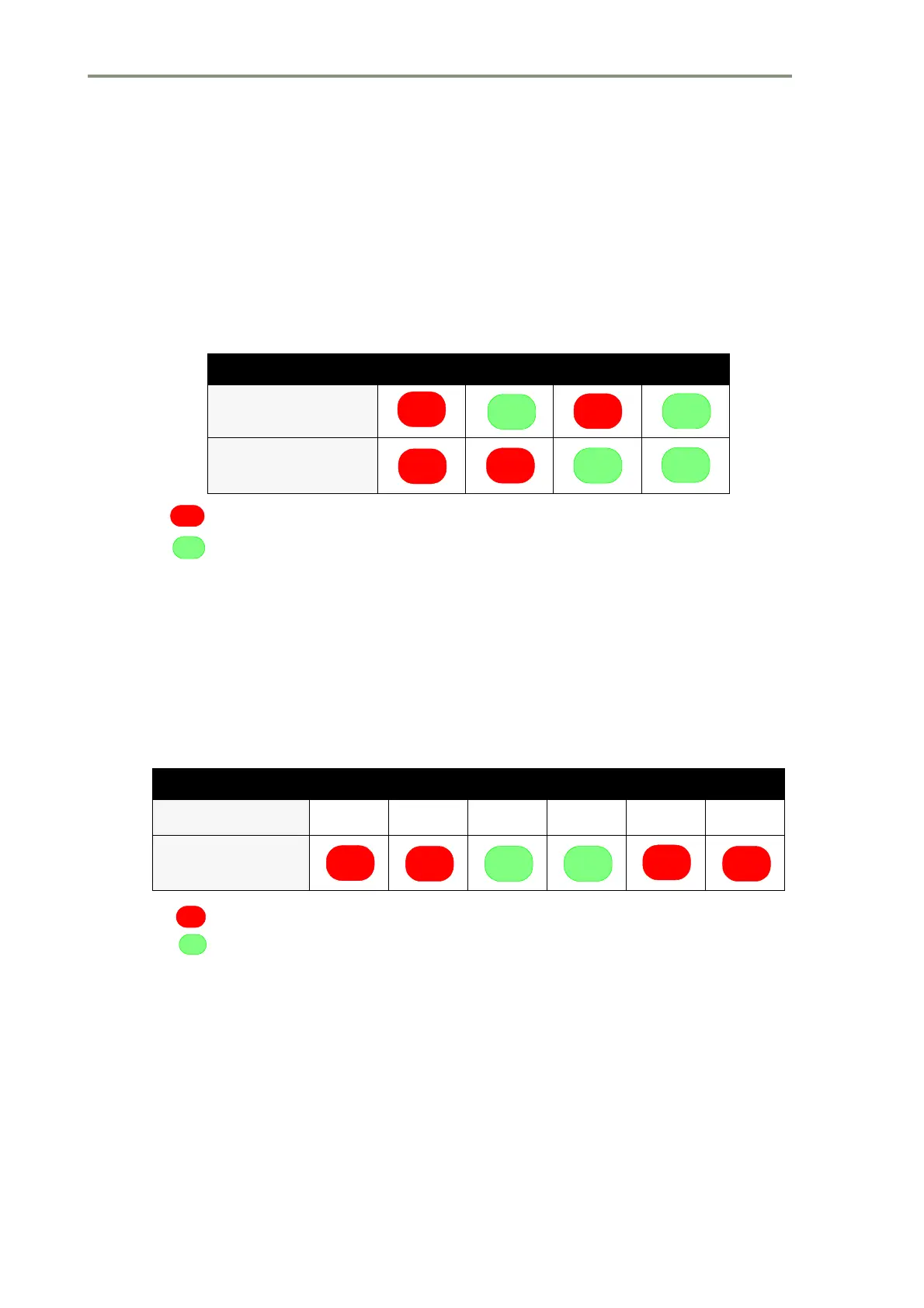
Visual indication of the system status is provided by green and red LEDs
which show whether a display is connected to Transceiver A or Transceiver
B. Additional green and red LEDs show whether the Display Unit is master or
slave to the Transceiver. If a Display has not been configured, then the
associated LEDs will not be illuminated.
Red LED
Green LED
4.2.8 System Status for the 6-Way Interswitch
Visual indication of the system status is provided by seven segment displays
which indicate which Transceiver (A to F) is connected to which display unit.
Additional green and red LEDs show whether the display unit is Master or
Slave to the Transceiver. If a Display is not configured, then the associated
LEDs will not be illuminated.
Red LED
Green LED
4.2.9 Mutual Interference Suppression Trigger (MIST)
There is one input from an external source which is mixed with the triggers
from each Transceiver. The combined signal is fed out as an external display
MIST. Each Display is supplied with this composite trigger excluding the
trigger from the Transceiver that the Display is currently connected to.
Table 4: Typical Examples of Status Panel Read-Outs for 2-Way
Displays A B C D
Tx/Rx A (Red)
Tx/Rx B (Green)
Master (Red)
Slave (Green)
Table 5: Typical Examples of Status Panel Read-Outs for 6-Way
Displays A B C D
Transceiver
ACCAEF
Master (Red)
Slave (Green)



 To Next Page