Chapter 5 VisionMaster Ship’s Manual
Security Diagnostics & Commissioning
5–28 65900011
3.5 Security
The Security management folder enables a
logged on user to create a group of
members. The members of a group will be
in roles lower than the currently logged on
user. For example, a field engineer may
assign ship administrators and seamen to a
group, whereas a ship administrator can
only assign seamen to their group.
When group members have been assigned,
the group administrator (logged on user)
may add or remove members and change
member’s password details.
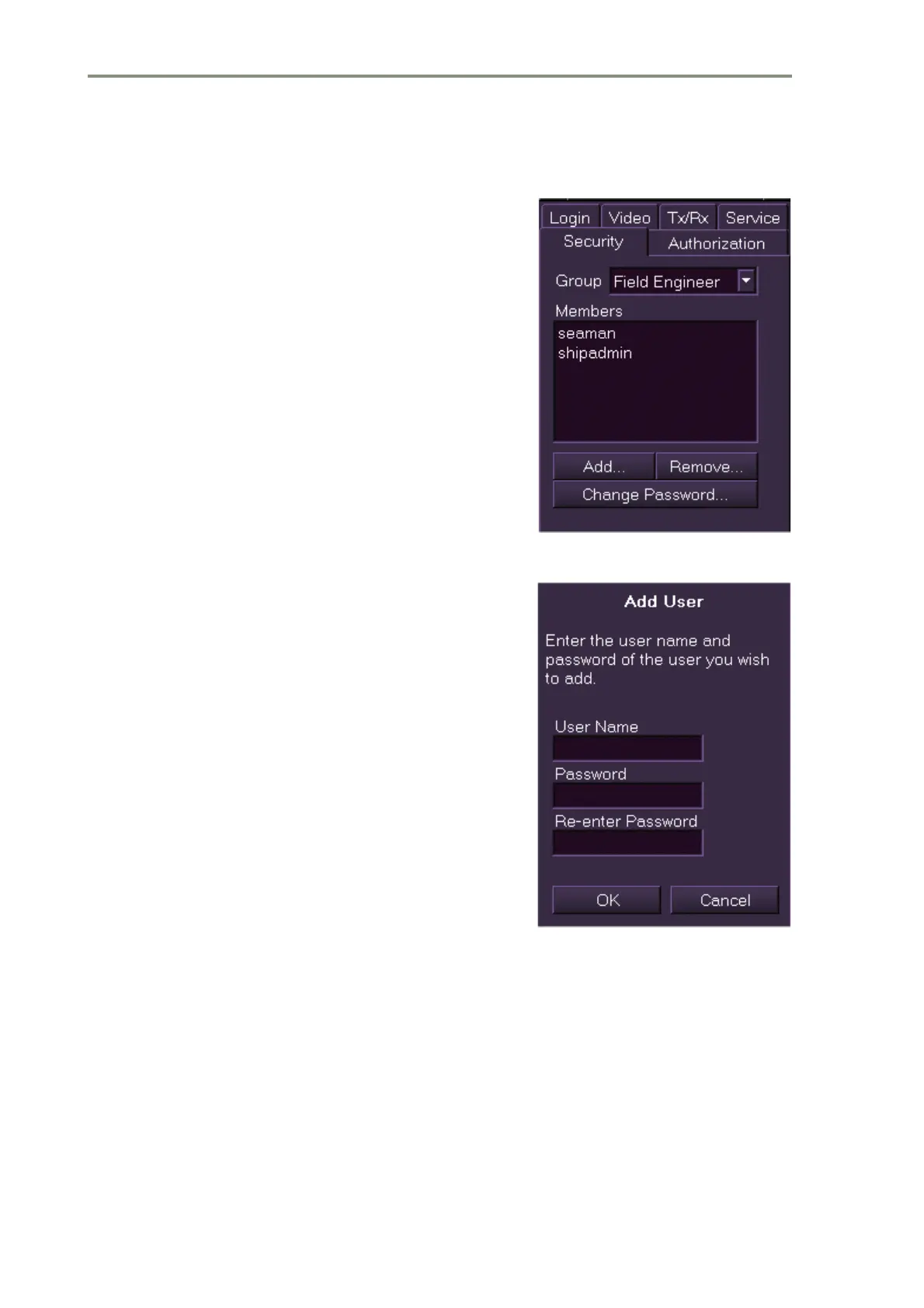
To create and edit a security group:
1. Click on the Security tab and select the
current user role from the Group drop
down list.
2. To add group members click on the
Add.. button. The Add User window
appears prompting to enter a user name
and a password of the user you wish to
add to the group.
3. Enter the name and password, re-enter
the password and click the OK button.
The user’s name appears in the
Members list and a User Added prompt
is temporarily displayed.
4. To remove a member from the group
highlight the user to be removed from
the Members list and click on the
Remove.. button. The screen prompts for
confirmation of the action.
5. To confirm click the Yes button. The user
is removed from the group and the Security window re-appears with the
member’s name removed from the list.
6. To change the password of a group member highlight the name in the list
and click on the Change Password.. button. The screen prompts to enter
the old and new password for the member.
7. Enter the user’s old password, then enter the new password, re-enter and
confirm by clicking the OK button.
8. The new password details are logged in the system and the Security
window re-appears.



 To Next Page