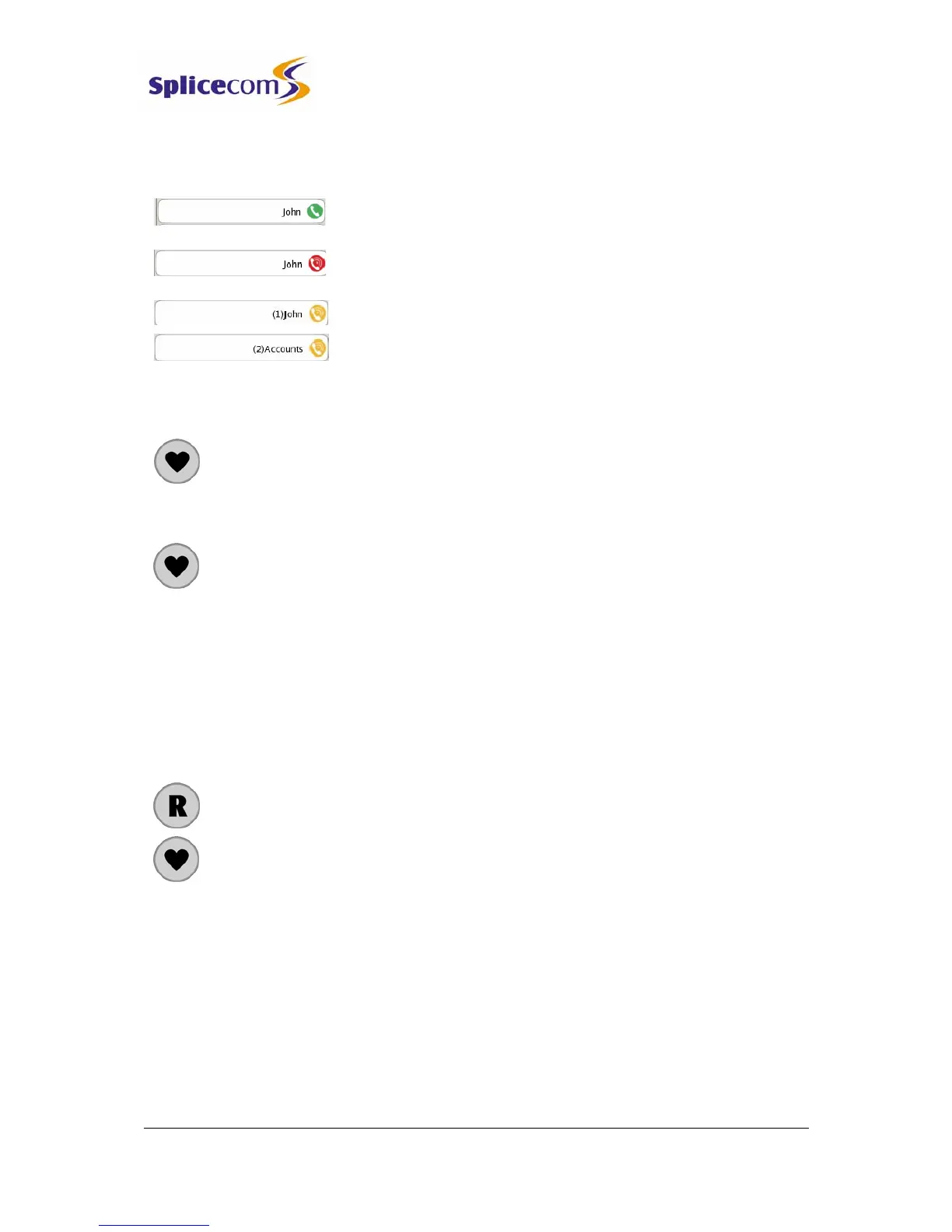
A speed dial displayed for an internal extension will act as a Busy Lamp field:–
An internal speed dial displayed with a green icon indicates that
your colleague’s extension is free
An internal speed dial displayed with a red icon indicates that your
colleague is currently on a call.
An internal speed dial flashing between a yellow and red icon
indicates that either the User’s extension is currently ringing or
there are calls queuing for that Department. The number of calls
waiting to be answered will be displayed. You can pick up a call
ringing for this extension by pressing the context sensitive key
beside the speed dial.
Press the Favourites button to return to your idle page
Make a call using a Speed Dial
1 Press the Favourites button
2 Press the context sensitive key beside the speed dial required.
The call will be made
Your speed dials will also be displayed in the Contacts Directory as described from page 19, if
you do not wish to access your speed dials from the directory turn off the Speed Dial filter as
described from page
33.
Transfer a call using a Speed Dial
1 Place the call on hold by pressing the Recall button
2 Press the Favourites button
3 Press the context sensitive key beside the speed dial required. The call will be
made
4 Wait for the call to be answered and announce the call
5 Transfer the call by replacing your handset or by pressing the Speaker button.
You will no longer have control of the call.
Alternatively,



 To Next Page