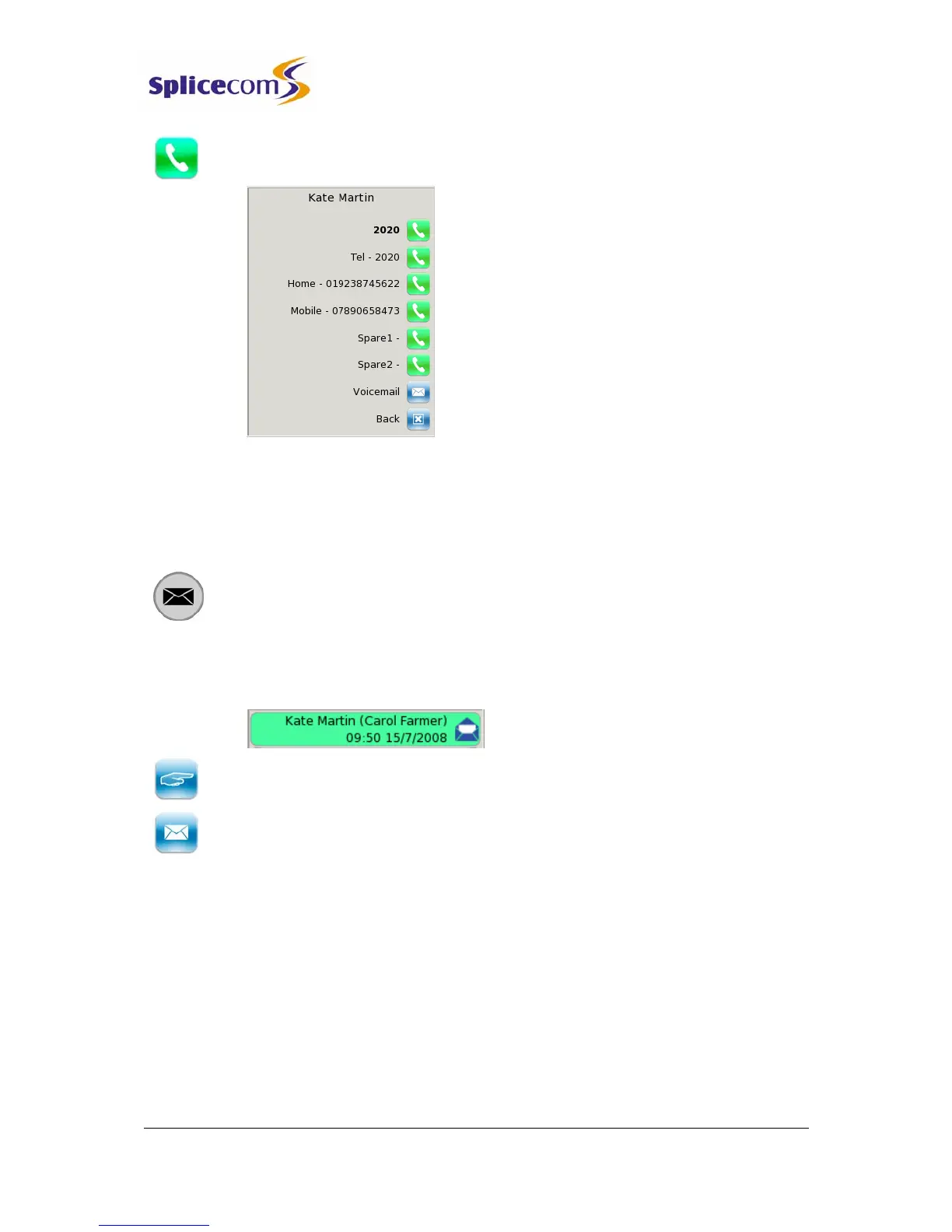
5 The list of numbers stored for this contact will be displayed. Press the context
sensitive key beside the number you wish to dial.
Leave a message for a caller
If a message has been left by a colleague and you wish to leave them a message in return
you can select this option by using the Choose icon.
1 Press the Messages button. Your Calls History will be displayed.
2 Use the Page Down and Page Up buttons to display the entry required.
3 Press the context sensitive key beside the message required and the selected
message will become green.
4 Press the context sensitive key beside the Choose icon. The list of numbers stored
for this User will be displayed.
5 Press the context sensitive key beside the Voicemail icon. Leave a message when
requested.
Record a Greeting
A default message will be played to a caller when transferred to your voicemail. However
you may wish to record your own personal message.
You can record two voicemail greetings. Firstly, you have a daily greeting that can be used to
inform a caller of your whereabouts on a particular day, for example – “You have reached
Alice Barker’s voicemail on Tuesday, 4 July. I am currently in a meeting until 11 o’clock.
Please leave a message and I will call you on my return.” Your second greeting, the
permanent greeting, can be used to give a message that can be used on any day, for



 To Next Page