Introduction
PCS 571/572 User Manual v3.2/0913/1 3
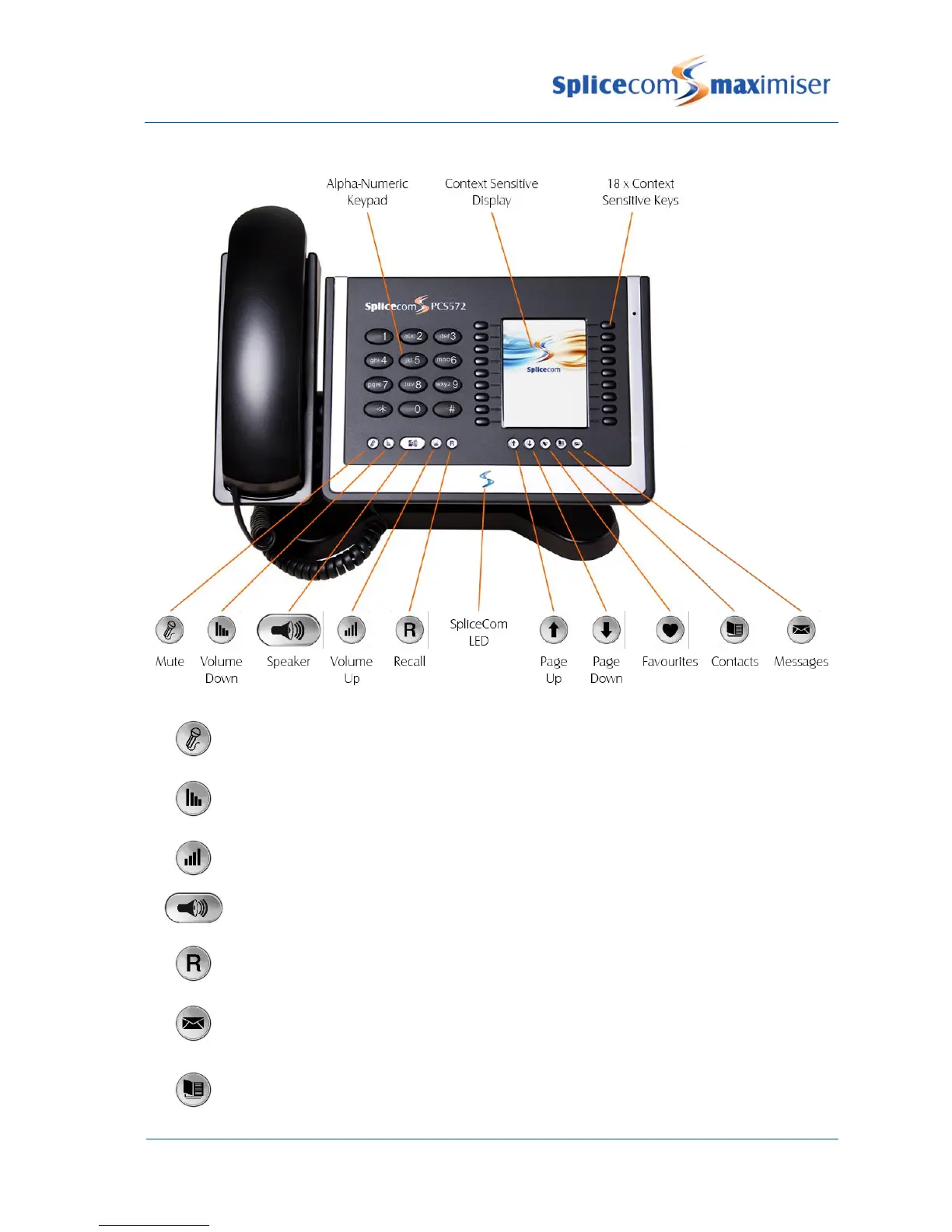
The Mute button will enable you to turn on or off this facility. Please refer to the Mute a
call section from page 10 for further details.
The Volume Down button will enable you to reduce the headset or hands free or ringing
volume on your PCS 571/572. Please refer to the Changing the volume section from
page 16 for further details.
The Volume Up button will enable you to increase the headset or hands free or ringing
volume on your PCS 571/572. Please refer to page 16 for further details.
The Speaker button will place your phone off-hook and enable you to use hands free
mode. Please refer to the Changing the volume section from page 16 for further details.
The Recall button is used place a call on hold. Please refer to the Place a call on hold
section from page 11 for further details.
The Messages button will enable you to view your Calls History & voicemail messages.
Please refer to the Calls History section from page 18 and Voicemail section from page 44
for further details.
The Contacts button is used to search for an entry on the system database and dial a
number stored for the relevant contact. Please refer to the Contacts Directory section
from page 22 for further details.



 To Next Page