CS4000 Mini Controller with Ethernet
Page
3-2
T-38324-A 39-30-38324
Front Panel
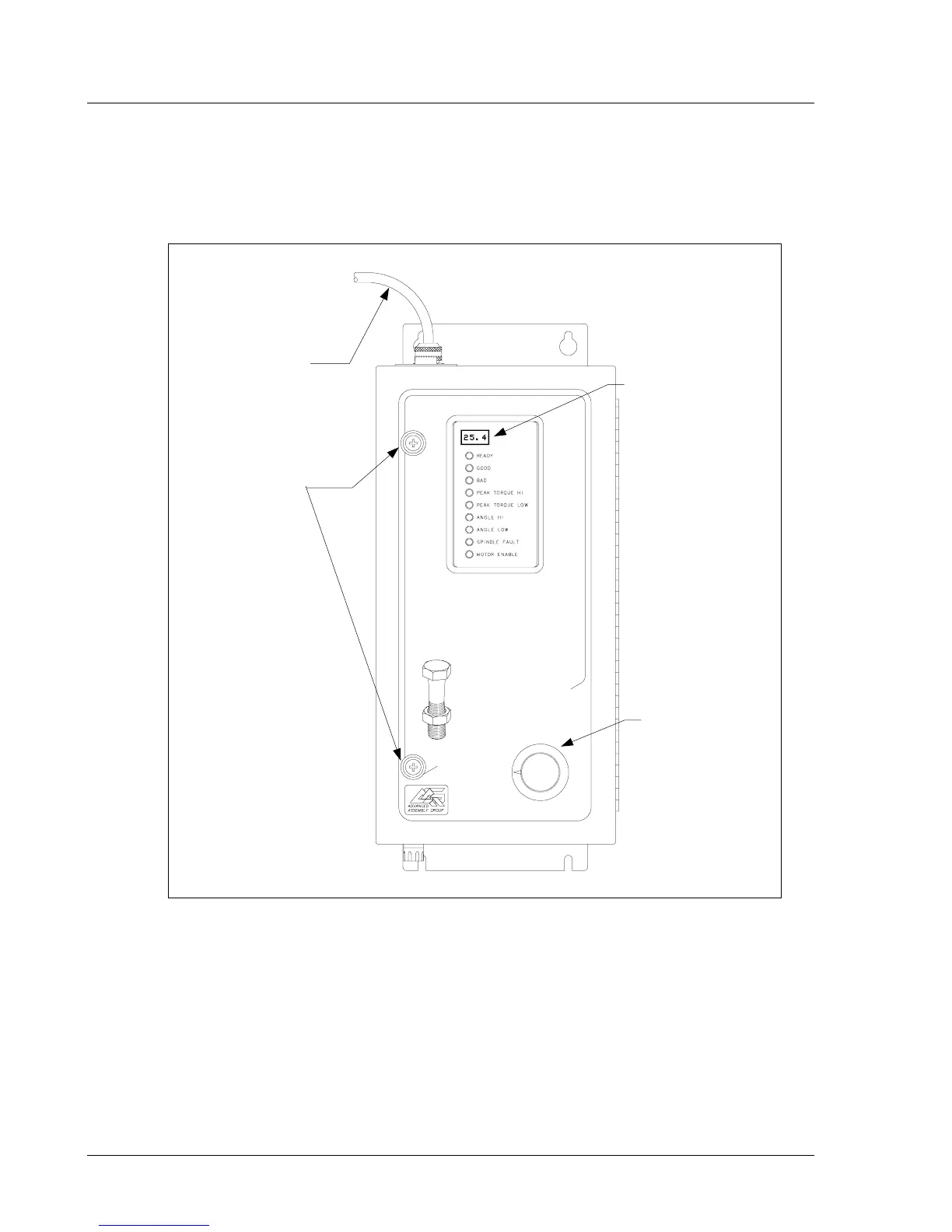
Figure 3-1 shows the front panel components of the CS4000 Mini Controller with Ethernet.
Figure 3-1. Front Panel View
NOTE: The AC power cord is described in the Top and Bottom Panel
section later in this chapter.
LED Display
The LED display shows you the torque, or torque and angle value for the most recent rundown. It also
scrolls messages for the operator. For example, if a barcode scan is required before the next rundown,
the operator sees a barcode prompt on the LED display.
tech-motive tool
CS4000 mini
SYSTEM
CONTROLLER
1
2
3
4
5
6
7
8
*
LED
Display
Parameter
Select Switch
AC Power
Cord
Access Screws


 To Next Page