Chapter 5. Setting Up the Ethernet
May 2002 T-38324-A Page 5-11
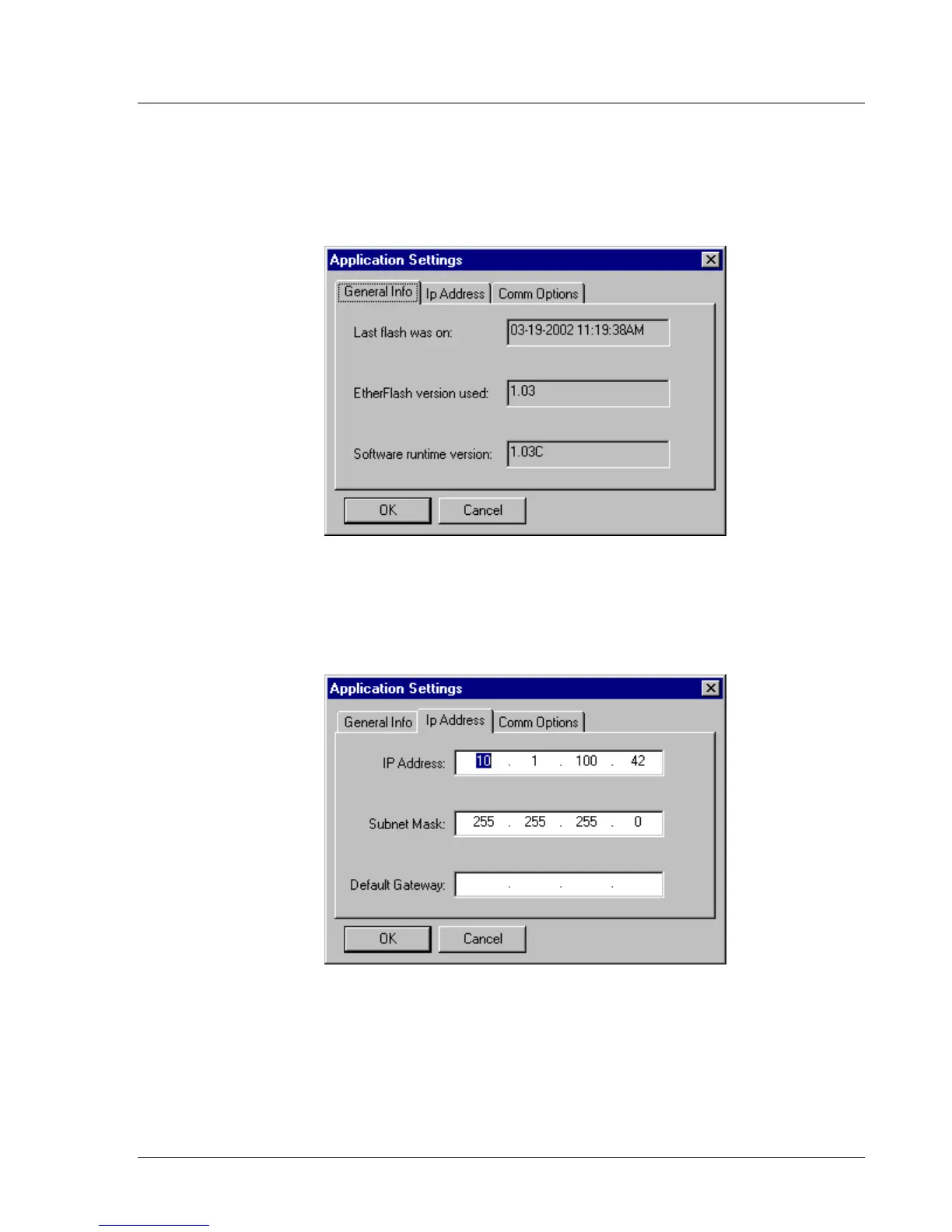
The Application Settings window, shown in Figure 5-13, opens to display the General
Info tab. This window shows you details of the last successful flash of an application
file to the Ethernet interface card. You cannot change this information; it is
automatically updated by the TINI Ethernet Flash Utility whenever a successful flash
occurs.
Figure 5-13. Viewing the Application Settings Window -
General Info tab
3. Select the Ip Address tab.
a. From the Application Settings window, click on the Ip Address tab. See Figure 5-14.
Figure 5-14. Selecting the Application Settings Window -
Ip Address tab


 To Next Page