Chapter 5. Setting Up the Ethernet
May 2002 T-38324-A Page 5-23
Use Procedure 5-5 to test the Ethernet network from the host computer.
NOTE: There is an alternative to the method described in
Procedure 5-5. You can use the Telnet application, if it is
installed on the Windows operating system of the host
computer. Telnet establishes a connection across the Ethernet
network to the Ethernet interface card in any controller. Telnet
logs on to the network using the IP address of the controller.
Once logged in, you can use the ping command to test the
network connection, refer to Procedure 5-4 from Step 6 onward.
To find out more about using Telnet, see your System
Administrator.
Procedure 5-5. Testing the Network From A Host Computer
1. Open Windows Explorer on the Windows desktop.
NOTE: Different versions of the Windows operating system may have a
different menu structure. Refer to the on-line help supplied with
the Windows operating system.
a. Click the Start menu on the Windows desktop.
b. From the Start menu, select Programs.
c. From the Programs menu, select MS-DOS Prompt.
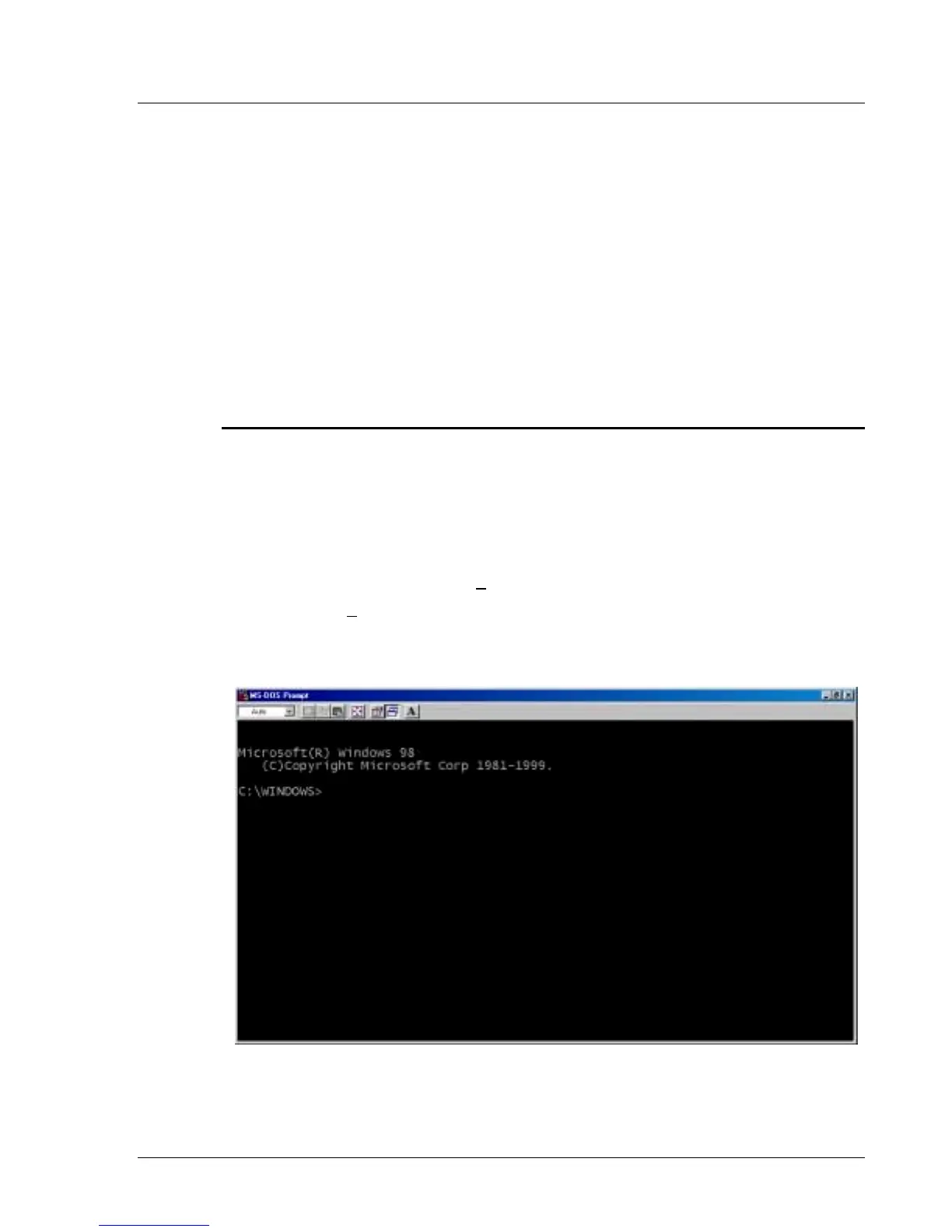
A command prompt window opens using MS-DOS, shown in Figure 5-21. You are
now ready to begin testing the Ethernet network.
Figure 5-21. Opening the Command Prompt Window


 To Next Page