28
_________________________________________________________________________________
OmniaTap xs
basic
; Version August 2023
Subject to technical changes
13 Operating
The menu structure, the displays and the setting options of the OmniaTap xs system are described
below. Use the system input options described under "Operating concept" to navigate in the menu
and to change settings
13.1 Menu structure
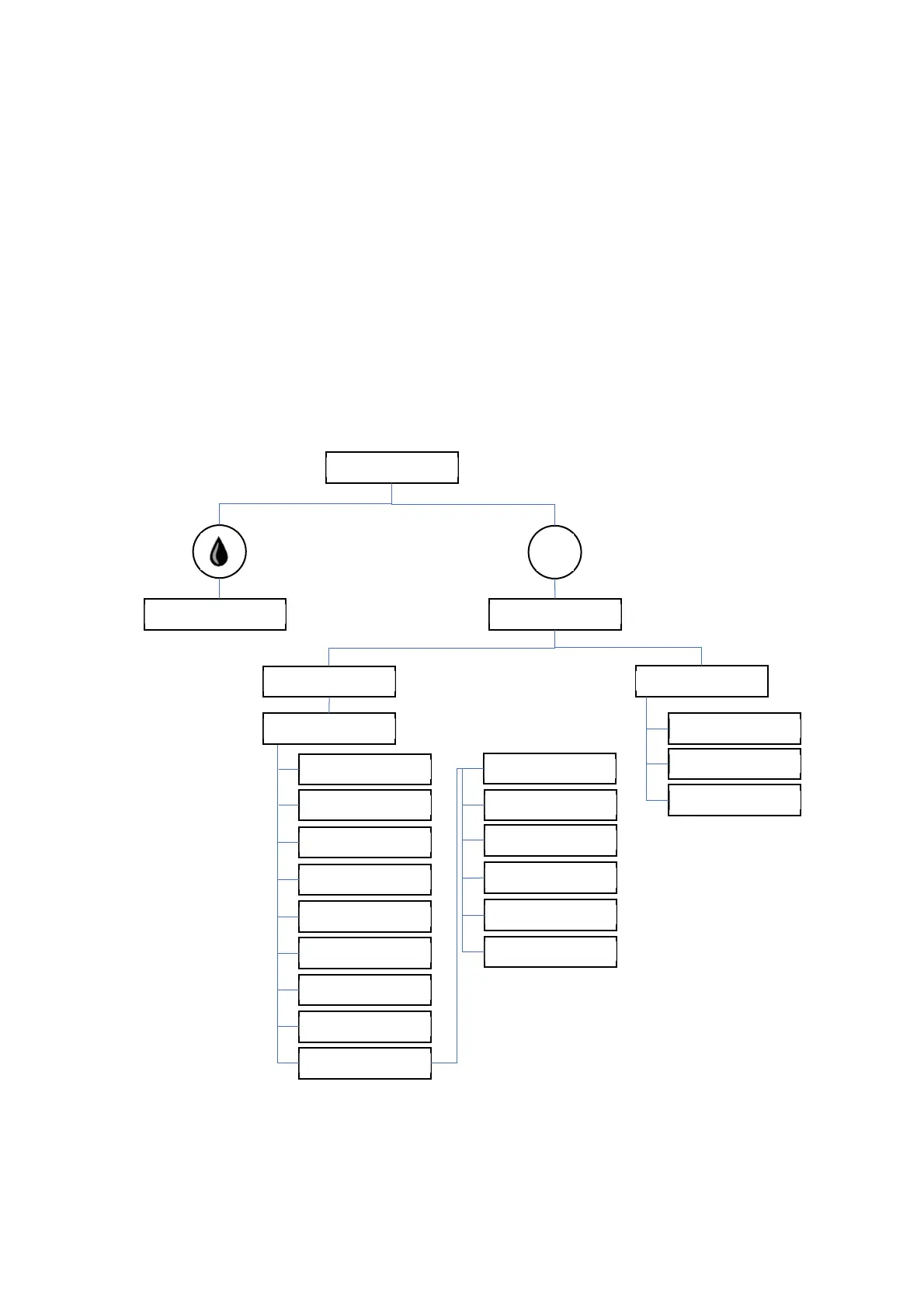
The diagram below depicts the menu structure of the OmniaTap xs system. Pressing the Menu / Esc
button takes you from the main display to the menu selection. The menu selection takes you to the
setup and system menu. Use the arrow keys to scroll through the menus. Pressing the withdrawal
button takes you from the main display to the withdrawal display.
Image 2: Menu structure
Main display
Withdrawal display
Menu selection
menu
esc
Setup
System
Limit LF 1
Unit
Limit UV
Limit temp.
Limit LF 2
T. Compensation
Circulation (time)
Conductivity LF1
UV
Conductivity LF2
RS232 output
PIN
Circulation (pause)
Flush
Beeper
Disinfection
Clock
PIN
Language


 To Next Page