29
_________________________________________________________________________________
OmniaTap xs
basic
; Version August 2023
Subject to technical changes
13.2 Main display
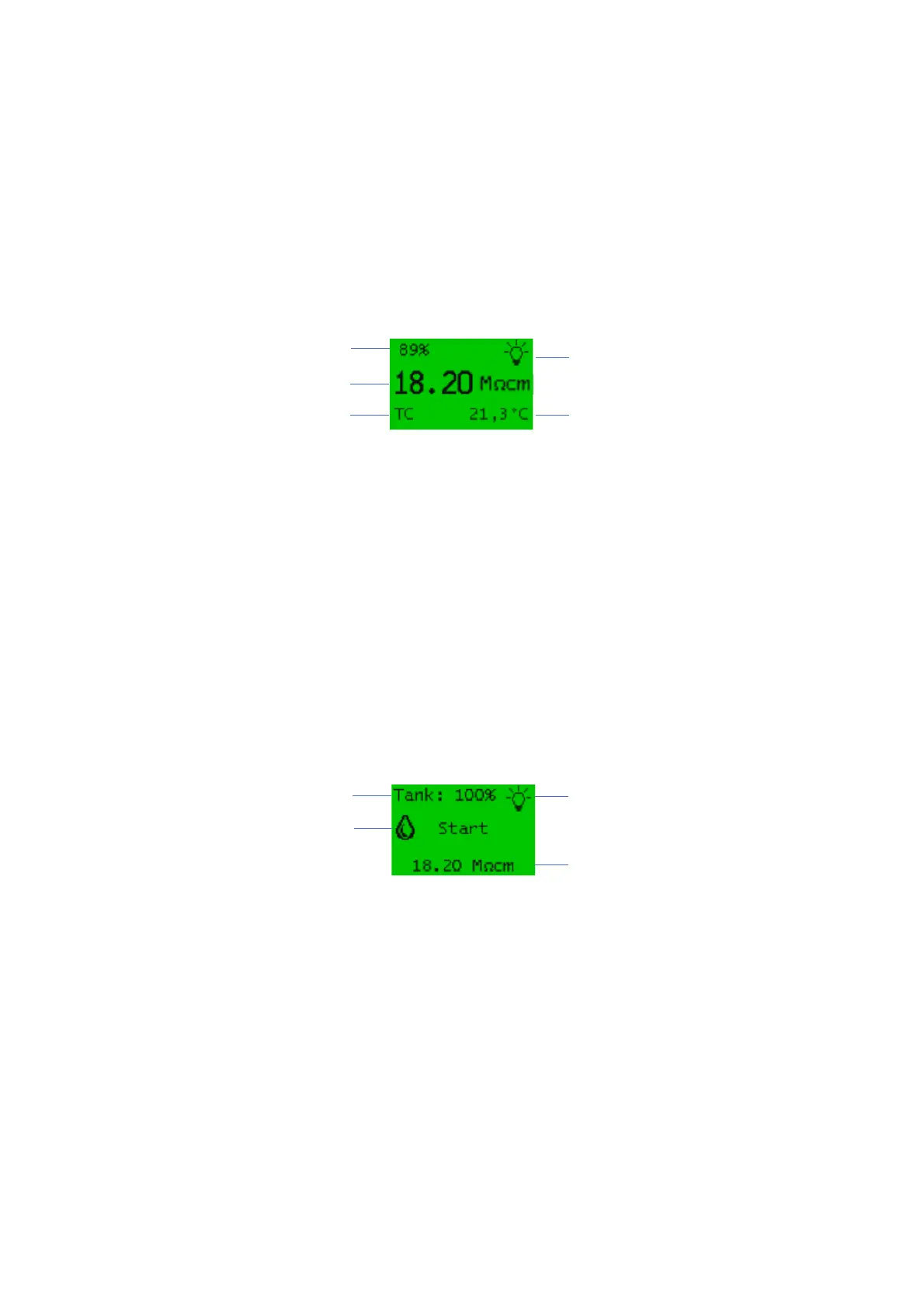
The main display (see page Image 3: Main display) appears automatically after switching on the device.
It gives you information about the current system status and shows you the value of the conductivity
(LF2) measured at the withdrawal point in the set unit (µS/cm or MΩcm) as well as the temperature of
the ultrapure water and the actual tank level. It also shows whether the conductivity is measured with
temperature compensation (TC) or without (NTC). The lamp symbol provides information about the
operating status of the UV lamp (only with OmniaTap xs UV), switched on: Lamp icon is displayed.
Image 3: Main display
13.3 Withdraw water / Withdrawal display
Pressing the withdrawal button takes you from the main display to the withdrawal display. Here you
have the option of starting the dispensing of ultrapure water via the OptiFill dispenser. Start the
withdrawal by pressing the withdrawal button again. As soon as you have removed the desired
amount, you can stop the withdrawal by pressing the withdrawal button again. If the tank fill level
reaches a value of 10%, withdrawal is automatically stopped to prevent the system from running dry.
A further withdrawal is then only possible again when the tank has been filled to a value greater than
10%. The current filling level of the tank is displayed as a percentage. To check the water quality, the
conductivity of the ultrapure water is displayed at the withdrawal point.
Image 4: Withdrawal display
Conductivity of ultrapure water (LF2)
Temperature of ultrapure water
Conductivity Withdrawal (LF2)


 To Next Page