32
_________________________________________________________________________________
OmniaTap xs
basic
; Version August 2023
Subject to technical changes
13.5.2 Setup
By selecting "Setup" you first get to the PIN entry. After you have entered the correct PIN using the
Enter and arrow keys (see Operating concept), the following menu items are available:
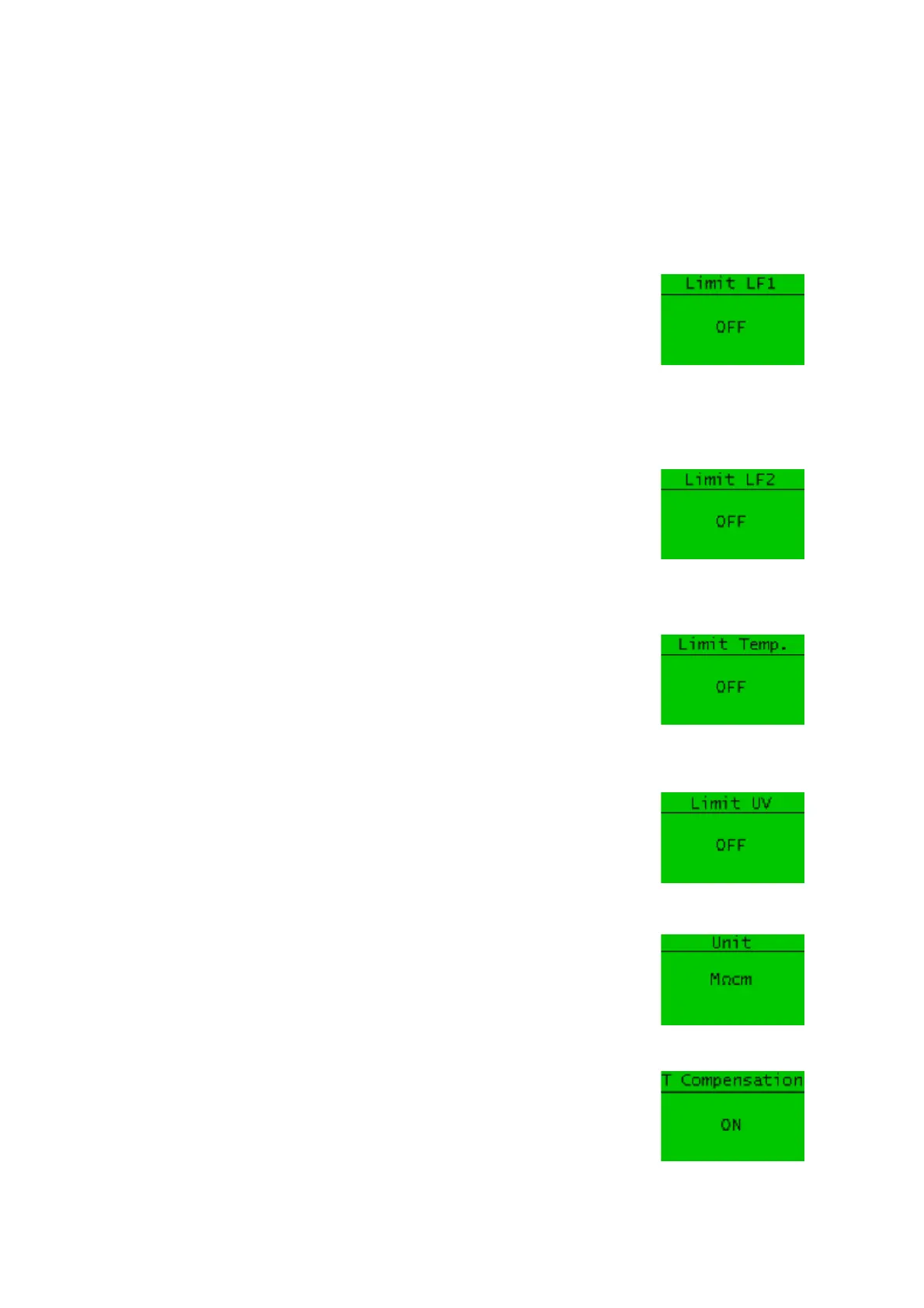
You can set the limit value for the conductivity LF1, measured after the
pretreatment cartridge, via the menu item "Limit value LF1". If the limit
value is exceeded (µS/cm) or fallen below (MΩcm) a corresponding
warning message is shown on the display. The following setting ranges are
available:
0.100 - 50.0 µS/cm or 10.0 - 0.02 MΩcm and OFF
If you set a value of 00.000, the limit value is automatically deactivated
(OFF).
You can set the limit value for the conductivity LF2, measured after the
ultrapure water cartridge, via the menu item "Limit value LF2". If the limit
value is exceeded (µS/cm) or fallen below (MΩcm) a corresponding
warning message is shown on the display. The following setting ranges are
available:
0.056 - 50.0 µS/cm or 18.1 - 0.02 MΩcm and OFF
If you set a value of 00.000, the limit value is automatically deactivated
(OFF).
Under the menu item "Temp limit value" you have the option of setting a
limit value for the temperature measurement of the ultrapure water. A
setting range of 1.0 – 50.0°C is available. To deactivate the limit value, the
value 00.0°C must be set.
If the system is equipped with an optional UV intensity measurement, you
can enter a percentage limit value for the radiation intensity of the UV
lamp under "UV limit value". If the limit value is not reached, the system
issues a corresponding message on the display. The setting range is 1% -
98%. If 0% is selected, the limit value is switched off.
The "Unit" menu item allows you to display the conductivity value in
µS/cm or in MΩcm.
"Temp. Comp.” gives you the option of measuring the conductivity with
(ON) or without (OFF) temperature compensation. If the temperature
compensation is switched on, this is indicated by "TC" in the main display,
if it is switched off, "NTC" is displayed.


 To Next Page