33
_________________________________________________________________________________
OmniaTap xs
basic
; Version August 2023
Subject to technical changes
No function on OmniaTap xs
basic
devices.
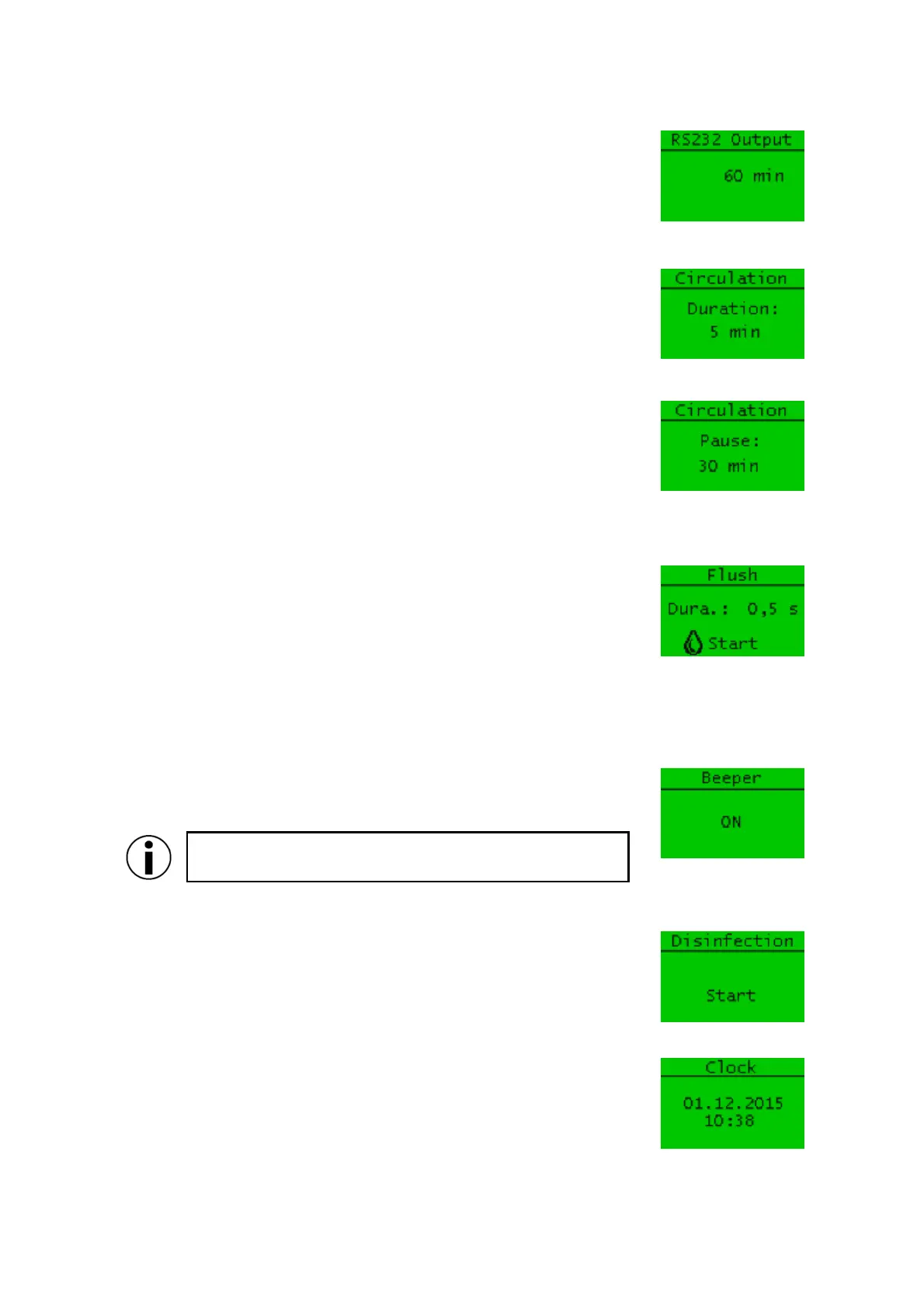
You can use the “Circulation” (duration) menu item to set the duration of
the circulation phase in minutes. The following settings are available:
0 – 99 minutes, setting 0 min disables circulation
The menu item "Circulation" (pause) allows you to set the pause duration
between the individual circulation phases. You can set the pause duration
within the following range:
0 – 30 minutes, setting 0 min causes permanent circulation
When switched on, at the beginning and at the end of a circulation phase
and at the beginning and end of the production of pure water, the system
flushes automatically for the flushing duration set here. The setting range
for the automatic flushing duration and pressure equalization is 0.1 – 10s.
You can start a flush manually by pressing the withdrawal button. The
system then rinses until you stop the rinsing process by pressing the
withdrawal button again.
If a fault occurs (see 19.1 Automatic system monitoring), the system emits
a warning tone. You can switch this function on or off via the "Beeper"
menu item.
The "OFF" setting has no effect on the output of a warning
tone when the "Leakage" fault occurs.
If necessary, the system can be disinfected via the "Disinfection" menu
item. Please note that the disinfection may only be carried out by suitably
qualified specialists.
You have the option of setting the system time and the date via the “Clock”
menu item. Proceed as described under "0
Operating concept" to change the setting.


 To Next Page