25
_________________________________________________________________________________
OmniaTap xs
basic
; Version August 2023
Subject to technical changes
11 Operating concept
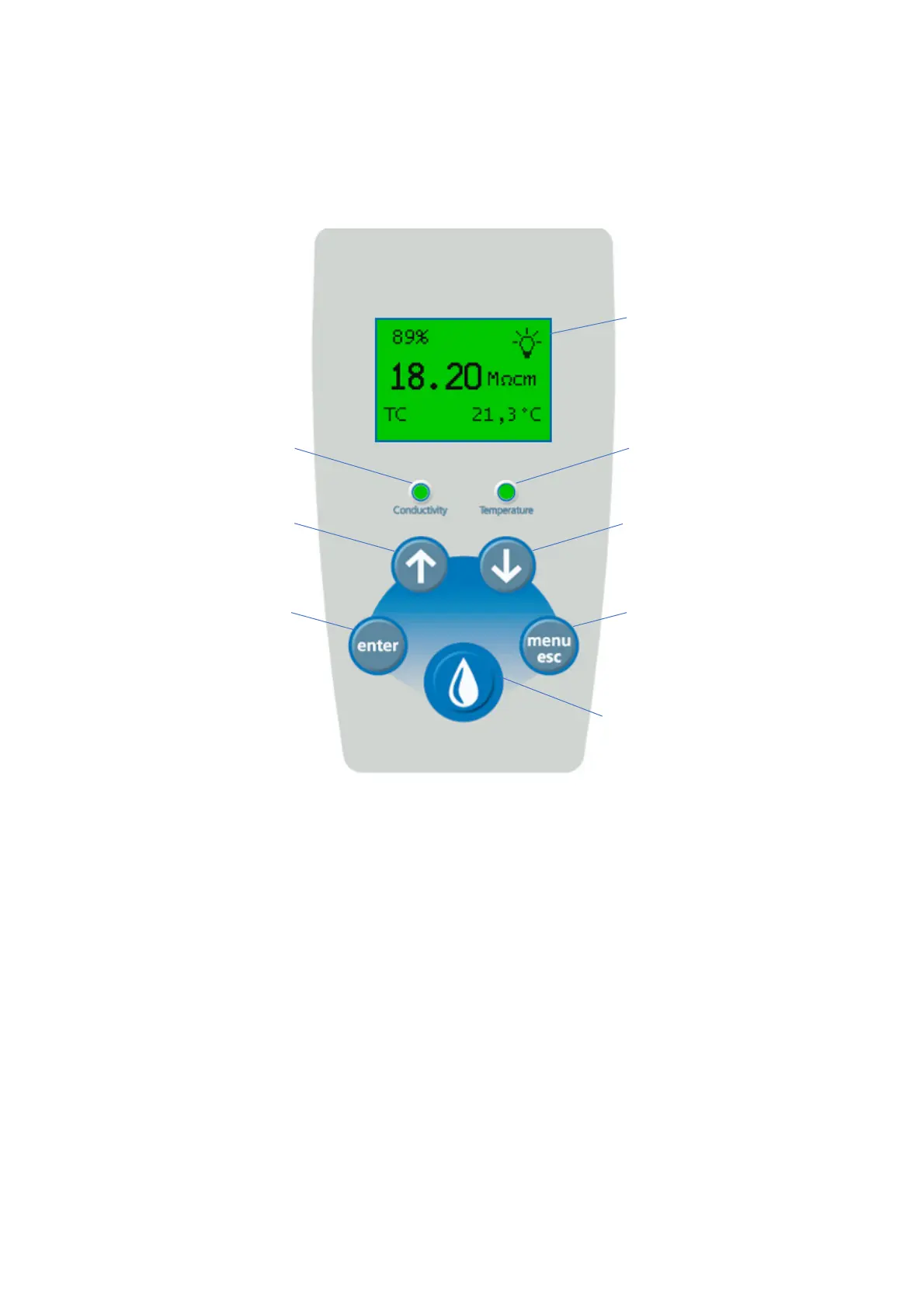
The OmniaTap system is operated using the five buttons and the display of the OptiFill dispenser. The
figure below shows the names of the individual keys.
Image 1: Control unit
Display
All settings, system statuses and measured values can be shown on the display. "Image 1: Control unit"
shows the main display, which appears automatically after starting the system. In normal operation,
the display is illuminated in green. If a system error occurs or a limit value is exceeded, the lighting
changes from green to red.
LED conductivity limit value
If the conductivity limit value is set to "Off" (see 13.5.2 Setup) or if the current measured conductivity
value is below the set limit value, the LED lights up green. If the limit value is exceeded, the LED lights
up red.
LED conductivity limit value


 To Next Page