Step 35 While holding the solenoid in one
hand loosen and remove the 4 armature cover
retaining screws using a T-10 bit. Remove the
armature cover retainer.
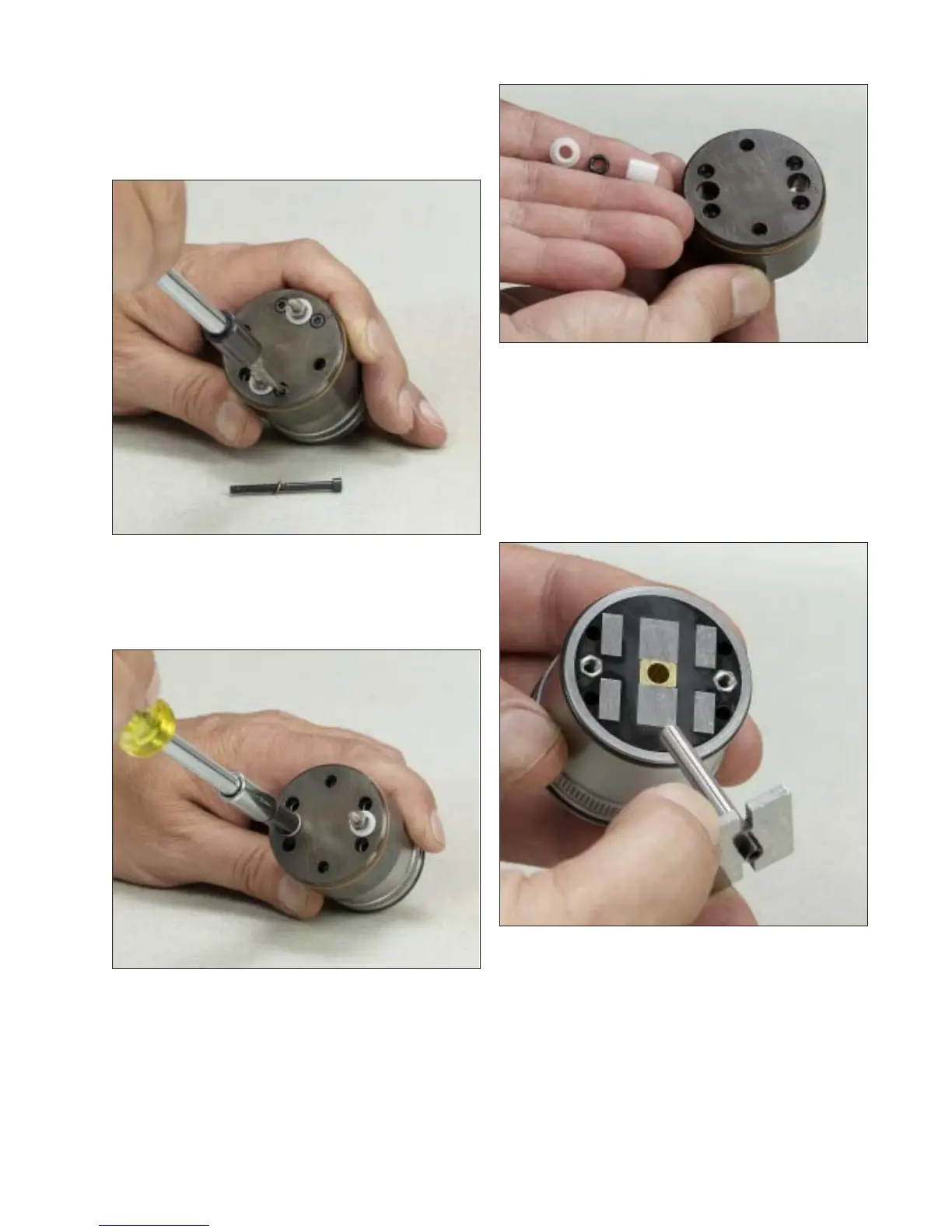
Step 36 Using a 1/4” socket or nut driver,
loosen and remove the 2 terminal studs.
Step 37 Remove the armature cover from the
fuel control solenoid assembly. Remove the 2
outer and inner terminal bushings and discard
the o-rings.
Fig. 2-35
Fig. 2-36
Step 38 Remove the armature pin assembly
from the fuel control solenoid. Do not disas-
semble the armature pin from the plate – this is
not a serviceable item. Remove and discard
the 2 o-ring seals.
Fig. 2-37
Fig. 2-38
21


 To Next Page