Hardware Features
10 M200 Fall Monitor – Setup & User Guide
Alarm and Status Indicators
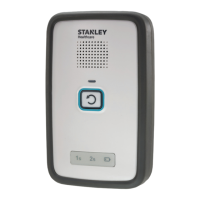
Reset Button Red LED
The Reset Button flashes red to indicate that a pad
exit has occurred. The alarm LED is easily seen from a
distance of 4 meters (13 feet) in normal facility lighting
conditions. The Alarm State Indicator is red at this time
as well.
Reset Button Green LED
The Reset Button flashes green while it is being armed
and in monitoring mode with the illumination settings
of “1” or”2.” When operated by external power, the LED is constantly
on. See “Illumination Intensity (Lightbulb icon)” on page 13.
Reset Button Amber LED
The Reset Button flashes amber to indicate Hold or
Suspend Modes. Amber flashes once every 1 second in
Hold mode and once every 2 seconds in Suspend mode.
In the last 5 seconds of Suspend mode, it flashes twice per second.
Status Indicator Icons
Based on the selected delay, the icon’s green LED
illuminates as follows:
• Delay is set to ‘0s’ – no icon is illuminated
• Delay is set to ‘1s’ – the ‘1s’ icon is
illuminated
• Delay is set to ‘2s’ – the ‘2s’ icon is illuminated
When connected to external power, the corresponding LED illuminates
constantly.
When powered by batteries only, the corresponding LED blinks once
every 3 seconds.


 To Next Page