Test the connection before use to verify that the 1/4” plug on the
installed Nurse Call equipment is fully compatible with the 1/4” port
on the M200 Monitor and that the equipment’s test call is successfully
received by the facility’s Nurse Call system.
If the test call is not successful, do not use this incompatible plug with
the M200 monitor or Nurse Call system.
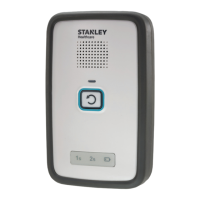
The monitor can be used to trigger a Nurse Call system that works with
call button circuits that are either Normally Open (closing when the
call button is depressed), or Normally Closed (opening when the call
button is depressed).
When a plug is inserted into the port on a monitor a Positive
Confirmation Tone is sounded. This does not indicate that the
remainder of the Nurse Call system is connected. Test before use.
The monitor accepts a ¼” mono plug that can be wired to a Nurse
Call system. The monitor provides an audible indication - Positive
Confirmation tone when connected, Negative Confirmation Tone
when removed. When installing a Nurse Call plug, use the strain relief
of the Wall Mount Bracket in the manner shown in “Wall Mounting”
on page 27, to secure the cable. In order to provide proper cable
restraint, the cable (up to 0.2” in diameter) should be inserted before
the monitor is placed on the wall mount bracket.
If your Nurse Call system does not provide a compatible input or if you
want to wire a push button cord in parallel with the monitor, contact
your biomedical department to obtain the appropriate adapter.
If requesting information on interfacing the monitor to a Nurse Call
system, please have the following information available:
• The brand and model of your Nurse Call system
• A description of the system’s call cord or pillow speaker, including
the type of plug and number of pins in the plug
• Whether your Nurse Call system is Normally Open or Normally
Closed
If this information is not available, you may still contact us for
assistance, and we will be glad to help you.


 To Next Page