61
MENU 3 3. —
3. - Soft stop (during-
-operation) function
3.-
3. 1
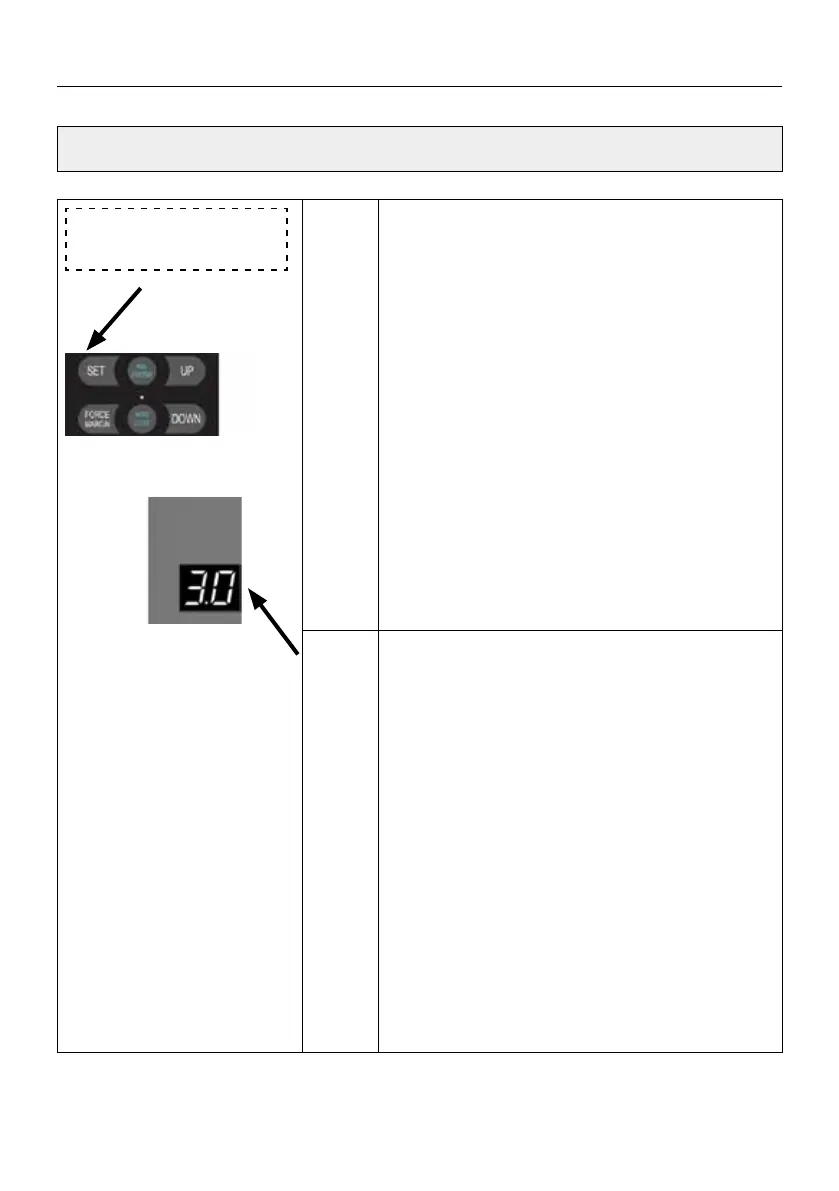
Press and hold SET button for about 6 seconds
to enter main menu until “0.-” appears on the
display then release the button.
Press UP till “3.-” appears on the display.
Press SET into the Soft stop (during-operation)
function adjustment
The digital tube display
3. 1 Number 1 a-
shing display (default).
Adjust the stalls from
3.0 to 3.4 by buttons
UP/DOWN. This function is used to control the
soft stop and corresponding soft stop speed
during operation. Press the SET button to con-
rm the selection and automatically exit the
function menu.
Note:
The soft stop function is enabled
by default
3. 1. , Whether it is an external de-
vice or a remote control, the soft stop function
is implemented during operation.
3.0 means: Soft stop function is o
3.1 means soft-stop will low-down the speed to
30% in 0.75 second,then stop the door
3.2 means soft-stop will low-down the speed
to 40% in 0.75 second, then stop the door.
3.3 means soft-stop will low-down the speed
to 50% in 0.75 second, then stop the door.
3.4 means soft-stop will low-down the speed
to 60% in 0.75 second, then stop the door.
SETTINGS OF FUNCTION PARAMETERS IN MENU


 To Next Page
 Loading...