66
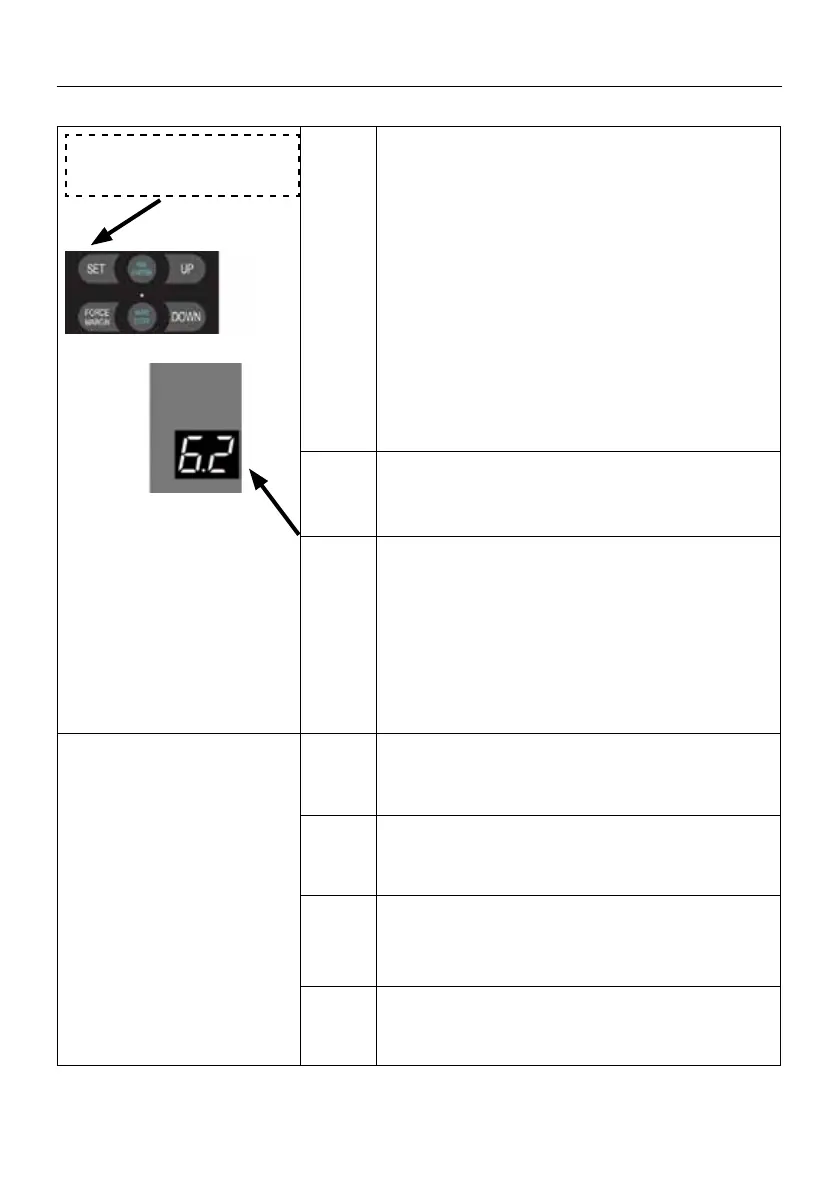
6. 2 PB Port function
setting (NO)
6.2
Press and hold SET button for about 6 seconds
to enter main menu until “0.-” appears on the
display then release the button.
Press UP till “6.-” appears on the display.
Press SET then appears “6.0” on the display
Press UP till “6.2” appears on the display.
Press SET enter into the PB Port function
setting.
. 1 . 1 Execute OPEN / STOP / CLOSE the door.
Single-cycle function.
. 2 . 2
Execute CLOSE the door at the open limit
position.
OPEN the door at the close limit position.
ONLY OPEN the door in the middle of the travel
limit.
. 3 . 3 Execute ONLY OPEN the door
(Specied application scenarios, Fire alarm,
infrared sensor to open the door).
. 4 . 4 Execute PARTIAL OPEN the door.
. 5 . 5 OPEN the door when it is in
closing phase (reverse action).
Note
. 5 Execute REVERSE during door closing
(default).
SETTINGS OF FUNCTION PARAMETERS IN MENU


 To Next Page
 Loading...