68
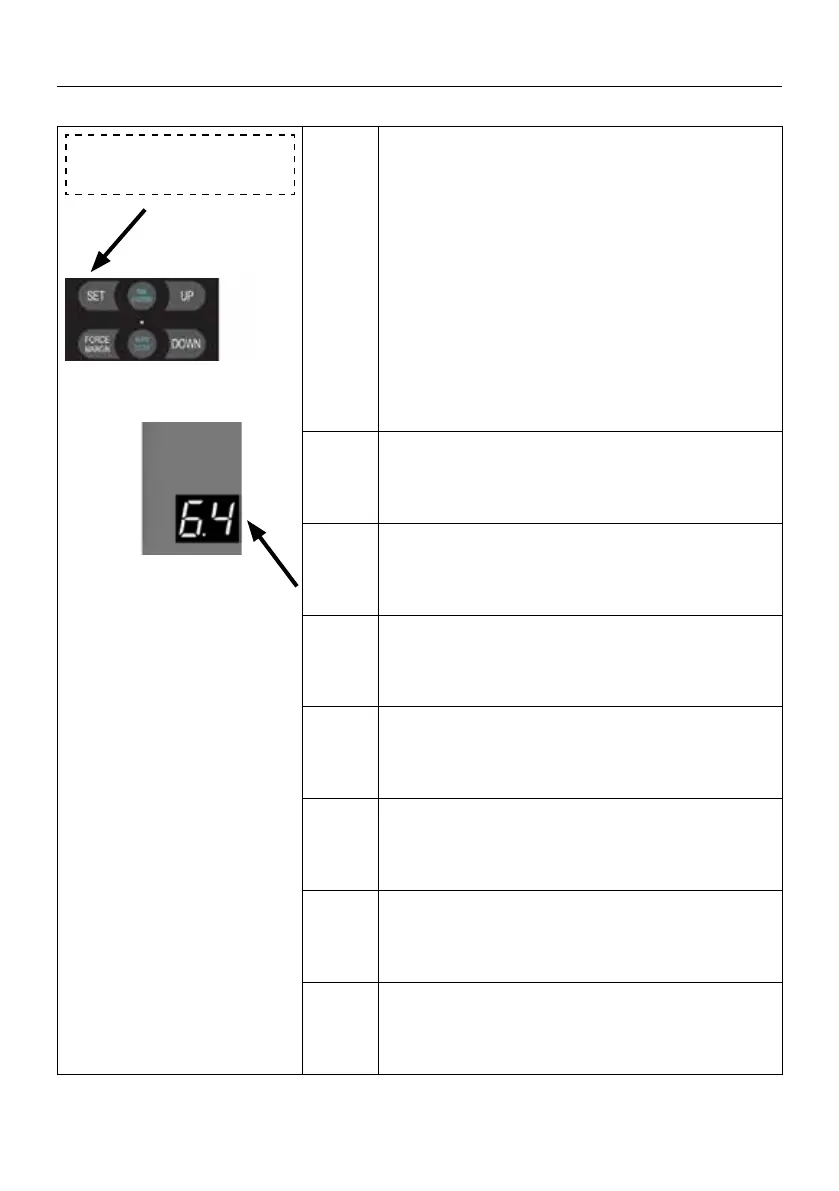
6. 4 FLASH/Warning
light output port setting
6.4
Press and hold SET button for about 6 seconds
to enter main menu until “0.-” appears on the
display then release the button.
Press UP till “6.-” appears on the display.
Press SET then appears “6.0” on the display
Press UP till “6.4” appears on the display.
Press SET enter into the FLASH/Warning light
output port setting.
. 1
Warning light ashes when the door is run-
ning, and warning light o when the door is
stop. (default)
. 2
The warning light is always on when the door
is running, and the warning light is o when
the door is stop.
. 3
The warning light ashes when the door is
running, and the warning light ashes also
when the door is stop.
. 4
The warning light is always on when the door
is running,and the warning light is always on
also when the door is stop.
. 5
The warning light ashes when the door is run-
ning,and the warning light is always on when the
door is stop.
. 6
The warning light is always on when the door
is running,and the warning light ashes also
when the door is stop.
Note
. 1 means: Warning light ashes when the
door is running, and warning light o when the
door is stop. (default).
SETTINGS OF FUNCTION PARAMETERS IN MENU


 To Next Page
 Loading...