71
7. —
7.- Courtesy light o
delay time.
7.-
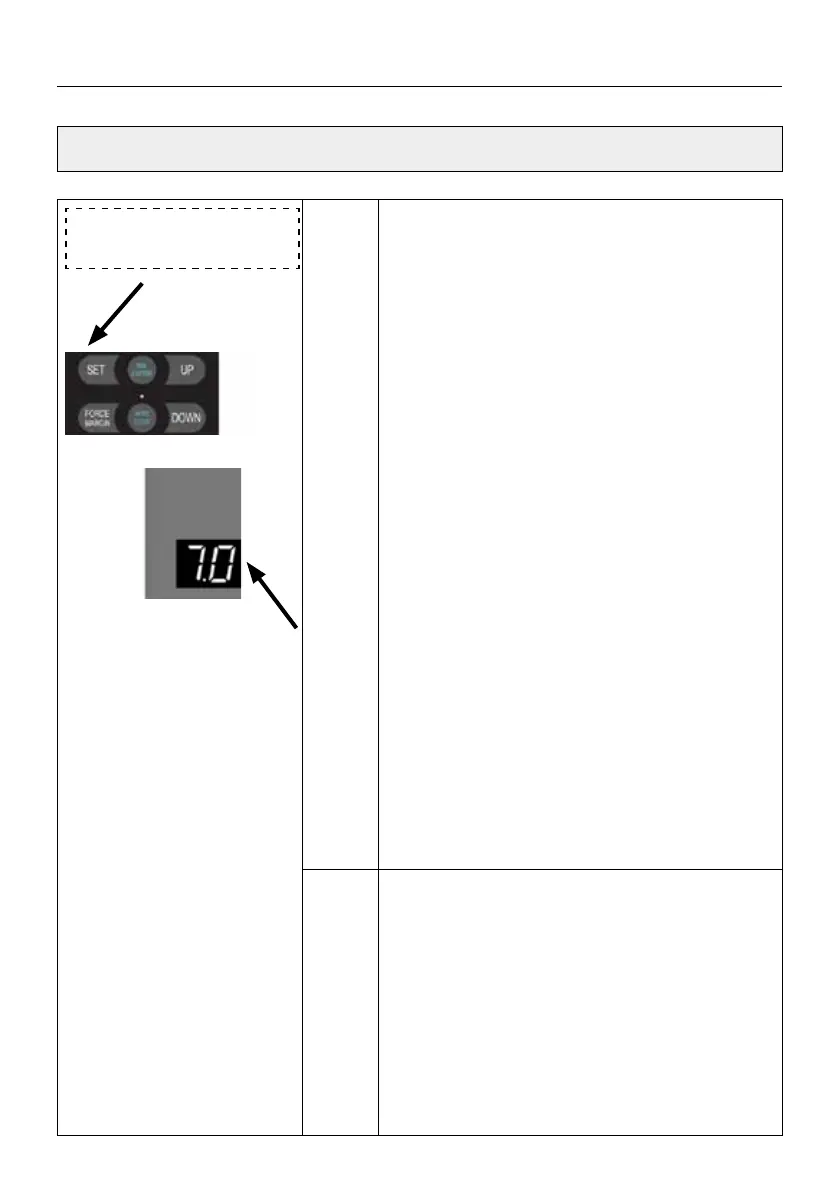
Press and hold SET button for about 6 seconds
to enter main menu until “0.-” appears on the
display then release the button.
Press UP till “7.-” appears on the display.
Press SET into Courtesy light o delay time set-
ting.
Press SET to enter the function menu, digital
tube display
7.3.
Adjust the stalls from
7.1 to 7.9 by buttons
UP/DOWN.
default means 3 minutes delay.
1 minute per stall. It is adjustable for 1-9 minu-
tes. Select the delay time of the courtesy light,
press the SET button to save setting, At the
same time, enter the warning function setting
of the courtesy light, digital tube display
.0,
Adjust the stalls from
.0 to .9 by buttons
UP/DOWN.
.0 means the courtesy light operation war-
ning function is o.
.0 to .9 means: The corresponding warning
1-9 second time selection,1-9 second option
means ashing before door drive starts run-
ning.
Note
a. After the door drive stops running, the cour-
tesy light delay time can be adjusted from 1~9
minutes, the default is
7.3 means 3 minutes o delay.
b. After the courtesy light warning function
is turned on, the courtesy light will ash for a
corresponding time before the door drive runs
each time, and then the door drive will start to
perform actions.
SETTINGS OF FUNCTION PARAMETERS IN MENU


 To Next Page
 Loading...