4 Assembly instructions
Unpack and check carefully there is no transportation damage before using the unit.
Keep the equipment packaging. To fully protect the product against vibration, dust
and moisture during transportation or storage use the original packaging or your
own packaging material suitable for transport or storage, respectively.
Set up the device in the desired location.
The device can be powered by batteries or with the included power supply.
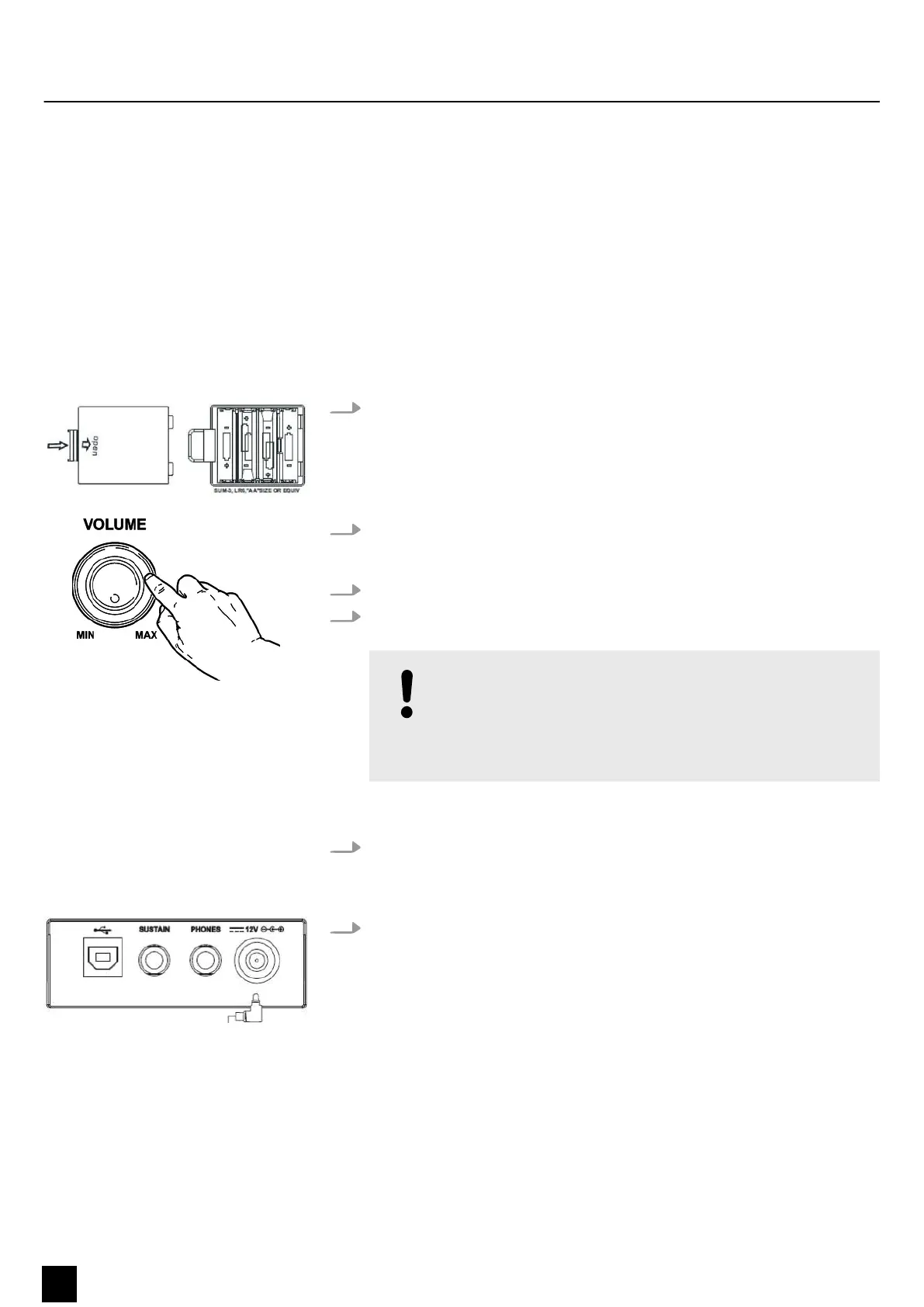
Batteries
1. Make sure that the device is turned o before you connect it to the supply
voltage or disconnect it.
2. Turn the volume knob counter-clockwise to minimum before connecting the
keyboard to the supply voltage or to other devices. This is to protect the
speakers from damage.
3. Take o the battery compartment cover on the underside of the keyboard.
4. Insert six AA/R6 size batteries. Pay attention to the correct polarity according to
the marks.
NOTICE!
Possible damage due to leaking batteries!
Batteries can leak and cause permanent damage to the device.
Take the batteries out of the device if it is not going to be used for
an extended period of time.
Always use batteries of the same type and do not use new and used batteries
at the same time.
5. Reattach the battery compartment cover and snap it into place.
Power supply
1. Make sure that the device is turned o before you connect it to the supply
voltage or disconnect it.
Power supply
Assembly instructions
10
MK-300
Keyboard



 To Next Page