8.4.10 Fine tuning
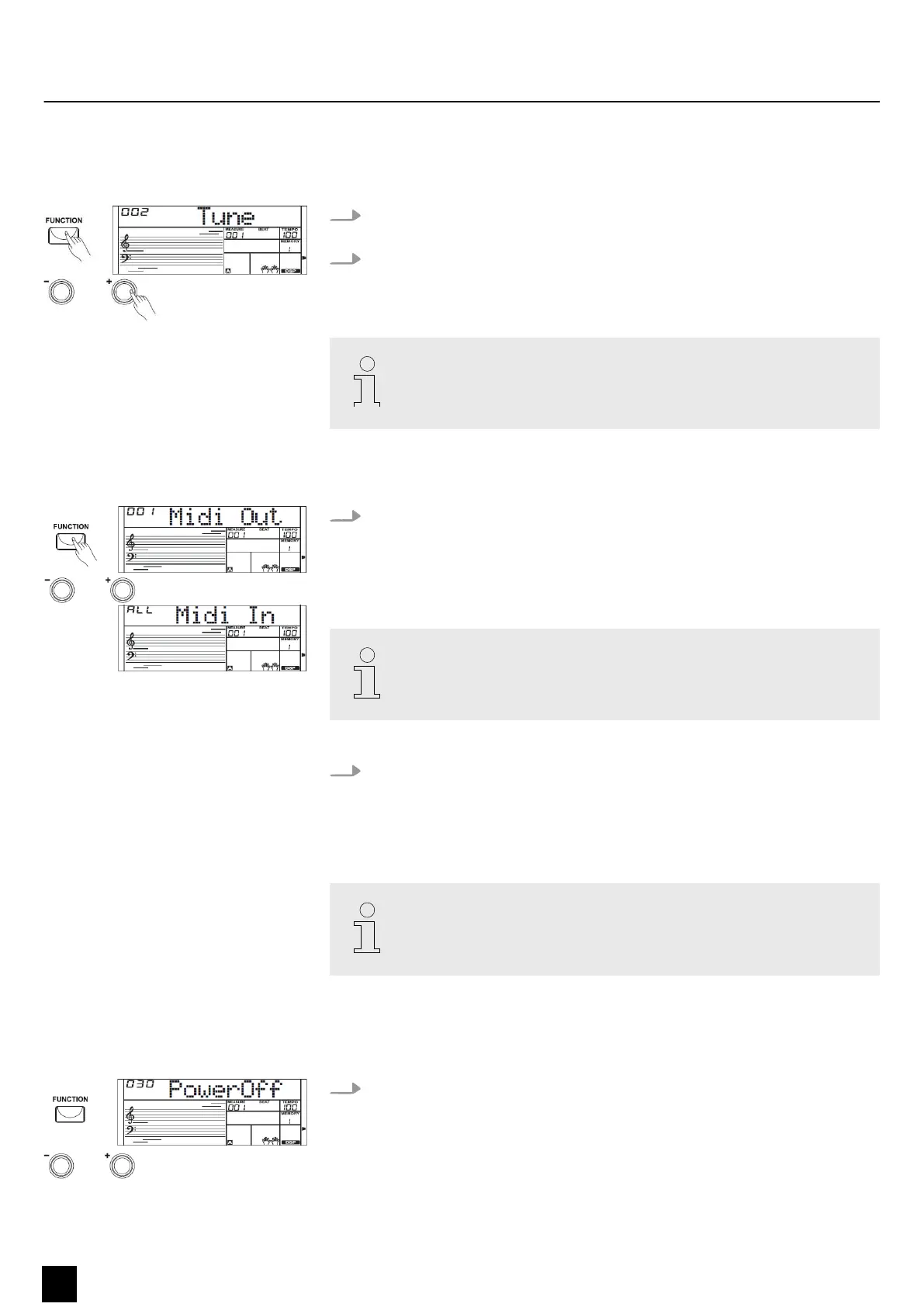
With this function you can ne tune the entire keyboard in cent steps.
1. Press the [FUNCTION] button to select the ne tuning setting. The display
shows the current ‘XXX Tune’ setting.
2. Use the [ +] or [–] buttons to adjust the tuning in a range from –50 to +50
cents. Each time a key is pressed, the value changes by 1 cent. If you press the
buttons [ +] and [–] simultaneously, the tuning is reset to the default value.
The ne tuning aects both keyboard and styles.
8.4.11 MIDI channels
Press the [FUNCTION] button to select the setting for the MIDI channels. The
display shows the current setting ‘XXX Midi In’ and ‘XXX Midi Out’ . In the ‘Midi
In’ function menu you can dene the MIDI channels on which the keyboard
receives MIDI information from other devices. Use the number buttons or the
[ +] or [–] buttons to select the MIDI receive channel(s).
Parameter range: Channels 1 to 16 or ‘ALL’ for all channels. Default setting:
‘ALL’ .
Press the [FUNCTION] button to select the setting for the MIDI channels. The
display shows the current setting ‘XXX Midi In’ and ‘XXX Midi Out’ . In the ‘Midi
Out’ function menu you can dene the MIDI channels which the keyboard uses
to send MIDI information to other devices. Use the numeric buttons or the [ +]
or [–] buttons to select the MIDI send channel.
Parameter range: Default setting for channels 1 to 16: ‘001’ .
8.4.12 Automatic shuto
If the keyboard is not used, it is switched o automatically after 30 minutes.
1. Press the [FUNCTION] button to select the setting for automatic shuto. The
display shows the current setting ‘XXX Power O’ .
Functions
26
MK-300
Keyboard


 To Next Page