6 Connection options
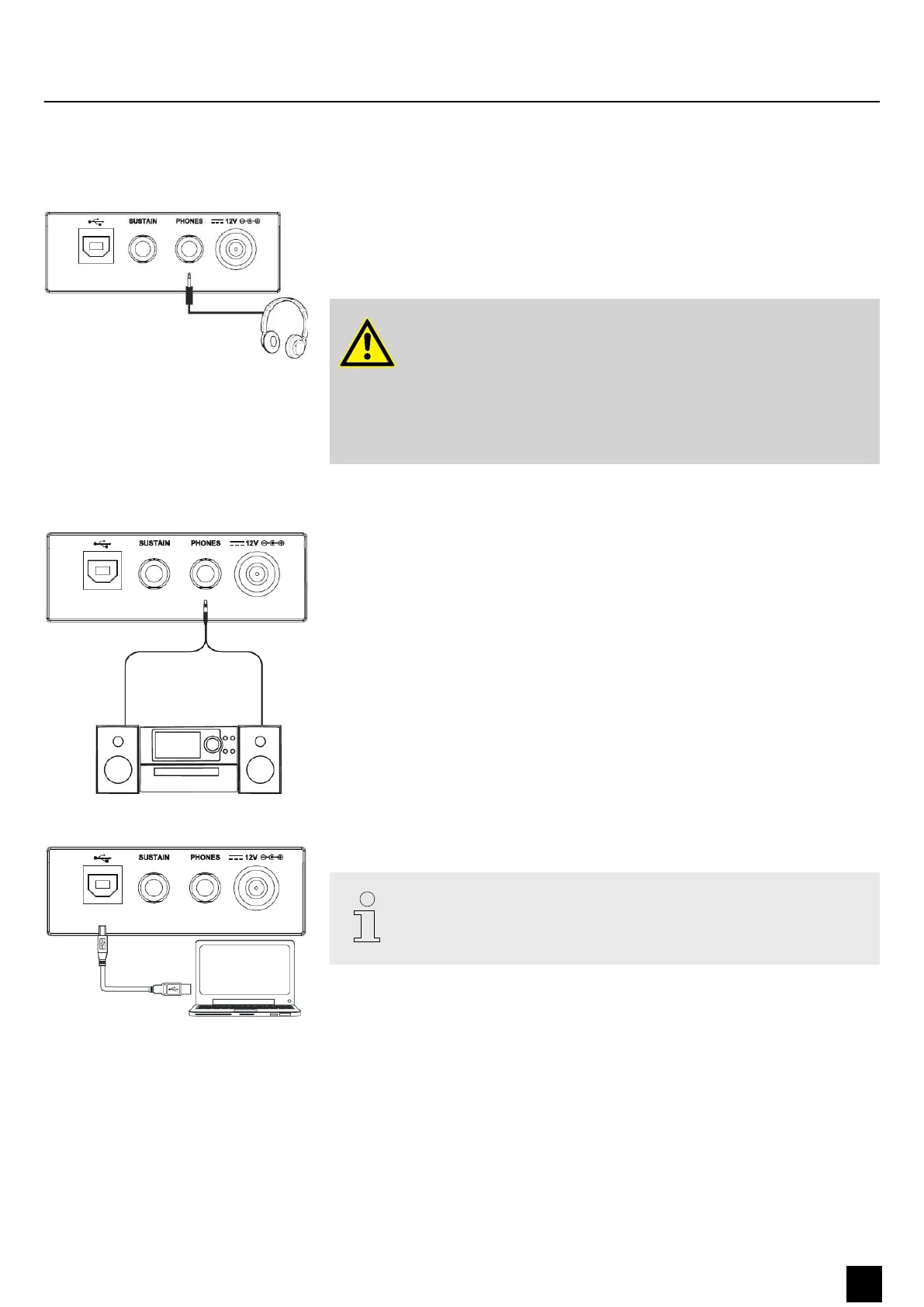
On the back of the keyboard you can connect headphones to the [PHONES] output
socket.
When you connect headphones, the internal speakers of the keyboard are automati‐
cally switched o.
WARNING!
Possible hearing damage due to high volumes on headphones!
The use of headphones at high volumes may result in permanent
hearing impairment. Over an extended period of time, even levels that
seem to be uncritical can cause hearing damage.
Avoid operating headphones at high volumes, in particular over an
extended period of time.
Use the [PHONES] output socket to connect the keyboard to an amplier, stereo
device, mixing console or recording device. Plug one end of the audio cable into the
[PHONES] socket on the back of the keyboard and the other end into the input of the
respective audio device.
MIDI data are sent and received through the USB/MIDI interface.
Use a current operating system still supported by the provider to avoid tech‐
nical diculties.
Headphones
External audio devices
Computer
Connection options
MK-300
15
Keyboard


 To Next Page