If you press the [CHORD] button twice, full range mode is activated and the
‘FullRange’ symbol lights up on the display. In this mode, chords played over the
entire keyboard range are detected. The split point setting for auto accompani‐
ment is ignored.
8.4 Function menu
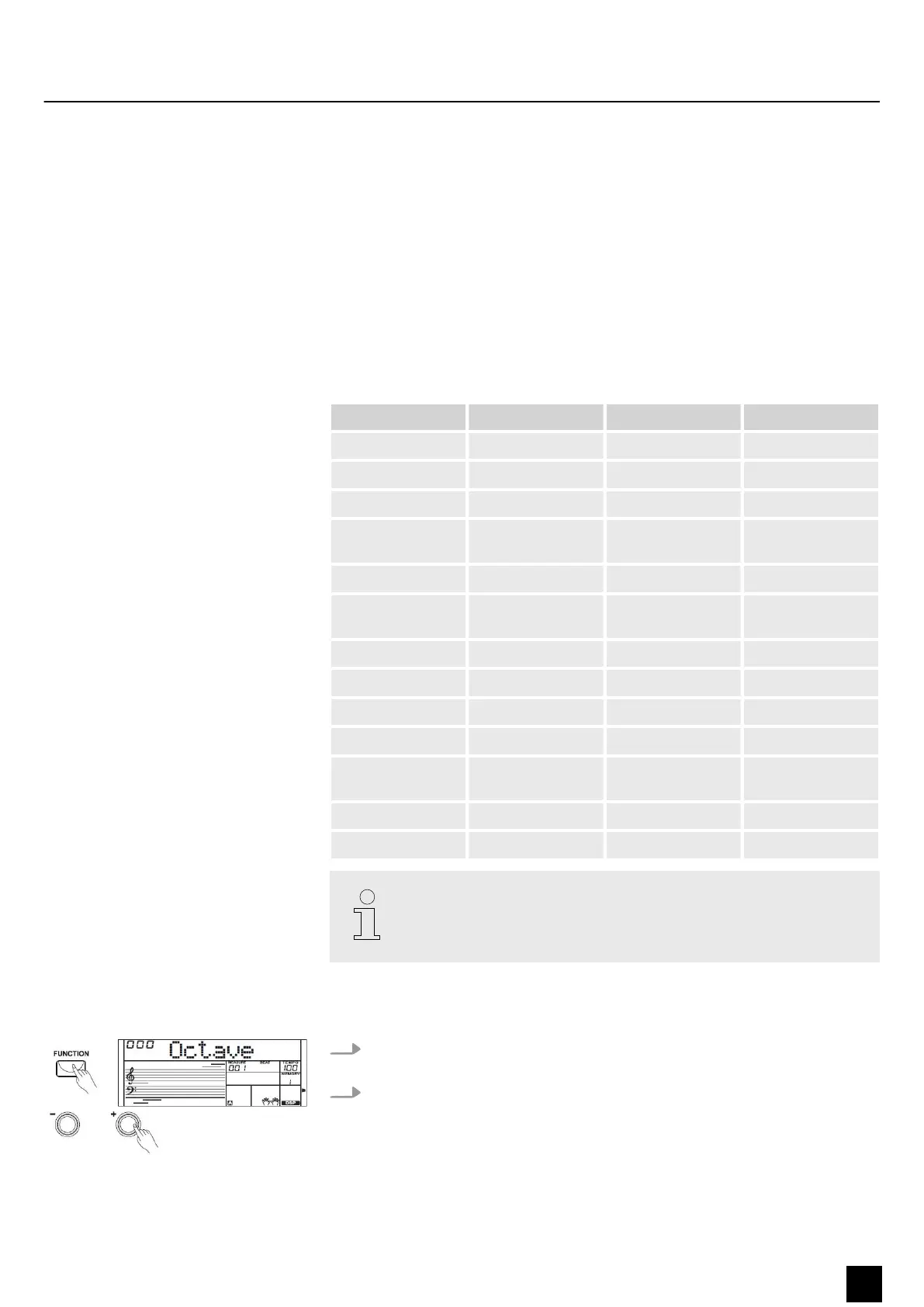
Press the [FUNCTION] button to call up the function menu. The rst function to
appear each time after activation is ‘Octave’ . Press the [FUNCTION] button repeatedly
to select the desired option. Then you can change the parameters using the number
buttons or the [ +] and [–] buttons.
Option LC display Control range Default value
Octave shift ‘XXX Octave’ –1 to +1 0
Digital eects ‘DSP’ ON/OFF ON
Reverb eect ‘XXX Rev Type’ 0 to 7 4
Reverb eect
depth
‘XXX Rev Level’ 0 to 32 9
Chorus eect ‘XXX Chr Type’ 0 to 7
Chorus eect
depth
‘XXX Chr Level’ 0 to 32
Vibrato ‘Modul’ ON/OFF
Touch sensitivity ‘Touch’ OFF, 1, 2, 3 2
Beat ‘XXX Beat’ 0, 2 to 9 4
Fine tuning ‘XXX Tune’ –50 to 50
MIDI receive
channel
‘Midi In’ 01 to 16, ALL
MIDI send channel ‘Midi Out’ 01 to 16
Automatic shuto Power O 030, 060, OFF 030
If you don't press any key within ve seconds after entering the function
menu, the menu is automatically closed.
8.4.1 Octave shift
1. First, press the [FUNCTION] button to enter the ‘Octave’ menu. The display
shows the current setting ‘XXX Octave’ .
2. Press the [+] or [–] buttons or the number buttons to shift the keyboard setting
one octave up or down. The default value is ‘000’ .
Functions
MK-300
23
Keyboard


 To Next Page