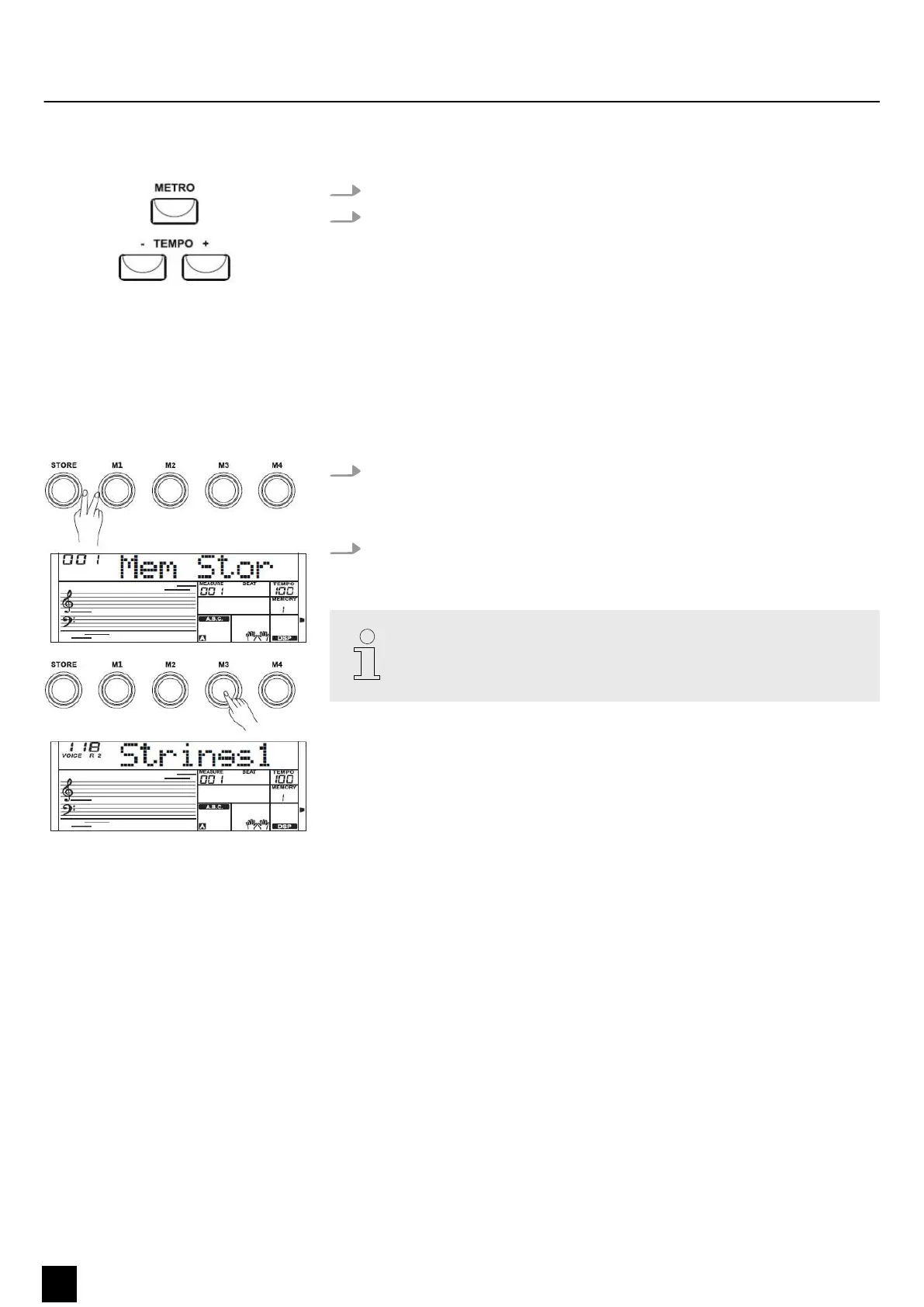
8.6 Metronome
1. Press the [METRO] button to turn the metronome on or o.
2. Press the [TEMPO +] or [TEMPO –] button to adjust the metronome tempo.
8.7 Memory
You can store the control panel conguration in the memory of the keyboard and
recall the data any time if required.
8.7.1 Saving/loading parameters
1. Hold down the [STORE] button and simultaneously press one of the [M1] to
[M4] buttons. The current settings are then stored in the respective memory
slot (M1 to M4). Please note that any data previously stored there will be
deleted.
2. Press one of the [M1] to [M4] buttons. The saved settings are then loaded from
the corresponding memory and replace the current settings.
Memory data can not be retrieved if the O.T.S. function is turned on. The
stored data are reset to the default values when you turn o the keyboard.
Functions
28
MK-300
Keyboard


 To Next Page