Key names Chord type Key names Chord type
F
#
4
m(9)
F
#
5
dim7
G4 m6 G5 dim
A
b
4 m7(9) A
b
5 7aug
A4 m7 A5 aug
B
b
4 m7
b
5 B
b
5 7sus4
B4 7 B5 sus4
8.12 MIDI functions
8.12.1 What is MIDI?
With MIDI connections, the device that controls other devices is called the “master”.
A device that is controlled via MIDI is called “slave”. The MIDI output of the master is
connected to the MIDI input of the slave. You cannot connect the MIDI output of a
device to the MIDI input of the same device.
MIDI stands for Musical Instrument Digital Interface and represents the standard
interface between a computer and electronic instruments.
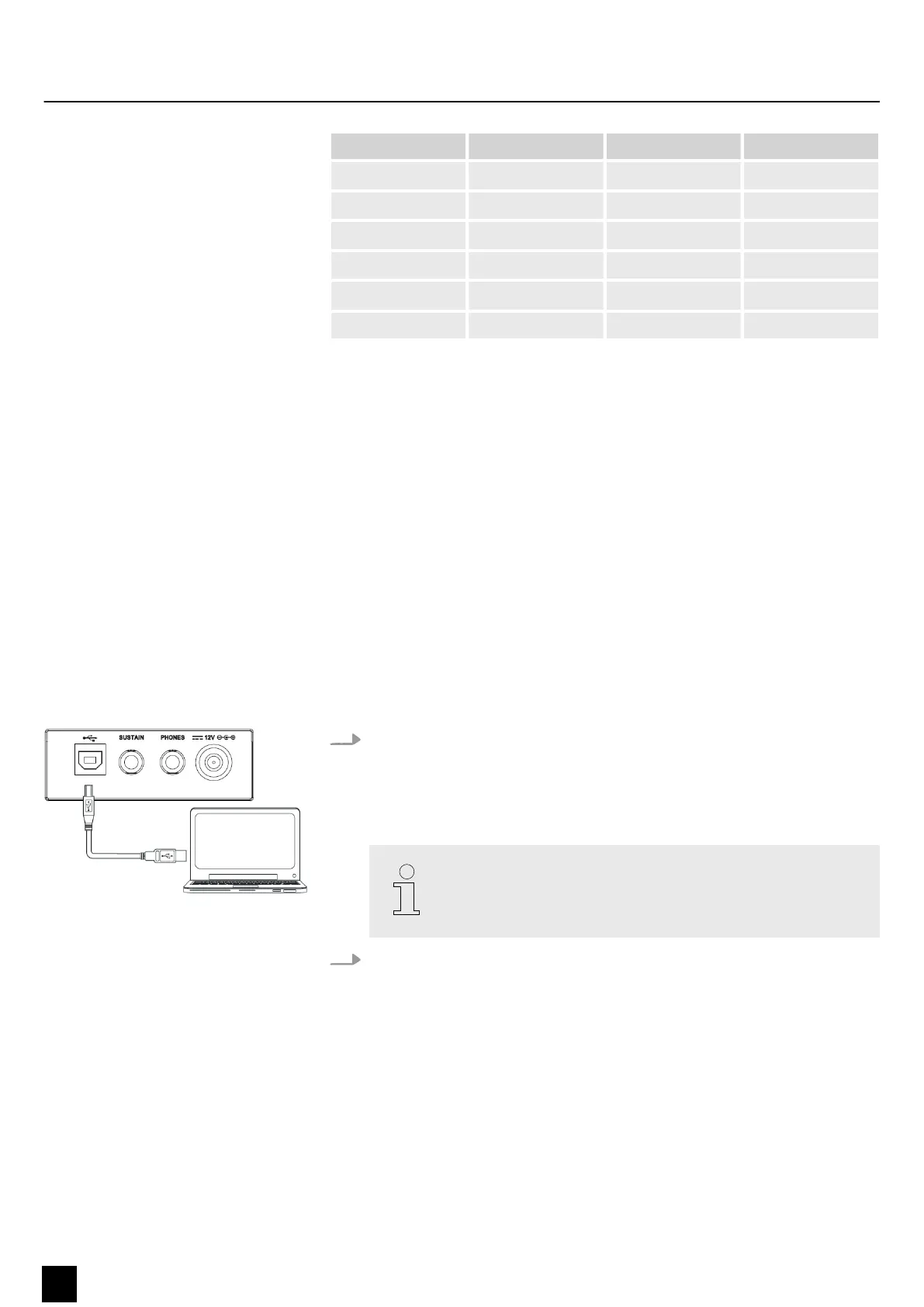
You can use the USB connection to exchange MIDI data with computers or other USB
devices that support USB audio via USB cable. MIDI data from computers or other
USB devices can be played back by the sound module of the keyboard.
8.12.2 USB connection
1. System requirements
n CPU: 300 MHz, Pentium 2 or higher
n RAM: 64 MB or more
n 2 MB free hard disc space
n Operating system: Windows® 8 and later, Mac OS X® 10.8 and later
Use a current operating system still supported by the provider to
avoid technical diculties.
2. Connecting
Connect the USB port on the back of the keyboard to the USB port on your
computer using a standard USB cable (not included).
Functions
32
MK-300
Keyboard


 To Next Page